






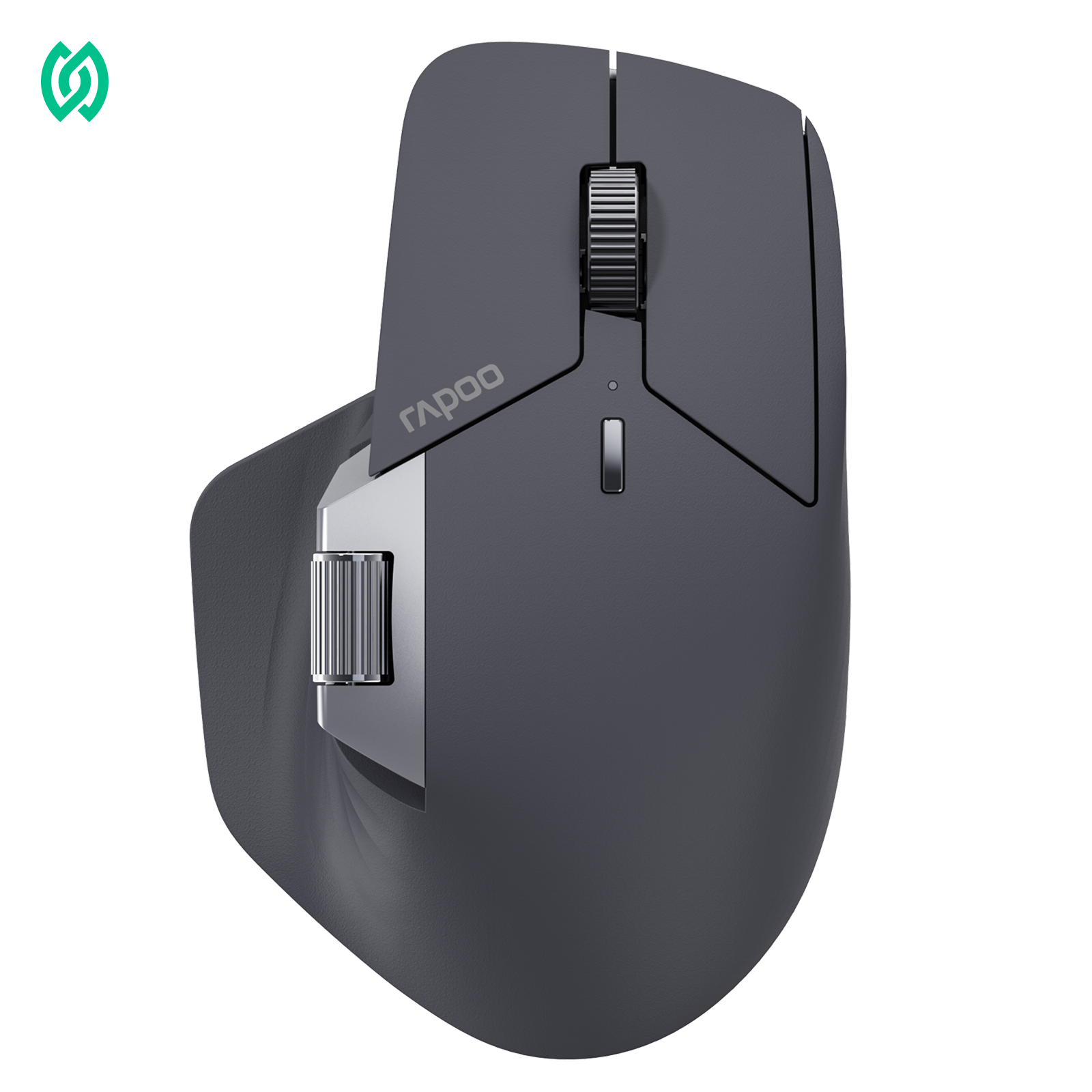



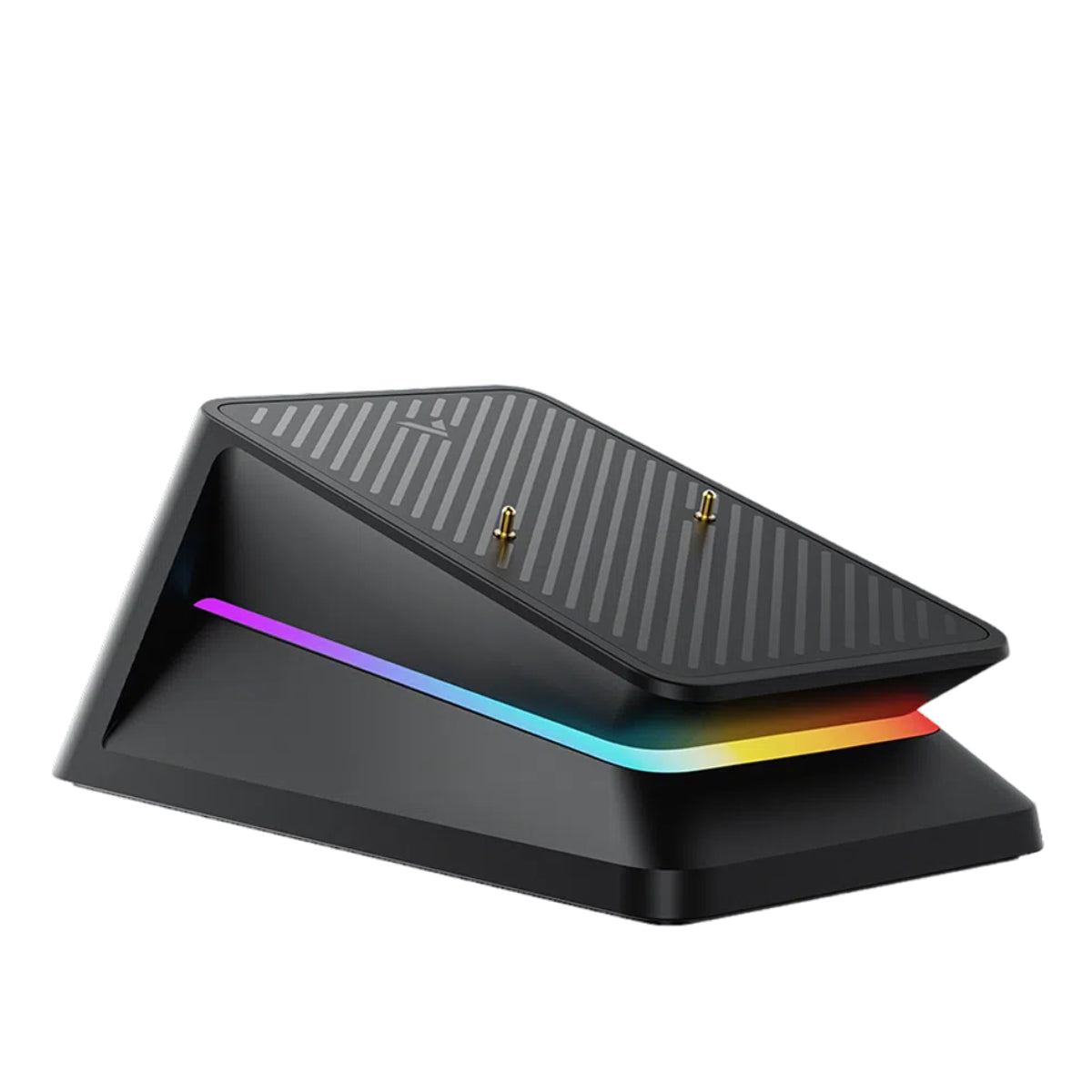

Modern gaming mice rely on advanced microcontrollers to coordinate the entire input pipeline, from processing sensor interrupts to scheduling USB or wireless reports. These mouse microcontrollers—often based on ARM architectures—act as the central processor that manages sensor data, firmware execution, and wireless communication.
Most high-performance mice today use low-power ARM-based microcontrollers such as Nordic Semiconductor wireless MCUs or STM32 processors, which provide the computing capability required for high polling rates like 4000 Hz or 8000 Hz.
What Is an MCU in a Mouse?
A mouse MCU (Microcontroller Unit) is the small processor inside a computer mouse responsible for processing sensor data, managing button inputs, scheduling polling reports, and handling wired or wireless communication with the computer.

In gaming mice, the MCU plays a critical role in determining input latency, polling rate stability, and wireless performance. A faster or more efficient MCU can process input data more quickly and maintain consistent report timing, which improves responsiveness during gameplay.
What the MCU Actually Does in a Mouse
Inside every modern gaming mouse is a microcontroller unit (MCU) that acts as the device’s internal processor. While the sensor captures movement and the switches detect clicks, the MCU is responsible for processing and coordinating all of that data before it reaches the computer. In other words, the MCU controls how efficiently the mouse reads inputs, schedules reports, and communicates with the PC.
In practical terms, the MCU manages several critical tasks inside the mouse:
- Sensor data processing – reads motion data from the optical sensor and converts it into cursor movement information.
- Button input detection – registers clicks and other button presses, handling debounce timing and input signals.
- Polling/report scheduling – controls how frequently input data is packaged and sent to the computer.
- Wireless communication management – coordinates data transmission between the mouse and the USB receiver or Bluetooth connection.
- Firmware execution – runs the mouse’s firmware, which defines features such as DPI settings, power management, and performance optimizations.
Because the MCU coordinates all of these processes, it plays a major role in determining latency, stability, and overall responsiveness in both wired and wireless gaming mice.
MCU vs Sensor: Which One Actually Affects Performance?
When evaluating gaming mouse performance, many users focus heavily on the sensor—often comparing DPI, IPS, or acceleration specifications. While the sensor is important, it’s only one part of the input pipeline. The MCU (microcontroller unit) plays an equally critical role because it determines how that sensor data is processed and delivered to the computer.
In simple terms, the two components have different responsibilities:
- Sensor → captures motion The optical sensor tracks movement across the surface and converts it into raw motion data.
- MCU → processes and transmits the data The MCU receives that sensor data, processes it through firmware algorithms, schedules report timing, and sends the final input report to the PC.
This means that a high-end sensor still relies on the MCU to perform well. Even if a mouse uses a top-tier sensor, the MCU must still process sensor interrupts, package the data, and transmit reports at precise intervals. If the MCU or firmware cannot keep up with the sensor’s data flow, problems such as added latency, inconsistent polling intervals, or micro-stutters can occur.

Gaming Mouse with Nordic 54L15
Discover RAPOO wireless gaming mice powered by the advanced Nordic 54L15 MCU, engineered for ultra-fast polling rates, stable wireless connectivity, and efficient low-power performance for competitive gaming.
- Nordic 54L15 MCU for high-speed wireless performance
- Supports ultra-fast polling rate up to 8000Hz
- Low-power architecture for efficient battery usage
- Optimized for competitive FPS gaming
RAPOOBg10 Copy manually
In practice, good mouse performance comes from the balance between the sensor and the MCU. The sensor provides accurate motion tracking, while the MCU ensures that data is processed quickly and delivered to the computer with stable timing. When both components are well matched—and supported by optimized firmware—the result is smooth tracking, consistent report timing, and low input latency during gameplay.
For a deeper comparison of how different Nordic MCU architectures affect gaming mouse performance, see our detailed guide on Nordic 54L15 vs 54H20.
Common MCUs Used in Modern Gaming Mice
Modern gaming mice rely on specialized microcontrollers (MCUs) to process sensor data, manage wireless communication, and maintain precise report timing. While manufacturers often focus marketing on sensors, the MCU is what actually coordinates the entire input pipeline. Several MCU platforms are commonly used across the industry, particularly in high-performance wireless and wired gaming mice.
Nordic Semiconductor MCUs
Many modern wireless gaming mice use MCUs from Nordic Semiconductor, which are known for combining strong processing performance with integrated low-power wireless radios. These chips allow the mouse to handle sensor processing, polling scheduling, and wireless transmission within a single system-on-chip (SoC).
Common examples include:
- nRF52840
- nRF54L15
The nRF54L15 is one of Nordic’s newer high-performance wireless SoCs designed for advanced low-power devices. It features a 128 MHz Arm Cortex-M33 processor, a 128 MHz RISC-V coprocessor, 1.5 MB non-volatile memory, and 256 KB RAM. The chip supports multiple wireless protocols including Bluetooth 6.0, Mesh, Thread, Zigbee, and Matter, and integrates security features such as TrustZone and hardware cryptography. With efficient radio performance and extremely low standby power consumption, it is well suited for compact, battery-powered devices like high-end wireless gaming mice.
The nRF52840 is another widely used Nordic MCU featuring a 64 MHz ARM Cortex-M4 processor, 1 MB Flash, and 256 KB RAM. It supports Bluetooth 5.x and proprietary 2.4 GHz wireless communication, making it capable of handling high polling rates and low-latency wireless transmission. Its integrated radio and low-power design make it a popular choice for performance-focused wireless peripherals.
Key advantages of Nordic MCUs include:
- Ultra-low power consumption, improving battery life
- Integrated 2.4 GHz wireless radios for receiver-based connections
- High polling rate capability for competitive gaming performance
- Advanced firmware flexibility for latency and stability optimization
Because these chips combine strong processing performance with integrated low-latency wireless radios, they are commonly used in modern wireless gaming mice designed for high polling rates and responsive input performance.
Recommended reading: Nordic 54L15 vs 54H20: How the MCU Affects Gaming Mouse Performance
STM32 Microcontrollers
Another widely used MCU family in peripherals is STM32, produced by STMicroelectronics. These microcontrollers are commonly found in wired gaming mice or hybrid designs where wireless radios are handled by separate chips.
STM32 MCUs are valued for:
- Strong processing performance for sensor data handling
- Flexible firmware development environments
- Stable USB HID implementations
- Wide adoption across embedded systems
Because STM32 chips focus primarily on processing rather than integrated wireless, they are often used in mice that prioritize consistent wired performance and customizable firmware behavior.
Custom MCU and Firmware Optimization
In addition to off-the-shelf MCU platforms, some manufacturers implement custom firmware optimizations or heavily tuned MCU configurations to improve gaming performance.
These optimizations can include:
- Latency tuning to reduce input processing delays
- Precise polling interval control for stable report timing
- Optimized wireless communication protocols
- Advanced power management for longer battery life
In practice, the MCU architecture alone does not determine performance. Instead, the combination of MCU capability, firmware optimization, sensor integration, and wireless implementation determines how responsive and stable a gaming mouse feels during real gameplay.
Understanding which MCU platform a mouse uses can therefore provide insight into its potential for low latency, stable polling behavior, and efficient wireless performance.
How the Mouse MCU Affects Latency
The mouse MCU affects latency by processing sensor input, scheduling polling reports, and transmitting data to the computer. After the sensor detects movement or a click, the MCU prepares the input report and sends it through USB or wireless communication. Faster MCUs with optimized firmware can process these tasks more quickly, helping reduce input delay and maintain stable polling intervals.
To understand how a mouse MCU influences latency, it helps to look at the basic input pipeline inside a gaming mouse:
Sensor → MCU → Wireless/USB → PC
The optical sensor first captures motion from the surface and generates raw tracking data. That data is then sent to the MCU, which acts as the central processor inside the mouse. The MCU processes the information, prepares input reports, and transmits them to the computer through either a USB cable or wireless receiver. Because the MCU sits directly between the sensor and the PC, it plays a critical role in determining how quickly and consistently input data is delivered.
Several key MCU functions directly influence mouse latency:
- Interrupt handling – The MCU receives hardware interrupts from the sensor and mouse switches when movement or clicks occur. Fast interrupt handling allows the MCU to react immediately instead of waiting for scheduled processing cycles.
- Report scheduling – The MCU controls when input reports are sent to the computer according to the configured polling rate (for example 1000 Hz or higher). Precise timing ensures reports are delivered at consistent intervals.
- Firmware processing – The MCU runs the mouse firmware, which processes sensor data, applies filtering or smoothing if needed, and prepares the final input packet before transmission.
If the MCU and firmware are efficient, these steps happen extremely quickly—often within fractions of a millisecond—resulting in low input latency and stable polling behavior. However, if the MCU cannot process interrupts or schedule reports efficiently, delays may occur, leading to increased latency, inconsistent report timing, or micro-stutters.
Modern gaming mice increasingly rely on more powerful microcontrollers and optimized firmware to maintain stable high polling rates and consistent input performance.

RAPOO PAW3395 Sensor Gaming Mouse
Discover RAPOO gaming mice powered by the PAW3395 sensor, tuned for high tracking accuracy, responsive control, and consistent competitive performance.
- LOD: 1.0mm ~ 2.0mm
- Up to 650 IPS
- Acceleration: 50G
- Built for precise flicks and micro-adjustments
RAPOOBg10 Copy manually

RAPOO PAW3950 Sensor Gaming Mouse
RAPOO PAW3950 sensor gaming mice featuring next-level tracking precision, excellent motion stability, and low-latency performance for demanding players.
- LOD: 0.7 mm ~ 1.7 mm
- Native 8K support
- Tracking Speed (IPS): Up to 650 IPS
- PAW3950 offers slightly better surface adaptability and stability on glass setups
RAPOOBg10 Copy manually
What Does the MCU Do in a Gaming Mouse?
The MCU in a gaming mouse processes sensor data, manages button inputs, schedules polling reports, and transmits input signals to the computer. It acts as the internal processor that coordinates firmware, wireless communication, and report timing, which directly affects latency and responsiveness.
How the MCU Controls Polling Rate
The mouse MCU plays a direct role in determining how the device handles polling rate, which is the frequency at which the mouse sends movement and click data to the computer. While polling rate is often presented as a simple specification (such as 1000 Hz or 8000 Hz), it is actually controlled and executed by the MCU and its firmware.

Inside the mouse, the MCU performs several key tasks that enable stable polling behavior:
- Scheduling input reports – The MCU collects sensor and button data and schedules when reports should be sent to the computer.
- Managing USB HID timing – In wired mode, the MCU follows the USB HID protocol and controls the bInterval timing parameter, which defines the minimum interval between reports.
- Coordinating wireless reporting – In wireless mice, the MCU synchronizes report timing with the wireless transmitter and receiver to maintain consistent communication intervals.
Polling rate directly corresponds to the time between these scheduled reports. For example:
| Polling Rate | Report Interval |
|---|---|
| 125 Hz | 8 ms |
| 500 Hz | 2 ms |
| 1000 Hz | 1 ms |
| 4000 Hz | 0.25 ms |
| 8000 Hz | 0.125 ms |
Because these intervals are extremely short, the MCU must process sensor interrupts and prepare reports very quickly. A powerful MCU with optimized firmware ensures that reports are delivered at precise, consistent intervals, which helps maintain low latency and smooth cursor movement during gameplay.
How the MCU Manages Wireless Communication
In wireless gaming mice, the MCU is responsible for managing how data is transmitted between the mouse and the computer. It coordinates several important tasks behind the scenes, ensuring that movement and click data are delivered quickly and consistently.
Key responsibilities of the MCU include:
- Radio scheduling – controlling when the wireless radio sends data packets.
- Packet timing – ensuring input reports are transmitted at the correct intervals based on the selected polling rate.
- Power management – balancing performance and battery efficiency during wireless operation.
Most modern wireless mice support two connection methods: a 2.4 GHz USB receiver and Bluetooth. Receiver-based wireless connections are typically optimized for low-latency gaming performance, while Bluetooth prioritizes compatibility and power efficiency. If you want a deeper technical comparison, see our guide on Bluetooth vs 2.4 GHz gaming mouse latency and performance.
For performance-focused gaming, the 2.4 GHz receiver mode is generally the faster and more responsive option, while Bluetooth is better suited for convenience and multi-device compatibility.
Why 8000 Hz Polling Doesn't Always Improve Performance
Ultra-high polling rates such as 4000 Hz or 8000 Hz are designed to reduce the time between mouse input reports. For example, 8000 Hz polling sends updates every 0.125 ms, which is much faster than the 1 ms interval of a standard 1000 Hz mouse. While this sounds like a major improvement on paper, the real-world benefit depends on whether the rest of the system can keep up.
Several factors can limit the effectiveness of extremely high polling rates. CPU load increases because the system must process thousands of input reports per second. USB bandwidth can also become a constraint if multiple high-speed devices share the same controller. In addition, the sensor’s internal frame rate may limit how much new motion data can actually be generated between reports. Because of these factors, higher polling rates can offer diminishing returns, and in some systems may even introduce instability or micro-stutter if the hardware cannot handle the increased data flow.

8000Hz Polling Rate Mouse Collection
Explore RAPOO 8K wireless gaming mice built for ultra-low latency, precise tracking, and consistently fast response in competitive gameplay.
- Up to 8000Hz polling rate for near-instant response
- Stable 2.4GHz wireless performance for esports scenarios
- High-precision sensor tuning for FPS and tracking-heavy titles
- Lightweight designs for faster flicks and better control
RAPOOBg10 Copy manually
How Mouse Latency Is Actually Tested
Measuring mouse latency requires specialized testing methods that capture the exact delay between a physical action—such as a click or movement—and the moment it appears on screen. Hardware reviewers and testing labs typically use several standardized techniques to evaluate real-world input performance.
One common method is high-speed camera click testing. In this setup, a high-speed camera records both the mouse button press and the resulting action on the monitor. By analyzing the video frame-by-frame, testers can measure the precise delay between the physical click and the on-screen response, giving an accurate picture of click latency.
Another approach uses USB polling analyzers, which monitor how frequently the mouse sends input reports to the computer. These tools help verify whether a mouse is truly operating at its advertised polling rate (such as 1000 Hz or 8000 Hz) and whether the MCU maintains consistent report timing.
For movement performance, testers often perform motion tracking latency tests. These tests measure the delay between physical mouse movement and cursor movement on the display, sometimes using specialized tracking rigs or synchronized sensors. Together, these methods help determine how effectively the mouse’s sensor, MCU, firmware, and communication system work together to deliver low and consistent input latency.
Does MCU Matter When Choosing a Gaming Mouse?
For most users, overall mouse performance depends on the combined design of the sensor, firmware, and wireless system, rather than the MCU alone. A good gaming mouse requires all of these components to work together smoothly to deliver stable tracking, consistent polling, and low latency.
However, the MCU becomes more important in certain scenarios, especially when the mouse is pushed closer to its performance limits. For example, in wireless gaming mice, the MCU must manage both sensor processing and wireless communication at the same time. When using high polling rates such as 4000 Hz or 8000 Hz, the MCU also needs enough processing power to handle extremely fast report scheduling and data transmission.
Because of this, the MCU matters most for users who prioritize competitive gaming performance, particularly in fast-paced FPS titles where consistent input timing and low latency can affect precision. In these cases, a well-designed MCU combined with optimized firmware helps ensure stable polling behavior and reliable responsiveness during gameplay.
FAQ
What does MCU mean in a gaming mouse?
In a gaming mouse, MCU stands for Microcontroller Unit. It is the small processor inside the mouse responsible for coordinating all device operations. The MCU reads sensor movement data, detects button inputs, processes firmware logic, and sends input reports to the computer through USB or wireless communication. In simple terms, the MCU acts as the control center that manages how the mouse processes and transmits input data.
Does MCU affect polling rate?
Yes. The MCU controls how input reports are scheduled and transmitted to the computer. Higher polling rates require the MCU to process sensor interrupts and send reports more frequently. A more capable MCU with optimized firmware can maintain stable high polling rates without introducing jitter or inconsistent report timing.
What causes mouse latency?
Mouse latency (or input lag) is the delay between moving or clicking the mouse and seeing the result on screen. This delay can come from several parts of the input pipeline, including sensor processing, MCU processing, wireless transmission, USB polling intervals, operating system scheduling, and display refresh timing. Even though each step only adds a tiny delay, they combine to determine the total responsiveness you experience.
Is Bluetooth OK for gaming?
Bluetooth can work for gaming, but it usually has higher latency than a dedicated 2.4 GHz wireless receiver. Bluetooth prioritizes compatibility and power efficiency, while receiver-based wireless connections are optimized for faster communication and higher polling rates. For casual gaming or office use Bluetooth is fine, but competitive gamers generally prefer receiver-based wireless connections for lower latency and more consistent performance.
Does polling rate reduce lag?
Increasing polling rate can reduce the time between input updates sent to the computer. For example, a 1000 Hz polling rate sends reports every 1 millisecond, while 125 Hz sends updates every 8 milliseconds. Higher polling rates can improve responsiveness and motion smoothness, but the benefits become smaller beyond 1000 Hz because other system factors—such as CPU scheduling and display refresh rate—also affect overall latency.
What MCU do gaming mice use?
Gaming mice use a variety of microcontrollers depending on their design and performance goals. Many wireless gaming mice use Nordic Semiconductor MCUs such as the nRF52840 or newer nRF54-series chips, which integrate processing power with low-latency 2.4 GHz wireless communication. Some mice—especially wired models—use STM32 microcontrollers known for strong processing performance and flexible firmware development.
Does a better MCU reduce input lag?
A more capable MCU can help reduce input lag, but it is only one part of the system. The MCU processes sensor data, handles interrupts, schedules polling reports, and manages wireless communication. If the MCU is too slow or poorly optimized, it may struggle to keep up with sensor data or high polling rates, which can lead to inconsistent report timing. However, sensor quality, firmware optimization, and wireless implementation also play major roles in determining overall latency.
References
- Nordic Semiconductor.
- Arm Ltd.
- USB Implementers Forum.
- Bluetooth SIG.
- Module Source.
- RTINGS.





