






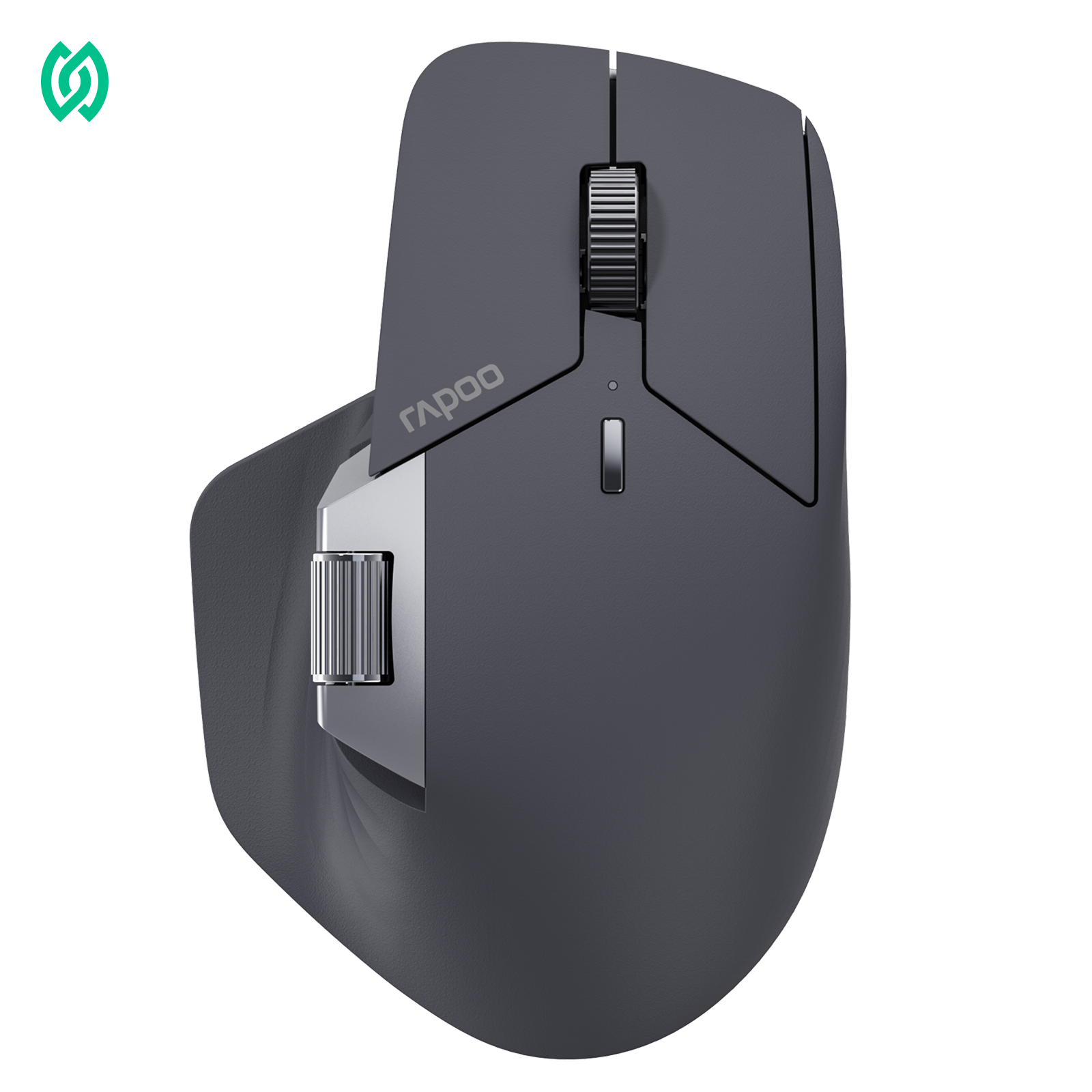



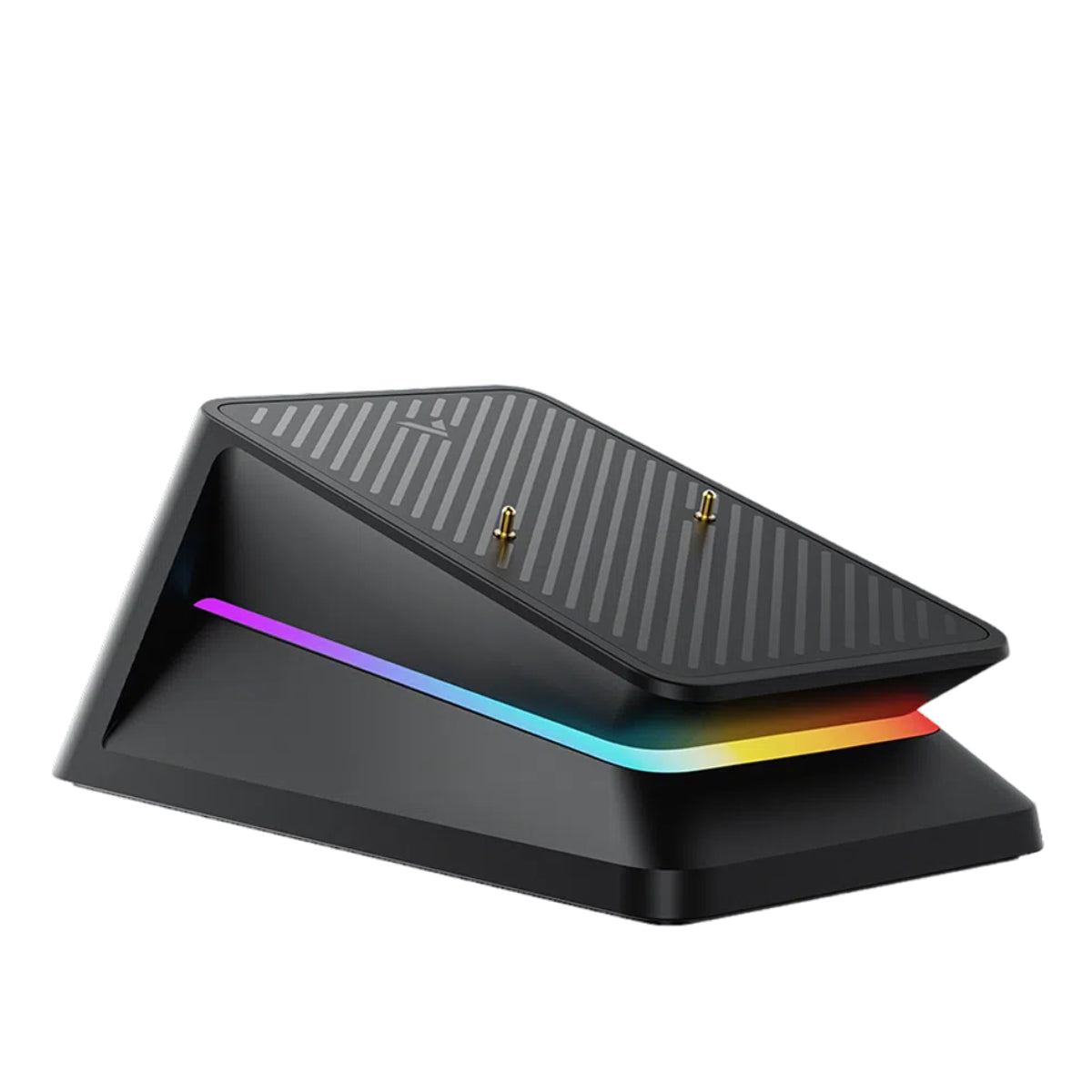
Mouse polling rate is one of those specs that appears everywhere in gaming discussions, yet is often misunderstood. Many players assume higher polling rates automatically mean lower input lag, while others confuse polling rate with DPI. In reality, polling rate describes how often mouse movement is reported to the system—and its real impact depends on factors like frame rate, display refresh rate, and system performance.
As FPS games and high-refresh-rate monitors have become more common, interest in higher polling rates has grown. Modern gaming mice now offer a wide range of polling rate options, including ultra-high values. For example, the RAPOO VT2 Series supports polling rates up to 8000Hz, while allowing users to adjust lower, more practical settings for different setups and use cases. This guide explains mouse polling rate in clear, real-world terms—what it is, how it affects latency, and when higher numbers actually make sense.
What is mouse polling rate?
In simple terms, mouse polling rate is how often the mouse reports its position to the computer per second. It's measured in hertz (Hz). For example, a 1000Hz polling rate means the mouse sends an update to the computer 1,000 times every second.

This is the core polling rate mouse meaning: it defines the timing of mouse updates, not how far the cursor moves or how sensitive it feels.
To make this clearer, think of polling rate as a question-and-answer rhythm between your mouse and your computer. The computer keeps asking, "Where is the mouse now?" and the mouse replies at a fixed pace. A higher polling rate simply means the mouse answers more frequently. Importantly, this is not frame rate and not related to how many images your screen draws per second—it's only about how often position data is sent.
So when people ask "what is mouse polling rate?", the most accurate answer is this: it controls how often movement information is delivered, which can influence responsiveness and timing, but it does not change accuracy, DPI, or cursor speed by itself.
Mouse Polling Rate Explained in Simple Terms
Mouse polling rate explained in the most practical way: the number shown in Hz simply means how many times per second the mouse sends its position to the computer. So when you see a polling rate setting, you can read it as updates per second.

Here's how common values translate in real terms:
- 125Hz → 125 position updates per second
- 500Hz → 500 updates per second
- 1000Hz → 1,000 updates per second
- 4000Hz → 4,000 updates per second
- 8000Hz → 8,000 updates per second
This is what people mean by mouse polling frequency. It's purely a timing interval. At 125Hz, the mouse reports its position roughly every 8 milliseconds. At 1000Hz, it reports every 1 millisecond. Higher numbers shrink the gap between updates, allowing movement data to reach the system more frequently.
What's important to understand is that increasing polling frequency doesn't make the mouse move farther or track more precisely. It only changes how often movement information is delivered. The cursor may feel more responsive in some situations, but the underlying motion data stays the same—only the delivery speed changes.
In short, polling rate is about when the computer hears from the mouse, not how much the mouse moves or how detailed that movement is.
Mouse Polling Rate vs Report Rate: Are They the Same?
Short answer: yes. Mouse polling rate and mouse report rate describe the same update frequency, just from different perspectives. There is no functional difference between them in real-world use.
Polling Rate vs Report Rate: Side-by-Side
| Term | How it's described | What it actually means |
|---|---|---|
| Mouse polling rate | How often the computer checks the mouse | Number of position updates per second (Hz) |
| Mouse report rate | How often the mouse sends data to the computer | Same update frequency, measured in Hz |
This is why the polling rate vs report rate distinction is mostly about wording, not behavior. Whether a setting says polling or reporting, it controls the same timing interval.
Why do both terms exist?
The dual terminology comes from different contexts:
- Manufacturers & drivers often use report rate to describe what the mouse is sending
- Operating systems & technical docs tend to use polling rate from the system's viewpoint
- Player communities mix both terms freely, treating them as interchangeable
Despite the naming difference, both terms always refer to how frequently mouse movement data is delivered, not accuracy, DPI, or speed.
Bottom line: if you see polling rate or report rate in settings or discussions, you can treat them as the same control affecting the same behavior.
Mouse Polling Rate vs DPI: Two Different Things
One of the most common points of confusion is mouse polling rate vs DPI. They are often mentioned together, but they control completely different aspects of how a mouse behaves.
Polling Rate vs DPI: Quick Comparison
| Setting | What it controls | What it does not control |
|---|---|---|
| DPI (dots per inch) | How far the cursor moves for a given physical movement | Timing, latency, or update frequency |
| Mouse polling rate | How often movement data is sent to the computer (Hz) | Cursor distance, sensitivity, or accuracy |
This is the simplest way to understand polling rate vs DPI mouse behavior:
- DPI affects distance
- Polling rate affects timing
DPI = Sensitivity, Not Speed or Latency
DPI determines how sensitive the mouse feels. A higher DPI means the cursor travels farther on screen with the same physical hand movement. It does not make the mouse respond faster, and it does not reduce delay.

This is where a common misunderstanding appears. Many users assume that increasing DPI automatically improves responsiveness. In reality, DPI only changes how much the cursor moves, not how quickly that movement is delivered to the system.
Recommended reading: What Is Mouse DPI? A Complete Guide to DPI Settings and Usage
Polling Rate = Time Resolution
Polling rate defines the time resolution of mouse input. A higher polling rate means the computer receives position updates more frequently, which can reduce the gap between physical movement and when that movement is registered. This is why polling rate is often discussed in latency-related conversations.
Seen this way, mouse dpi vs polling rate becomes much easier to separate:
- DPI shapes how movement feels
- Polling rate shapes when movement is reported
Clearing the Biggest Misconception
A higher DPI does not equal lower latency. You can run extremely high DPI and still have the same input delay if the polling rate remains unchanged. Likewise, increasing polling rate won't change sensitivity or make the cursor more precise on its own.
Understanding this separation helps explain why tuning DPI and polling rate serve different purposes—and why adjusting one cannot replace the other. If you're also experiencing mouse lagging or cursor stutter, that's a separate issue worth checking independently.
How Mouse Polling Rate Affects Latency
When people talk about mouse polling rate latency, they're usually referring to the theoretical delay between a physical mouse movement and when that movement is first delivered to the computer.
Theoretical Minimum Latency (1 / Hz)
At a basic level, polling rate sets the maximum time the system might wait before receiving the next update. This is often expressed with a simple formula:
Maximum input delay ≈ 1 ÷ polling rate (Hz)
Here's what that looks like in practice:
| Polling rate | Max theoretical delay |
|---|---|
| 125Hz | ~8 ms |
| 500Hz | ~2 ms |
| 1000Hz | ~1 ms |
| 4000Hz | ~0.25 ms |
| 8000Hz | ~0.125 ms |
This is why you'll often hear the statement "higher polling rate, lower latency." From a purely mathematical standpoint, that's correct: increasing polling rate reduces the worst-case waiting time before new input is sent.
Why Real-World Latency Is More Complicated
In actual use, mouse input doesn't travel directly from the mouse to your eyes. It passes through several layers that dilute the theoretical advantage:
- USB scheduling determines when data packets are processed
- Operating system input handling queues and filters events
- Game engine logic samples input once per frame
- Frame rate and display refresh rate limit when input is visually shown
Because of this chain, the practical latency difference between polling rates becomes smaller as other system limits take over. Even though a higher polling rate can reduce latency, it cannot bypass these bottlenecks.
What "Lower Latency" Really Means Here
So when we say higher polling rate lowers latency, it's more accurate to say this:
A higher polling rate reduces the input timing gap, but the total end-to-end latency depends on the entire system.
This explains why latency improvements may feel subtle—or even imperceptible—once polling rate is already reasonably high. The mouse may be reporting faster, but the rest of the system still decides when that information actually appears on screen.
Does Polling Rate Reduce Input Lag?
So, does polling rate reduce input lag? Yes—but only when the rest of the system can keep up.
A higher polling rate can slightly reduce mouse polling rate input lag by shrinking the time gap between input updates. However, this benefit is only noticeable when frame rate and display refresh rate are already high and stable.
In many everyday setups, the difference is nearly impossible to feel. If a game processes input once per frame, or a display refreshes slowly, extra mouse updates simply wait in line. The mouse may report faster, but the system can't act on that data any sooner.
In short: higher polling rate can reduce input lag in the right conditions, but once polling rate is reasonably high, frame rate and refresh rate become the real limiting factors. If you're troubleshooting actual mouse lag or freezing, the cause is usually connection or driver-related rather than polling rate.
1000Hz vs 8000Hz: What Changes in Practice?
When comparing a 1000Hz polling rate mouse to higher settings, the key takeaway is simple: theoretical differences don't always translate into real-world gains. This is why debates around 1000Hz vs 8000Hz mouse settings continue.
Theoretical Difference vs Practical Experience
On paper, moving from 1000Hz to higher values reduces the maximum input timing gap even further. In theory, that means faster updates. In practice, however, most systems hit a benefit ceiling long before those extra updates can be fully used.
A simplified view looks like this:
| Polling rate | Theoretical max gap | Practical impact |
|---|---|---|
| 1000Hz | ~1 ms | Already very small for most setups |
| 4000Hz | ~0.25 ms | Marginal gains in ideal conditions |
| 8000Hz | ~0.125 ms | Often masked by system limits |
This is why comparisons like 4000hz vs 8000hz mouse polling rate often show diminishing returns outside of controlled environments.
The "System Ceiling" Effect
Most PCs and games impose limits that cap the usable benefit of very high polling rates:
- Games sample input once per frame
- Displays refresh on fixed intervals
- USB and OS scheduling add overhead
Once these layers dominate timing, additional mouse updates don't change what you see on screen. The mouse may be reporting faster, but the system can't respond any sooner.
Why the High Polling Rate Debate Exists
The discussion around high polling rate mouse settings persists because experiences vary. Users with extremely high frame rates and high-refresh displays may notice subtle improvements in consistency or smoothness. Others feel no difference at all—and both outcomes can be correct.
Bottom line: higher polling rates reduce timing gaps in theory, but for most systems, 1000Hz already sits near the point of practical saturation. Beyond that, gains become increasingly situational rather than universal.
Does High Polling Rate Increase CPU Usage?
So, does a high polling rate increase CPU usage? The most accurate answer is sometimes—but not automatically.
A higher polling rate increases how often mouse input is delivered to the system. Processing more frequent input events can raise workload slightly, but on modern systems this overhead is usually small and often goes unnoticed.
The CPU impact becomes more visible only under specific conditions:
- When the system is already CPU-limited or older
- When many background processes are running
- When extremely high polling rates are combined with high, stable frame rates
Outside of these situations, changes in CPU usage are typically minimal. For most users, input handling is not a performance bottleneck, and higher polling rates do not meaningfully affect overall system load.
The key point: a high polling rate does not inherently cause high CPU usage. Any increase depends on system capacity and workload, not just the polling rate setting itself.
Best Polling Rate for Gaming
When people ask about the best polling rate for gaming, especially the best polling rate for FPS, the most realistic answer isn't the highest number available—it's the rate that delivers the most stable and consistently usable input.
For most gaming setups today, 1000Hz remains the practical sweet spot. At this level, input updates are frequent enough to keep latency extremely low, while still being easy for games and operating systems to handle reliably. Higher polling rates in the 2000–8000Hz range can offer marginal gains for elite players using high-end PCs and high-refresh-rate monitors, but those gains are highly situational and quickly run into diminishing returns. On weaker or CPU-limited systems, they may even introduce unnecessary overhead.
Lower polling rates such as 500Hz or 125Hz are still perfectly usable for casual gaming and everyday play. In wireless setups, they can also help reduce power consumption without noticeably affecting responsiveness for most users.
Ultimately, stability matters more than raw numbers. Smooth, predictable input paired with consistent frame rates delivers a better real-world experience than chasing higher Hz values a system can't fully use. This is why experienced manufacturers like RAPOO focus on overall input reliability—sensor behavior, firmware tuning, and polling stability—rather than treating polling rate as a standalone spec.
Recommended Mouse Polling Rate
| User scenario | Recommended polling rate | Why it makes sense |
|---|---|---|
| Everyday use / casual gaming | 500Hz – 1000Hz | Smooth, responsive input with minimal system overhead |
| Competitive FPS gaming | 1000Hz | Very low latency with high stability across most systems |
| High-refresh / high-FPS setups | 1000Hz – 2000Hz+ | Slight timing and consistency gains if the system can keep up |
High-Quality High Polling Rate Mouse Options
Throughout this guide, one theme comes up repeatedly: a high polling rate is best understood as flexibility, not a setting you must always run at maximum. The most practical mice are those that support a wide polling rate range while maintaining stable performance across different systems, games, and play styles.
This is the design approach behind RAPOO's latest ultra-light gaming mice. Rather than treating 8000Hz as a constant mode, these mice allow users to adjust polling rate based on their setup—whether prioritizing consistency, power efficiency, or competitive responsiveness.
Below are three RAPOO models that support up to 8000Hz polling rate, each aimed at a different hand size and grip preference.

Rapoo VT0 MAX Gen-2 Wireless Gaming Mouse
49g ultra-light • Designed for small hands • Up to 8000Hz polling
- Weight49g (1.72oz)
- Grip StyleFingertip / Claw
- Hand SizeSmall
- Sensor30K optical
- DPI50–26,000
- Polling RateUp to 8000Hz
- ConnectionWired / 2.4GHz wireless
- Battery800mAh, up to 750 hours

Rapoo VT2 Gen-2 Wireless Gaming Mouse
53g lightweight • Symmetrical shape • Up to 8000Hz polling
- Weight53g (1.87oz)
- Grip StylePalm / Claw / Fingertip
- Hand SizeMedium to Large
- Sensor26K optical
- DPI50–26,000
- Polling RateUp to 8000Hz
- ConnectionWired / 2.4GHz wireless

Rapoo VT3 Gen-2 Wireless Gaming Mouse
53g lightweight • Ergonomic right-hand shape • Up to 8000Hz polling
- Weight53g (1.87oz)
- Grip StylePalm / Claw
- Hand SizeLarge
- Sensor26K optical
- DPI50–26,000
- Polling RateUp to 8000Hz
- ConnectionWired / 2.4GHz wireless
Because all three options support a wide range of polling rate settings, the decision is less about chasing higher Hz and more about choosing a shape that stays stable and comfortable as polling rate, frame rate, and game demands change.
How to Choose the Right High Polling Rate Mouse
When choosing a high polling rate mouse, the most important factors are hand size, grip style, and input consistency—not simply the highest polling rate number. A mouse that fits your hand naturally allows you to maintain stable control, which matters far more for real-world responsiveness than pushing polling rate to its theoretical limit.
Smaller hands often benefit from lighter, more compact designs that support quick fingertip or claw movements. Medium to large hands tend to prefer balanced, symmetrical shapes that remain comfortable across different games and grip styles. For large hands or long sessions, an ergonomic right-hand design can reduce strain and help maintain consistent input over time.
FAQ
Why are 8K polling rate gaming mice so popular?
As FPS games have grown in popularity and display technology has advanced, high-refresh-rate monitors and consistently high frame rates have become more common. As players upgrade their displays and hardware, attention naturally shifts toward input specifications that theoretically reduce latency—making 8K polling rate a frequent topic in enthusiast discussions.
Another reason is flexibility. A higher polling rate mouse can better adapt to different usage scenarios, allowing users to adjust polling rate settings per game or task instead of switching mice. In that sense, 8K polling rate is often valued less as a constant setting and more as a capability range that users can tune based on their setup and needs.
What is mouse polling rate in simple terms?
Mouse polling rate is how often your mouse sends its position to the computer each second, measured in hertz (Hz).
Is mouse polling rate the same as report rate?
Mouse polling rate and report rate describe the same input update frequency, just using different terms.
Does higher polling rate always reduce input lag?
Not always. Beyond a certain point, system limits like frame rate and refresh rate reduce the practical benefit. For actual mouse lag issues, the cause is usually connection or driver-related.
What's the difference between mouse DPI and polling rate?
DPI controls how far the cursor moves, while polling rate controls how often movement data is sent to the system.
Is 8000Hz polling rate better than 1000Hz?
In theory, yes—but in practice, the difference is often minimal for most users and setups.
Does high polling rate increase CPU usage?
It can, especially on older systems or when CPU load is already high, but it's not guaranteed.
What polling rate should I use for FPS games?
For most FPS players, 1000Hz provides the best balance of responsiveness and stability. See our best mouse for FPS collection for more recommendations.





