










If you’ve ever noticed your cursor moving slightly when you lift your mouse, you’ve already experienced LOD—even if you didn’t know the term. LOD, or Lift-Off Distance, describes how a mouse behaves when it’s lifted off the surface, and it plays a bigger role in control and consistency than many users realize.
This guide explains the LOD mouse meaning in clear, simple terms. You’ll learn what lift-off distance is, why it matters in everyday use and gaming, how it affects FPS play, and how to test or adjust mouse LOD.
What does LOD mean on a mouse?
LOD (Lift-Off Distance) is the height at which a mouse sensor stops tracking when the mouse is lifted off the surface. In simple terms, it describes how far you can lift a mouse before the cursor stops moving. A lower LOD means the cursor stops quickly when you lift the mouse, while a higher LOD allows tracking to continue even when the mouse is slightly off the desk.
It’s important to clarify that LOD has nothing to do with DPI, sensitivity, or cursor speed. A mouse can have very high DPI and still have a low or high LOD—these are completely separate aspects of how the sensor behaves.

LOD comes into play when the mouse is slightly lifted off the desk or mousepad, such as when you reposition it. If the sensor continues to track while the mouse is in the air, the cursor may still move. Once the lift height exceeds the mouse’s LOD, tracking stops.
Recommended reading: What Is Mouse DPI? A Complete Guide to DPI Settings and Usage
What is lift-off distance (LOD) in simple terms?
In simple terms, lift-off distance (LOD) means how high you can lift a mouse off the desk before it stops tracking movement. If the cursor still moves while the mouse is slightly in the air, that movement is happening within the mouse’s lift-off distance.
A common real-world example is when you pick up the mouse to reposition it. As you lift and move the gaming mouse to a new spot on the mousepad, the cursor may continue to move briefly. The height at which the cursor finally stops moving is the mouse’s lift-off distance.
This is why lift off distance on a mouse is something you notice during everyday use, not just in games. Any time you lift the mouse—even a small amount—you’re interacting with its LOD. A lower lift-off distance means the cursor stops sooner when the mouse leaves the surface, while a higher lift-off distance means tracking continues a bit longer.
At its core, lift-off distance isn’t about speed or precision—it’s simply about how the mouse behaves when it’s no longer fully touching the desk.
Why mouse LOD matters in real use
Mouse LOD matters because it affects what happens to the cursor when you lift the mouse, even slightly. If a mouse continues to track while being lifted, the cursor may drift or move unexpectedly before stopping. If tracking stops quickly, the cursor stays more stable during repositioning.
This behavior becomes noticeable when you reposition the mouse for precise control—for example, lifting it to place it back in the center of the mousepad. With a higher lift-off distance, small hand movements in the air can still register on screen, which may feel imprecise or harder to control. With a lower LOD, the cursor stops moving sooner, making repositioning feel cleaner and more predictable.
Not everyone notices mouse LOD the same way. Users who frequently lift and reset their mouse, use lower sensitivity settings, or rely on fine cursor placement tend to be more sensitive to LOD behavior. Others who rarely lift the mouse or use higher sensitivity may barely notice it at all.
This is also where people start asking whether LOD affects accuracy. LOD doesn’t change how accurate the sensor is while the mouse is on the surface, but it can influence how consistent and controlled movement feels during lift-off—something we’ll explain more clearly in the next sections.
LOD mouse gaming explained
In gaming, mouse LOD becomes more noticeable because of faster movements and frequent repositioning. During intense gameplay, players often swipe the mouse quickly, reach the edge of the mousepad, and lift the mouse to reset its position. This repeated lift-and-reset motion makes lift-off behavior much easier to feel.
When a mouse has a higher lift-off distance, it may continue tracking briefly while being lifted during these resets. That can cause small, unintended cursor movement before tracking stops. Over time, this can make control feel less consistent—especially when you rely on precise, repeatable movements.
This is why LOD mouse gaming behavior isn’t about raw performance, but about control consistency. A mouse with predictable lift-off behavior helps ensure that when you lift the mouse, on-screen movement behaves exactly as expected. When lift-off tracking feels inconsistent, players may feel like the mouse is harder to “reset” cleanly between swipes.
LOD mouse for FPS: what players should know

In FPS games, mouse LOD becomes especially noticeable because of frequent lift-and-reset movements. Players often use large swipes to turn or track targets, then lift the mouse to reposition it back to the center of the mousepad. This cycle can happen dozens or even hundreds of times in a single match.
During these resets, crosshair stability matters. If a mouse continues tracking while being lifted, the crosshair may shift slightly before stopping. Even small, unintended movements can feel disruptive in FPS games, where precise aiming and consistent positioning are critical.
This is why FPS players tend to be more sensitive to LOD behavior than players in slower-paced genres. When lift-off tracking feels inconsistent, it can break rhythm and make aiming feel less controlled, even if the mouse performs perfectly while resting on the surface.
So when people talk about LOD mouse FPS performance, they’re not referring to speed or accuracy stats. They’re describing how predictable and stable the mouse feels during lift-off and repositioning, which plays a bigger role in FPS games than many players realize.
High LOD vs low LOD mouse: Which is better?
The difference between a high LOD and a low LOD mouse comes down to how long the sensor continues tracking when the mouse is lifted off the surface.
- High LOD means the mouse keeps tracking movement even when it is lifted relatively higher above the desk.
- Low LOD means the sensor stops tracking as soon as the mouse is lifted slightly.
When it comes to behavior, the difference is easy to feel during repositioning. With a high LOD, small hand movements while lifting the mouse can still move the cursor. With a low LOD, tracking cuts off sooner, so the cursor stays more stable when the mouse is off the surface.
From a neutral, technical perspective, both behaviors have trade-offs:
| Aspect | High LOD | Low LOD |
|---|---|---|
| Lift-off tracking | Continues tracking higher above the surface | Stops tracking quickly when lifted |
| Cursor behavior during lift | Cursor may still move slightly | Cursor stays more stable |
| Repositioning feel | More forgiving but less controlled | Cleaner and more predictable |
| Off-surface movement | Small hand movements can register | Minimal movement once lifted |
| Typical use perception | Feels more tolerant on uneven surfaces | Feels more controlled during resets |
This is the core high LOD vs low LOD mouse distinction. When people refer to low LOD mouse meaning, they’re describing a mouse that minimizes tracking during lift-off to keep cursor movement more controlled—not one that changes speed, sensitivity, or overall accuracy.
Is low LOD better for FPS?
In most cases, yes—low LOD is generally preferred for FPS games, but it isn’t automatically better in every situation.
Many FPS players favor a lower lift-off distance because it helps keep the crosshair stable during frequent lift-and-reset movements. When tracking stops quickly as the mouse is lifted, there’s less chance of unintended cursor movement while repositioning. This makes aiming feel more controlled and consistent, especially at lower sensitivities.
However, extremely low LOD can sometimes be inconvenient. If tracking stops too aggressively, the cursor may cut out even during very slight lifts or uneven contact with the mousepad. This can feel abrupt for some users, particularly if they use softer mousepads or lift the mouse at an angle.
So when people ask “is low LOD better for FPS?”, the practical answer is that lower LOD usually supports cleaner resets and steadier aim, but the ideal behavior still depends on how a player moves the mouse and how often it’s lifted during play.
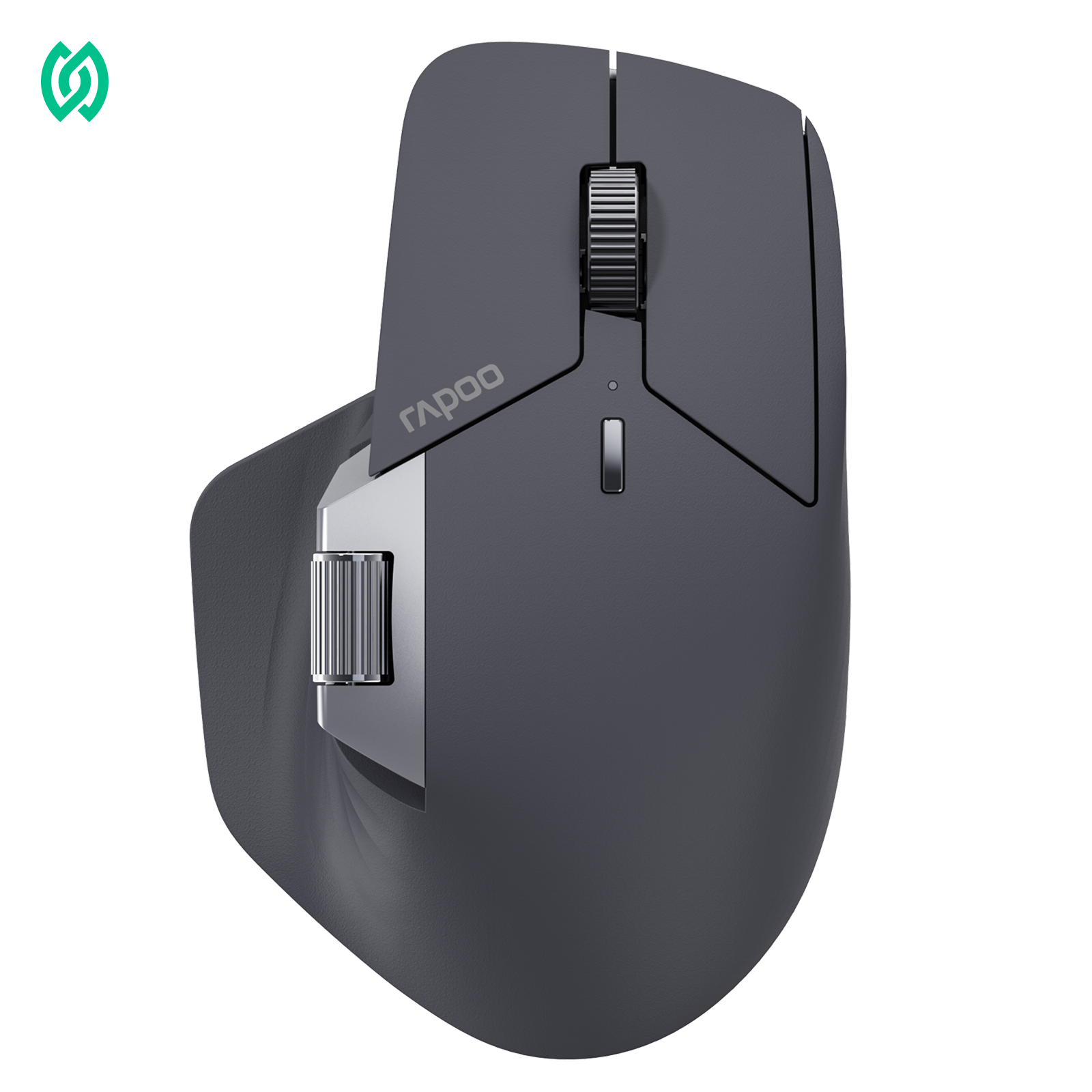
For players who want finer control over lift-off behavior, adjustable LOD settings can make a noticeable difference in FPS gameplay. Here’s an example of a mouse designed with granular LOD tuning in mind:

Rapoo VT7 Max Gen-2 Wireless Gaming Mouse
Adjustable LOD • Dual 8K polling • Tuned for controlled lift-and-reset play
- Lift-Off Distance11-step adjustable LOD (0.7–1.7mm) + glass surface tracking
- Polling RateNative dual 8K support (mouse + buttons)
- Sensor3950 Ultimate optical (10–30000 DPI)
- Switches120M tuned optical switches for consistent actuation
Extra savings available — use code RAPOOBg10 at checkout.
Does LOD affect accuracy?
LOD does not directly change a mouse’s sensor accuracy. While the mouse is resting on the surface, lift-off distance has no impact on how precisely the sensor tracks movement or how accurately the cursor responds.
Where LOD can matter is indirectly, during lift-off and repositioning. If a mouse continues tracking while being lifted, small, unintended movements can occur before tracking stops. Over time, this can make aiming feel less consistent—even though the sensor itself is still accurate when in contact with the surface.
This is why some accuracy issues related to LOD are perceived rather than technical. The sensor isn’t misreading movement; instead, the cursor behavior during lift-off can interrupt muscle memory or aiming rhythm. For players who frequently lift and reset their mouse, this inconsistency can feel like a loss of accuracy.
So when asking does LOD affect accuracy, the correct answer is that LOD influences how controlled aiming feels during repositioning, not the underlying precision of the mouse sensor itself.
Typical mouse LOD values (mm)
Mouse LOD is usually measured in millimeters (mm). This number represents the physical height above the surface at which the mouse sensor stops tracking movement. In other words, mouse LOD mm describes how far the mouse can be lifted before the cursor no longer responds.
In general terms, mouse LOD values fall into three broad ranges:
- Low LOD: roughly around 1 mm or less Tracking stops very quickly once the mouse is lifted.
- Medium LOD: around 1–2 mm Tracking continues briefly during lift-off before stopping.
- High LOD: above 2 mm The sensor may still track movement even when the mouse is clearly off the surface.
These values are meant to be illustrative, not exact standards. The key idea is what the number represents physically: a higher LOD means the sensor can still “see” movement farther away from the surface, while a lower LOD means tracking cuts off sooner.

Rapoo VT2 Gen-2
Balanced LOD tuning with minimal setup
- • 11-step adjustable LOD (1.0–2.0mm range)
- • Moderate lift-off cutoff for stable repositioning
- • Consistent tracking on standard cloth mousepads
- • Lightweight wireless design in the VT2 Gen-2 shape
A good fit if you prefer predictable lift-off behavior without aggressive cutoff tuning.

Rapoo VT2 Max Gen-2
Same feel, finer lift-off control range
- • 11-step adjustable LOD (0.7–1.7mm range)
- • Earlier lift-off cutoff for frequent lift-and-reset play
- • Glass surface tracking support
- • Built for high polling rate setups (4K / 8K)
Designed for players who tune LOD closely and rely on fast, repeatable resets.
In practical implementations, LOD behavior can vary even within the same product generation. For example, among RAPOO’s latest Gen-2 mice, the MAX variants typically support finer lift-off control with 11-step adjustable LOD ranging from 0.7–1.7mm. Non-MAX Gen-2 models also offer 11-step LOD adjustment, but within a slightly higher range of 1.0–2.0mm.
How to test mouse LOD
A simple way to test mouse LOD is by using stacked paper or cards on a flat desk. This method doesn’t require any special tools and works for almost any mouse.
Start by placing the mouse on your mousepad or desk and moving the cursor normally. Then, slowly lift the mouse while continuing to move it side to side. As you lift, pay attention to when the cursor stops moving. You can place sheets of paper or cards under the mouse one by one to see how much height it takes before tracking cuts off.
The moment the cursor no longer responds is your mouse’s lift-off distance. If tracking stops after just one thin layer, the mouse has a low LOD. If the cursor continues moving with several layers underneath, the LOD is higher.
How to measure mouse LOD accurately
If you want a more repeatable result, you can measure mouse LOD using objects with known thickness instead of “guessing” with random stacks. The goal is consistency: same surface, same movement speed, and the same lifting angle each time.
Here’s a step-by-step method:
- Choose a consistent surface (your usual mousepad is best) and close any background apps that might cause cursor stutter.
- Pick a “known thickness” spacer—for example, a standard card, a stack of identical cards, or evenly stacked paper (as long as each layer is the same type).
- Move the mouse normally, then slowly lift it while moving side to side to confirm when tracking stops.
- Add spacers one at a time, repeating the same motion each time.
- The highest stack height where tracking still happens, and the next height where tracking stops, gives you a tight LOD range.
The key difference between rough testing and accurate measuring is that rough testing tells you “low vs high,” while measuring tries to produce a consistent lift height threshold you can repeat. That’s exactly what how to measure mouse LOD is about: turning a quick observation into a stable, comparable result.
How to change mouse LOD

It’s important to know that not all mice allow you to change LOD. Lift-off distance is primarily a sensor behavior, and whether it can be adjusted depends on how the mouse is designed and supported.
When LOD adjustment is available, it usually happens in one of two ways. Software-based changes allow users to select preset LOD levels, such as low or high, through configuration settings. Firmware-based changes, on the other hand, are built into how the mouse operates and aren’t always exposed to the user, meaning LOD behavior may be fixed.
There’s also an indirect way to influence LOD: surface choice. Different mousepads and desk surfaces reflect sensor light differently, which can slightly change when tracking stops during lift-off. While this doesn’t truly “reprogram” LOD, it can affect how the mouse behaves in real use.
FAQ
What is LOD on a mouse?
LOD (Lift-Off Distance) is the height at which a mouse stops tracking movement when it is lifted off the surface. In simple terms, it describes how high you can lift the mouse before the cursor stops moving. LOD affects how the mouse behaves during lift-off, not its speed or sensitivity.
Is low LOD always better for FPS?
Not always, but low LOD is generally preferred for FPS games. A lower lift-off distance helps prevent unwanted cursor movement during frequent lift-and-reset motions, which can make aiming feel more controlled. However, extremely low LOD may feel abrupt on uneven surfaces or soft mousepads.
How do I test my mouse LOD?
You can test mouse LOD by slowly lifting the mouse while moving it and watching when the cursor stops moving. Using stacked paper or cards under the mouse helps estimate how high it can be lifted before tracking cuts off. The point where the cursor stops is the lift-off distance.
What does lift-off distance mean for gaming?
In gaming, lift-off distance affects what happens when you reposition the mouse. If tracking continues while the mouse is lifted, the cursor may move slightly. Lower LOD helps keep cursor movement more controlled during frequent lift-and-reset motions.
Does mouse LOD affect accuracy?
Mouse LOD does not change sensor accuracy directly. Instead, it can affect how consistent aiming feels during lift-off and repositioning. Any perceived accuracy issues are usually related to cursor movement during lifting, not tracking precision on the surface.
Can I change LOD on my mouse?
Not all mice allow LOD adjustment. Some offer software-based settings, while others have fixed lift-off behavior. Surface choice can also influence how LOD feels, even if it cannot be directly adjusted.
What is a good LOD value for gaming?
There is no single “best” LOD value for gaming. Lower LOD is often preferred for better control during repositioning, but the ideal behavior depends on playstyle, mousepad surface, and how frequently the mouse is lifted.





