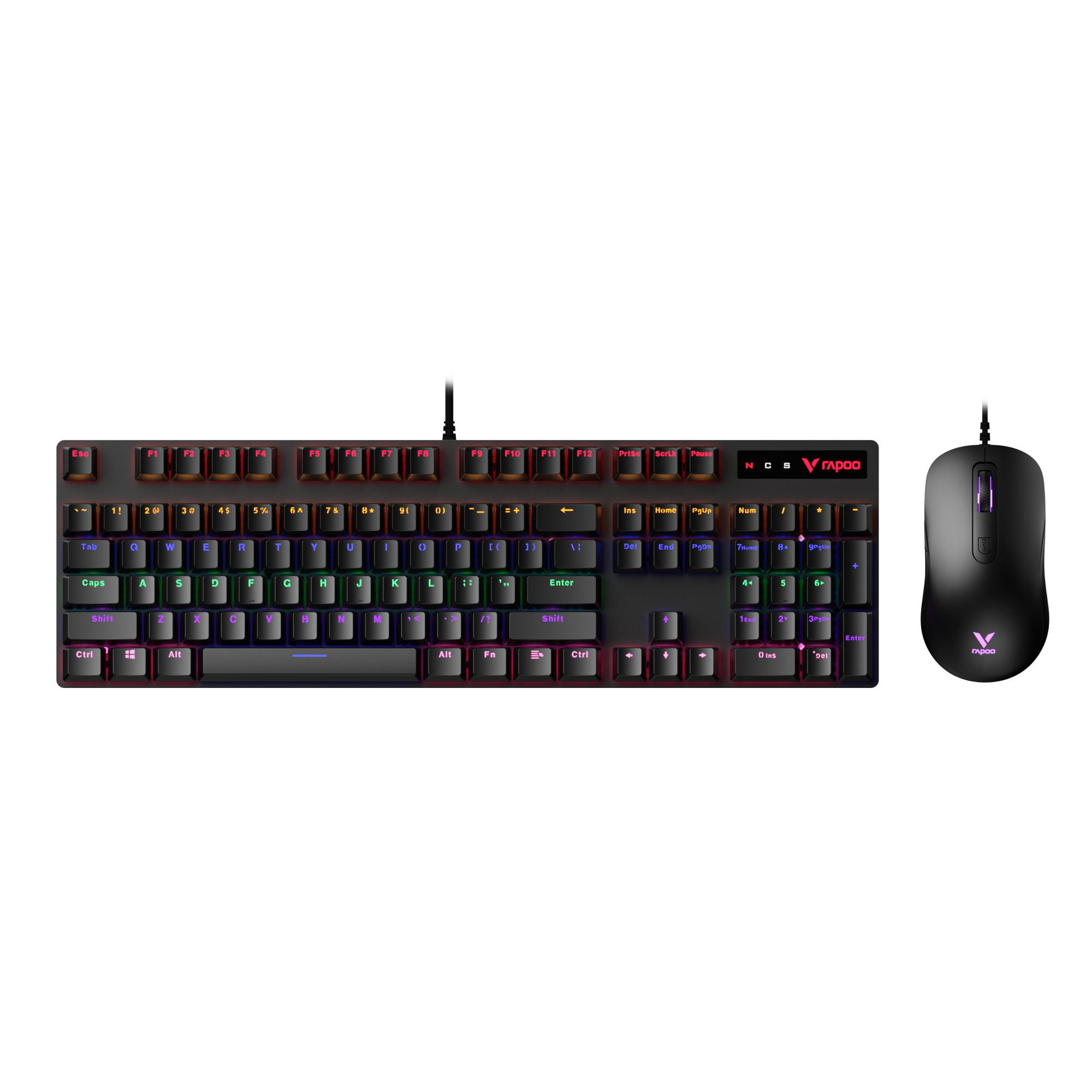
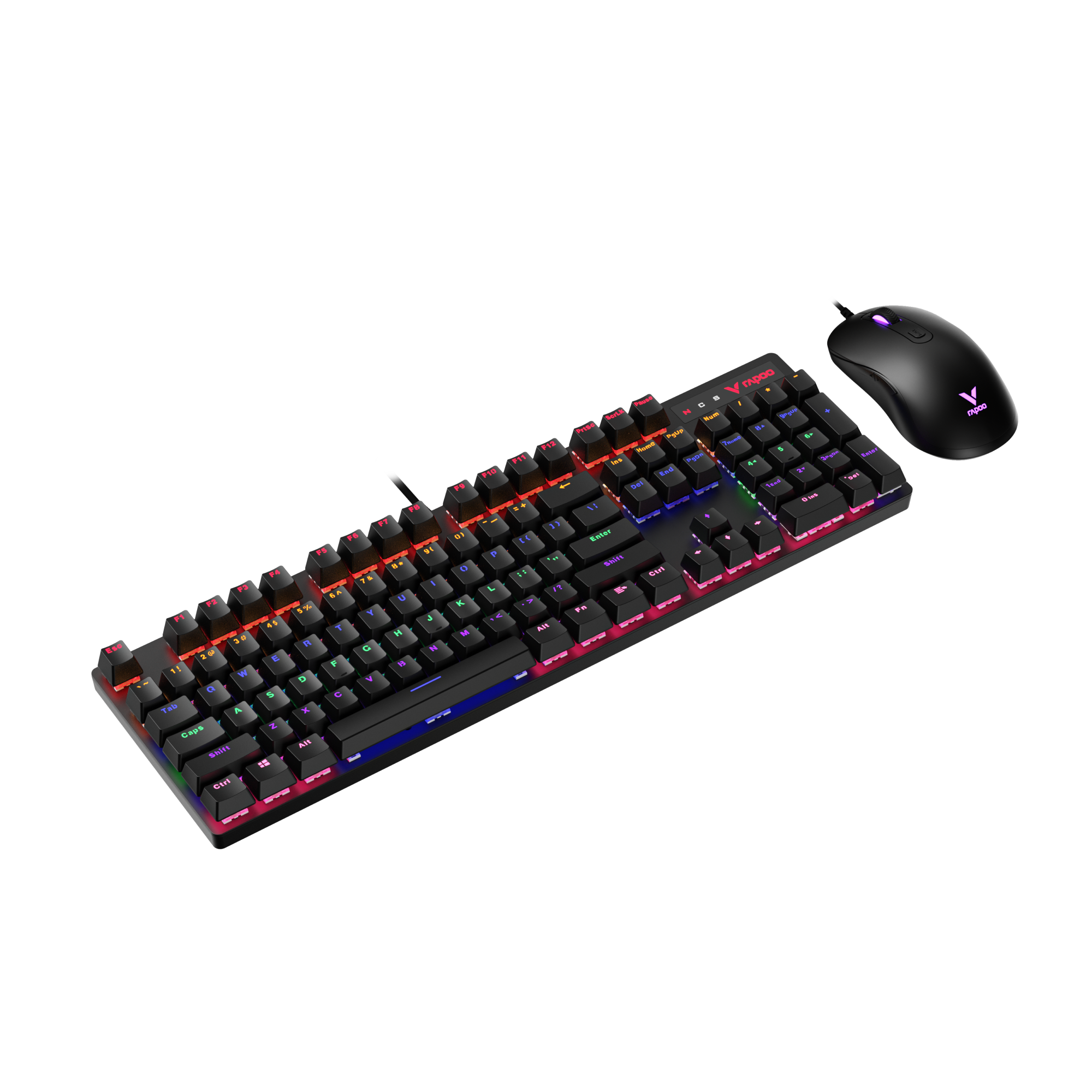
When looking at a keyboard like the Rapoo V700DIY Series, most people focus on things they can immediately see or feel—switch type, layout, build quality, or customization options. But in the tech specs, there’s often one line that raises questions: Polling Rate (Hz).
You’ll see values like 125Hz, 500Hz, or 1000Hz listed alongside other specs, especially on gaming keyboards. What those numbers actually mean—and whether they matter in real use—isn’t always obvious. This guide breaks it down clearly, without the hype, so you can understand how polling rate fits into real-world keyboard performance and which settings actually make sense for your setup.
What Is Polling Rate on a Keyboard?
Polling rate on a keyboard (also called keyboard polling rate or keyboard report rate) means how often your keyboard reports its current input state to your computer over USB, measured in hertz (Hz). At the USB level, this reporting follows the standard USB HID (Human Interface Device) protocol, which defines how keyboards communicate input data to the system.
Think of it as a fixed “check-in schedule”: the keyboard doesn’t continuously stream every key press the instant it happens—instead, it sends updates at regular intervals, and the PC receives input based on those updates.
For example, at 125Hz, the keyboard reports to the PC 125 times per second (about once every 8ms). That means if you press a key right after one report was just sent, the PC may wait up to ~8ms for the next report to “hear” about that key press. At 1000Hz, the keyboard reports 1000 times per second (about once every 1ms), so that worst-case waiting window is much smaller. This is why polling rate is best understood as the maximum reporting delay your keyboard can add, not a measure of how “fast” the switch itself is.

RAPOO V700DIY-98 1000Hz gaming Keyboard
In simple terms: keyboard polling rate doesn’t make keys press faster—it just limits how long the system might wait to hear about a key press.
Recommended reading: Polling Rate Mouse Explained: What Is Mouse Polling Rate?
Polling Rate vs Scan Rate vs Debounce: Don’t Mix These Up
Polling rate, scan rate, and debounce are often mentioned together, but they describe three different stages of how a keyboard processes input. Mixing them up is one of the most common sources of confusion when people talk about keyboard latency.
Polling Rate vs Scan Rate vs Debounce (Side-by-Side)
| Term | What It Controls | Where It Happens | What It Affects | Common Misunderstanding |
|---|---|---|---|---|
| Polling Rate | How often input is sent to the PC | USB communication | Maximum reporting delay | Mistaken as “key response speed” |
| Scan Rate | How often keys are checked internally | Inside the keyboard (matrix scan) | How quickly a key press is detected | Confused with polling rate |
| Debounce | Signal filtering for key presses | Inside the keyboard firmware | Intentional delay for stability | Assumed to be “lag” or a defect |
Polling rate refers to how often the keyboard reports its current input state to the computer. This is where values like 125Hz, 500Hz, or 1000Hz apply, and it defines the upper limit for how quickly a detected key press can be delivered to the system.
Scan rate (keyboard matrix scan rate) happens earlier, inside the keyboard. The keyboard continuously scans its keys to detect presses. A higher scan rate allows the keyboard to notice a key press sooner—but it doesn’t control when that information is sent to the PC.
Debounce is a filtering process designed to prevent false or repeated inputs caused by electrical noise or mechanical contact bounce. This delay is intentional and exists regardless of polling rate. Even with a high polling rate, debounce can still add a small amount of latency.
These concepts are often confused because they’re all measured in time and all influence responsiveness. But they don’t stack equally. In most modern keyboards, scan rate and debounce dominate detection timing, while polling rate mainly affects the final handoff to the system.
The practical takeaway: polling rate defines the maximum reporting delay, but scan rate and debounce usually have a larger impact on when a key press is first recognized—especially once polling rate reaches 1000Hz.
How Polling Rate Translates to Time (Hz → ms)
Polling rate is measured in hertz (Hz), but what actually matters for input latency is time—specifically, how long the system may wait before receiving a key press. This is why converting Hz to milliseconds (ms) makes the concept much easier to understand.
Polling rate simply defines how often the keyboard sends an update:
- 125Hz = 1 report every 8ms
- 500Hz = 1 report every 2ms
- 1000Hz = 1 report every 1ms
- 4000Hz = 1 report every 0.25ms
- 8000Hz = 1 report every 0.125ms
This timing represents the maximum possible reporting delay, not the guaranteed delay. A key press can happen at any moment between reports, so the actual delay is somewhere between near-zero and that maximum interval.
It’s important to understand what polling rate does not control. It doesn’t change how fast a key is physically pressed, how quickly the keyboard detects that press, or how the game processes input. It only limits how long the keyboard might wait before telling the computer about it.
In practical terms: polling rate sets the upper limit of reporting delay, not the total input lag. Once polling rate reaches around 1000Hz (1ms), further reductions in reporting time become very small compared to other parts of the input pipeline—such as scan rate, debounce, system scheduling, and game engine processing.
Does Keyboard Polling Rate Actually Reduce Input Lag?
Short answer: yes—but only up to a point.
Increasing keyboard polling rate reduces the maximum possible reporting delay between a key press and when the computer receives it. Moving from 125Hz (8ms) to 1000Hz (1ms) clearly lowers that ceiling, which is why 1000Hz has become the standard for modern keyboards.
However, this doesn’t mean higher polling rate always translates into a noticeable reduction in input lag. Once polling rate is already high, other factors in the input pipeline become more important—such as keyboard scan rate, debounce behavior, operating system scheduling, game engine input processing, and even display refresh timing.
In practical use, most players won’t feel a difference between 500Hz and 1000Hz during normal typing or casual gaming. The benefit becomes more relevant in competitive gaming scenarios, where the entire system is optimized for low latency and small timing differences matter more.
The key takeaway: keyboard polling rate does reduce input lag in theory, but after reaching around 1000Hz, the real-world gains are small and highly dependent on the rest of the system.
125Hz vs 500Hz vs 1000Hz: What Changes in Real Use

The difference between 125Hz, 500Hz, and 1000Hz keyboards is mainly about how often input is reported to the system, not how fast a key is physically pressed. As polling rate increases, the maximum reporting delay drops—but the real-world impact depends heavily on how the keyboard is used.
Polling Rate Comparison (Real-World Impact)
| Polling Rate | Report Interval | Typical Use Case | Real-World Feel |
|---|---|---|---|
| 125Hz | 8ms | Office work, typing, casual use | Fully usable; latency rarely noticeable |
| 500Hz | 2ms | General gaming, fast typing | Feels more consistent during rapid inputs |
| 1000Hz | 1ms | Competitive gaming | Polling rate is no longer a practical bottleneck |
- At 125Hz, the keyboard reports input every 8 milliseconds. This was common on older or office-focused keyboards and is still perfectly fine for typing and everyday tasks. Most users won’t notice responsiveness issues unless they are particularly sensitive to latency.
- At 500Hz, reporting happens every 2 milliseconds. This noticeably reduces the reporting window during fast, repeated key presses, which can make input feel more consistent—especially in games. For many users, this is already close to the point of diminishing returns.
- At 1000Hz, input is reported every 1 millisecond. At this point, polling rate effectively gets out of the way. That’s why 1000Hz has become the standard for gaming keyboards—it ensures the keyboard is rarely the limiting factor in low-latency setups.
In real use, the improvement from 125Hz to 500Hz is more noticeable than the jump from 500Hz to 1000Hz. Once you reach 1000Hz, other factors—such as scan rate, debounce behavior, system load, and game input processing—usually matter more than polling rate itself.
In short: 125Hz works, 500Hz feels more consistent, and 1000Hz is where polling rate effectively stops being the limiting factor.
4000Hz / 8000Hz Keyboards: Who Benefits (and Who Won’t)
Keyboards with 4000Hz or 8000Hz polling rates reduce the maximum reporting interval to fractions of a millisecond. On paper, this sounds like a major leap—but in practice, the benefit is highly situational.
At these ultra-high polling rates, the reporting delay drops below 0.25ms or even 0.125ms. That’s already smaller than delays introduced by other parts of the input pipeline, such as keyboard scan rate, debounce logic, operating system scheduling, and game engine processing. In many setups, polling rate is no longer the limiting factor long before 4000Hz.
Only a narrow group of users is likely to benefit: competitive players running high-refresh-rate monitors, powerful CPUs, low-latency game engines, and optimized system settings. Even then, the difference is subtle and often indistinguishable without controlled testing.
There are also trade-offs. Higher polling rates can increase CPU usage, USB bandwidth demand, and power consumption—especially on wireless keyboards. For most users, these costs outweigh any theoretical latency gain.
4000Hz and 8000Hz keyboards are niche options. They make sense for latency-focused enthusiasts with optimized systems, but for the vast majority of users, 1000Hz already removes polling rate as a practical bottleneck.
Wired vs 2.4GHz vs Bluetooth: Typical Polling & Latency Differences

Keyboard polling rate and input latency behave very differently depending on how the keyboard is connected. Wired, 2.4GHz wireless, and Bluetooth keyboards are designed with different priorities—latency, stability, and power efficiency.
Connection Type Comparison (Polling Rate & Latency)
| Connection Type | Typical Polling Behavior | Latency Characteristics | Best For | Key Trade-Off |
|---|---|---|---|---|
| Wired (USB) | Stable 500Hz–1000Hz | Lowest and most consistent | Competitive gaming, testing | No wireless convenience |
| 2.4GHz Wireless | Near-wired, often up to 1000Hz | Slight wireless overhead, usually negligible | Gaming + wireless flexibility | Battery usage, interference risk |
| Bluetooth | Lower effective polling rate | Higher protocol latency | Typing, office work, portability | Responsiveness sacrificed for battery life |
In real-world use, wired keyboards set the baseline for low-latency performance, which is why they’re commonly used in input-lag testing. 2.4GHz wireless keyboards can closely match wired performance under good conditions, making them a practical choice for gaming without cables. Bluetooth keyboards, on the other hand, prioritize power efficiency and compatibility, which results in noticeably higher latency but excellent battery life.
The takeaway: polling rate matters most on wired and 2.4GHz keyboards. With Bluetooth, overall protocol latency dominates long before polling rate becomes a meaningful factor.
How to Check Keyboard Polling Rate (Tests & Limitations)
Checking a keyboard’s polling rate sounds simple, but results can be misleading if you don’t know what the test is actually measuring.
Most polling rate tests work by detecting how frequently input events are received by the operating system, then estimating the report interval. These tools can confirm whether a keyboard is operating around 125Hz, 500Hz, or 1000Hz—but they don’t measure every part of the input pipeline.
There are a few important limitations to keep in mind. First, polling rate tests reflect reported input, not internal scan rate or debounce behavior. A keyboard may report at 1000Hz while still using slower scanning or conservative debounce settings internally.
Second, results can vary based on system load, USB ports, hubs, and background processes. Wireless keyboards may also fluctuate due to interference or power-saving behavior, which can make short tests look inconsistent.
Finally, polling rate tests don’t directly measure end-to-end input lag. They only show how often input updates arrive—not how quickly a key press turns into an on-screen action.
Practical advice: use polling rate tests to verify that your keyboard is operating in the expected range, not as a precise latency benchmark. For most users, confirming stable behavior around 500Hz or 1000Hz is more meaningful than chasing perfect numbers.
Can You Change Keyboard Polling Rate?
Whether you can change a keyboard’s polling rate depends far more on the keyboard’s own design than on the operating system you’re using.
On many keyboards, polling rate is fixed at the firmware level. In these cases, the keyboard always reports input at its predefined rate, and there’s no system setting that can override it. This is especially common with basic office keyboards and most Bluetooth models, where stability and power efficiency take priority over fine-grained performance tuning.
In the gaming keyboard space, however, the situation is different. Most major manufacturers—such as Logitech and Rapoo—provide dedicated software that allows users to adjust keyboard polling rate directly. Being able to select values like 125Hz, 500Hz, or 1000Hz through official software has become almost a standard feature for modern gaming keyboards.
When polling rate is adjustable this way, the setting is applied at the device or firmware level, not at the operating system level. That means the chosen polling rate behaves consistently across games and applications, without relying on OS-specific tweaks.
Operating systems themselves offer very limited control. Windows does not include a native option to change keyboard polling rate, and macOS is even more restrictive. Third-party tools that claim to “force” higher polling rates usually don’t change how often the keyboard actually reports data—they only affect how input is processed after it’s received.
It’s also worth considering the trade-offs. Higher polling rates can slightly increase CPU usage, reduce battery life on wireless keyboards, or cause instability if the keyboard or receiver isn’t designed for sustained high-frequency reporting.
When Polling Rate Doesn’t Work: Common Causes & Fixes
If your keyboard isn’t reaching its expected polling rate—or test results look unstable—the issue is usually environmental or configuration-related, not a hardware failure.
USB port and hub limitations are one of the most common causes. Plugging a keyboard into a passive USB hub, front-panel port, or overloaded controller can limit bandwidth or introduce timing jitter. For troubleshooting, always connect the keyboard directly to a motherboard USB port.
Power-saving settings can also interfere with polling behavior. Operating systems may reduce USB activity to save power, especially on laptops. This can cause inconsistent reporting intervals or lower effective polling rates, even if the keyboard itself supports higher values.
With wireless keyboards, interference plays a major role. 2.4GHz receivers can be affected by nearby Wi-Fi devices, other wireless peripherals, or poor receiver placement. Bluetooth keyboards may intentionally lower report frequency to conserve battery, which is expected behavior rather than a malfunction.
Firmware or driver mismatches are another frequent issue. Using outdated firmware, mixing driver versions, or switching between systems without reinitializing the device can lead to incorrect polling behavior or ignored settings.
How to troubleshoot step by step
- Connect the keyboard directly to a rear motherboard USB port
- Disable USB power-saving features temporarily
- Test without hubs, extenders, or switches
- Update keyboard firmware and official drivers
- Re-test polling rate under low system load
Key takeaway: when keyboard polling rate isn’t working as expected, the cause is usually the connection path, power management, or software—not the polling rate setting itself.
When Polling Rate Doesn’t Work: Common Causes & Fixes
If your keyboard isn’t reaching its expected polling rate—or test results look unstable—the issue is usually environmental or configuration-related, not a hardware failure.
USB port and hub limitations are one of the most common causes. Plugging a keyboard into a passive USB hub, front-panel port, or overloaded controller can limit bandwidth or introduce timing jitter. For troubleshooting, always connect the keyboard directly to a motherboard USB port.
Power-saving settings can also interfere with polling behavior. Operating systems may reduce USB activity to save power, especially on laptops. This can cause inconsistent reporting intervals or lower effective polling rates, even if the keyboard itself supports higher values.
With wireless keyboards, interference plays a major role. 2.4GHz receivers can be affected by nearby Wi-Fi devices, other wireless peripherals, or poor receiver placement. Bluetooth keyboards may intentionally lower report frequency to conserve battery, which is expected behavior rather than a malfunction.
Firmware or driver mismatches are another frequent issue. Using outdated firmware, mixing driver versions, or switching between systems without reinitializing the device can lead to incorrect polling behavior or ignored settings.
How to troubleshoot step by step
- Connect the keyboard directly to a rear motherboard USB port
- Disable USB power-saving features temporarily
- Test without hubs, extenders, or switches
- Update keyboard firmware and official drivers
- Re-test polling rate under low system load
Key takeaway: when keyboard polling rate isn’t working as expected, the cause is usually the connection path, power management, or software—not the polling rate setting itself.
Polling Rate vs Monitor Refresh Rate
Keyboard polling rate and monitor refresh rate are often discussed together—but they control different parts of the input-to-display pipeline.
Polling rate determines how often the keyboard reports input to the computer. Monitor refresh rate determines how often the screen updates what you see.
They’re related because both affect when an action can appear on screen, but they don’t replace each other. A high polling rate ensures the system receives input quickly, while a high refresh rate ensures the display can show changes more frequently. One doesn’t compensate for the other.
For example, using a 1000Hz keyboard on a 60Hz monitor doesn’t suddenly make input feel ultra-responsive, because the display can still only update every ~16.7ms. Likewise, a 240Hz or 360Hz monitor can’t fully benefit from faster updates if input is delayed upstream.
That said, higher polling rates make more sense in high-refresh setups. When your system, game engine, and display are already optimized for low latency, reducing input reporting delay helps ensure the keyboard isn’t the bottleneck.
In simple terms: polling rate affects when input reaches the system; refresh rate affects when you see the result. They work best when they’re balanced—not maximized independently.
Recommended Polling Rate by Use Case (Office, Gaming, Wireless)
The “best” keyboard polling rate depends less on specs—and more on how you actually use your keyboard. Once you understand the trade-offs, the recommendations are straightforward.
For office work and typing, higher polling rates provide little to no benefit. Typing speed, comfort, and consistency matter far more than shaving a millisecond off input reporting. A polling rate of 125Hz or 250Hz is already sufficient, stable, and power-efficient—especially for laptops and shared workspaces.
For casual and general gaming, 500Hz to 1000Hz is the practical sweet spot. At this range, polling rate stops being a meaningful bottleneck, and input feels consistent across most systems. This is why 1000Hz has become the default on many modern gaming keyboards.
For competitive or latency-sensitive gaming, 1000Hz is the safest recommendation. It minimizes reporting delay without introducing the downsides of ultra-high polling rates. Higher values like 4000Hz or 8000Hz only make sense if the rest of the system—CPU, game engine, OS settings, and display—is already fully optimized.
For wireless keyboards, the recommendation shifts.
- 2.4GHz wireless: aim for 500Hz–1000Hz if battery life and stability remain acceptable.
- Bluetooth: polling rate is intentionally lower, and that’s normal. Focus on reliability and battery life rather than raw responsiveness.
Summary recommendation:
- Office / typing → 125–250Hz
- General gaming → 500–1000Hz
- Competitive gaming → 1000Hz
- Wireless & battery-focused use → prioritize stability over maximum polling rate
Bottom line: once your keyboard reaches a reasonable polling rate, usability, layout, and consistency matter far more than chasing higher numbers.
FAQ
What is keyboard polling rate?
Keyboard polling rate refers to how often a keyboard sends input data to the computer, measured in hertz (Hz). A higher polling rate means the keyboard reports its state more frequently, which reduces the maximum possible delay between a key press and when the system receives it.
Does a higher keyboard polling rate use more power?
Yes—higher polling rates do consume more power, but the impact depends heavily on the keyboard’s connection type. On wired keyboards, the difference is usually negligible. On wireless keyboards, especially battery-powered models, higher polling rates can noticeably reduce battery life.
This is because higher polling rates require the keyboard to send input updates more frequently, which increases radio activity and processing overhead. That’s why many wireless keyboards lower polling rate automatically in power-saving modes, and why Bluetooth keyboards prioritize efficiency over responsiveness.
Does polling rate affect typing speed?
No. Typing speed and accuracy are not limited by polling rate. Even a 125Hz keyboard is more than sufficient for typing, office work, and everyday use.
Does keyboard polling rate matter for gaming?
It can matter in gaming, especially in competitive or latency-sensitive scenarios. Higher polling rates reduce reporting delay, but the benefit depends on the entire system—including the keyboard firmware, game engine, and display refresh rate.
Is 1000Hz polling rate enough for gaming?
Yes. For most gamers, 1000Hz is enough to ensure polling rate is no longer a practical bottleneck. Higher values provide diminishing returns unless the rest of the setup is highly optimized.
Is a 4000Hz or 8000Hz keyboard better?
Not for most users. Ultra-high polling rates offer very small theoretical latency gains and mainly benefit niche setups focused on extreme low-latency optimization. For general use and gaming, the difference is usually unnoticeable.
Polling rate can be estimated using polling rate test tools that measure how often input events are reported to the system. These tests confirm reporting frequency but do not measure total end-to-end input lag.
Can I change keyboard polling rate?
Only if the keyboard supports it at the firmware or driver level. Most operating systems cannot reliably force a higher polling rate, and third-party tools may not change actual device behavior.
Why does my Bluetooth keyboard feel slower?
Bluetooth keyboards prioritize power efficiency and compatibility. The Bluetooth protocol introduces additional latency and typically operates at lower effective polling rates, which can make input feel less responsive in fast-paced scenarios.
Polling rate vs scan rate: what’s the difference?
Polling rate controls how often input is sent to the computer, while scan rate controls how quickly the keyboard detects a key press internally. Both affect responsiveness, but they operate at different stages of the input process.