









Gaming Mouse switches directly affect click latency, consistency, and long-term reliability—especially for competitive gaming. If you’ve dealt with double-click issues, debated debounce settings, or wondered whether optical switches are actually faster than mechanical ones, you’re not alone.
This guide breaks down mechanical vs optical mouse switches in plain English. We’ll explain how each switch type works, why mechanical switches can start double-clicking over time, how debounce time impacts latency, and which option makes more sense for FPS titles like VALORANT and CS2. By the end, you’ll know which switch type fits your playstyle—and why.
1. Optical vs Mechanical Mouse Switches: Quick Comparison

Optical vs mechanical mouse switches differ mainly in how a click is detected. Mechanical switches register clicks through physical metal contact, while optical switches use a light-based actuation system that detects when a beam is interrupted. This single design difference explains most of the real-world behavior gamers care about—click latency, debounce delay, long-term reliability, and the risk of double-clicking.
| Feature | Optical Mouse Switches | Mechanical Mouse Switches |
|---|---|---|
| Actuation method | Light-based (no physical contact) | Physical metal contact |
| Click latency | Lower and more consistent | Slightly higher due to debounce |
| Debounce requirement | Minimal or none | Required to prevent false clicks |
| Double-click risk | Very low | Increases over time with wear |
| Durability (real-world) | High consistency long-term | Varies based on wear and quality |
| Click feel & sound | Smooth, muted, sometimes “soft” | Crisp, tactile, audible |
| Best for | Competitive FPS, long sessions | Preference-based, mixed use |
In practical use, optical mouse switches vs mechanical comes down to priorities. Optical switches tend to deliver more consistent click latency over time and virtually eliminate contact-related double-click issues. Mechanical switches, on the other hand, are still popular for their familiar click feel and sound, and because many players prefer how they respond during casual or mixed-use gaming.
💡 Why this matters: Latency and debounce behavior don’t usually decide games on their own—but over thousands of clicks, they affect consistency, confidence, and muscle memory.
2. How Mechanical Mouse Switches Work
Mechanical mouse switches register a click through physical metal contact. Inside each switch, a small metal leaf (spring) flexes when you press the mouse button, snapping down to touch a contact point and complete the circuit. When you release the button, the metal leaf springs back to its original position—ready for the next click.

What’s inside a mechanical switch
- Metal leaf + contact point: The click is detected when two metal parts physically touch.
- Spring tension: Determines how “crispy” or stiff the click feels.
- Mechanical movement: Every click involves friction and impact, which adds up over time.
What “contact bounce” actually means in real use
When the metal leaf hits the contact point, it doesn’t land perfectly once. It vibrates and bounces microscopically for a few milliseconds(As shown in the figure below), creating multiple rapid on/off signals instead of one clean click.
- To your finger, it feels like one click.
- To the mouse’s electronics, it can briefly look like two or more clicks.


This is the root reason people ask, “why do mechanical mouse switches double click?”
Why debounce firmware is required
Mechanical mouse switches rely on metal-on-metal contact to register a click, and that physical interaction is never perfectly clean. When the metal leaf snaps into the contact point, it doesn’t settle instantly—it vibrates and bounces for a few milliseconds. To the electronics, that brief instability can look like multiple rapid clicks instead of one.

Debounce firmware exists to deal with this problem. After the first click is detected, the firmware intentionally ignores any additional signals for a short time window. This filtering prevents false double-clicks, but it also introduces a small, intentional delay into the click process. That delay isn’t a flaw in the software—it’s a workaround for a physical limitation of mechanical switches.
Over time, the situation becomes more complicated. As mechanical switches age, the contact surfaces gradually wear down. Oxidation, micro-deformation, and repeated stress change how the metal leaf behaves, making the bounce pattern less predictable. Firmware that once filtered the signal cleanly can no longer do so perfectly, which is why a mouse that worked flawlessly for months can suddenly develop a mechanical mouse double click issue, even when no settings have changed.
Common symptoms users notice first
Most users don’t notice the internals—they notice the behavior:
- Single clicks occasionally register as double clicks
- Dragging files randomly drops mid-drag
- In games, semi-auto weapons fire twice or menus misfire
- Lowering debounce helps temporarily, then makes things worse
These symptoms almost always point back to mechanical wear and contact bounce, not user error.
Key takeaway: Mechanical mouse switches work by physical contact, and contact bounce is unavoidable. Debounce firmware hides the problem at first—but as the switch wears, double-click issues become more likely over time.
3. How Optical Mouse Switches Work
What are optical mouse switches?
Optical mouse switches register a click using light instead of physical metal contact. Inside the switch, a tiny light beam (usually infrared) shines toward a sensor. When you press the mouse button, a plastic plunger interrupts that beam, and the sensor instantly detects the click. No metal contacts touch, flex, or wear down during actuation.

How Optical Mouse Switches Detect Clicks
Optical mouse switches detect clicks using a light-based system rather than physical electrical contact. Inside the switch, a small light beam shines toward a sensor, and pressing the mouse button simply interrupts that beam. The moment the light is blocked, the click is registered. Because no metal parts touch to complete the circuit, the signal changes cleanly from “off” to “on” with no vibration or instability.

This is why contact bounce is eliminated at the hardware level. In mechanical switches, the click signal is created by metal parts colliding, which inevitably produces micro-bounce and inconsistent signals. Optical switches avoid that problem entirely. There is nothing to bounce, nothing to settle, and no ambiguity for the electronics to interpret. The click is either detected or it isn’t.
As a result, optical switches don’t need software to “fix” the click after the fact. They generate a clean, reliable signal from the start, which is the most important structural difference when comparing optical mouse switches vs mechanical designs.
Firmware Handling: Optical vs Mechanical Mouse Switches
When comparing optical mouse switches vs mechanical designs, one of the biggest differences is how much work the firmware has to do to produce a clean, usable click signal.
| Aspect | Mechanical Mouse Switches | Optical Mouse Switches |
|---|---|---|
| Signal source | Physical metal contact | Light interruption detected by sensor |
| Contact bounce | Always present | None |
| Debounce requirement | Mandatory to filter false clicks | Minimal or often unnecessary |
| Firmware complexity | High (filtering, timing, tuning) | Lower (clean signal input) |
| Click timing consistency | Degrades as the switch wears | Remains stable over time |
| Latency behavior | Slight delay added by debounce | Lower and more predictable |
| Aging impact | Increases inconsistency | Minimal impact |
Why this matters in real-world use: Because mechanical switches rely on debounce to hide contact bounce, click latency and consistency can change as the switch ages. Optical switches generate a clean signal at the hardware level, allowing firmware to stay simpler and timing to remain stable—even after long-term use.
Do Optical Switches Feel Worse?
Optical switches don’t inherently feel better or worse than mechanical ones—the difference is that click feel depends far more on design and tuning. Because the sensing method is separated from the physical click, factors like spring tension, plunger shape, and shell acoustics play a bigger role in how an optical switch feels. Early optical designs were often tuned conservatively, which is why some users described them as soft or hollow. Modern implementations, however, have improved significantly and can feel just as crisp when the mechanical parts are properly tuned.

This separation between sensing and feel is also why optical switches are commonly marketed as “zero double-click.” With no metal contact to wear down and no bounce for firmware to misinterpret, the most common cause of double-click issues in mechanical switches is removed at the source. While no system is absolutely perfect, optical switches make long-term consistency much easier to maintain, which explains both the marketing language and their growing popularity among competitive players.
Key takeaway: Optical mouse switches replace physical contact with light-based detection. By eliminating contact bounce at the hardware level, they reduce reliance on debounce firmware and significantly lower the risk of double-click problems over time.
4. Debounce, Click Delay, and Latency Explained
Debounce time (mouse switch) is a short, intentional delay added after a click to make sure the mouse registers one clean click instead of multiple false ones. It exists to solve a hardware problem—mainly with mechanical switches—and it directly affects how fast and consistent a click feels.
What debounce time really is
- When a switch is pressed, the signal isn’t always perfectly clean.
- Debounce tells the mouse: “Ignore any extra signals for X milliseconds after the first click.”
- That waiting period is debounce time.
- Typical values range from ~2 ms to 10 ms, depending on the mouse and switch type.
Why debounce adds intentional delay
Debounce is not lag caused by a slow PC—it’s deliberate:
- Without debounce, mechanical switches may register multiple clicks from one press.
- With debounce, the mouse waits briefly before accepting another click.
- That wait time becomes part of total click latency.
This is why lowering debounce can feel faster—but also risk instability on worn switches.
Mechanical vs optical debounce requirements
The need for debounce depends on how the switch generates its signal:
-
Mechanical switches
- Physical contact causes bounce
- Debounce is required
- Lower debounce = faster but less stable over time
-
Optical switches
- Light-based detection produces a clean signal
- Debounce can be minimal or unnecessary
- Timing stays consistent even as the mouse ages
This difference is at the core of optical vs mechanical mouse switch latency.
Debounce vs consistency: the real trade-off
Debounce doesn’t just affect speed—it affects predictability:
- Too much debounce → clicks feel slightly delayed
- Too little debounce → inconsistent behavior or double-clicks
- As mechanical switches wear, the “safe” debounce window narrows
Optical switches avoid most of this trade-off by removing bounce at the hardware level, which is why their latency profile tends to be more stable long-term.
What users feel vs what benchmarks show
This is where confusion often comes from:
- Benchmarks measure milliseconds
- Humans feel consistency
In side-by-side testing, the raw difference in click latency (optical vs mechanical) may be small. But in real gameplay—especially FPS—players notice:
- Fewer accidental double inputs
- More predictable tap timing
- Less need to tweak debounce settings over time
Debounce time is a necessary fix for mechanical switches, but it adds delay and variability. Optical switches reduce or remove the need for debounce, which is why their click latency feels more consistent—even if the raw numbers look similar on paper.
5. Do optical switches prevent double clicking?

In practical terms, yes—at the hardware level. Optical mouse switches remove the most common cause of double-clicking found in mechanical designs: physical contact bounce. Instead of relying on metal contacts that flex and wear over time, optical switches register a click by interrupting a light beam. That single design change eliminates the unstable electrical behavior that leads to accidental double inputs in traditional mice.
With mechanical switches, double-clicking usually isn’t a sudden failure—it develops gradually. As metal contacts wear down, the bounce pattern becomes less predictable, and debounce firmware can no longer filter the signal cleanly. A press that feels like one click to the user may briefly register as two. Optical switches bypass this entire failure mode. Because there’s no metal-on-metal contact to degrade, there’s no bounce for the firmware to misinterpret, which is why optical designs are widely viewed as a solution to the classic mechanical mouse double click issue.
That said, “prevent” doesn’t mean “nothing can ever go wrong.” Optical switches prevent contact-related double-clicking, not every possible input problem. Some reports online stem from firmware bugs, software conflicts, button tolerances, or even accidental rapid taps during intense gameplay. In those cases, the issue isn’t the optical switch mechanism itself—it’s everything surrounding it.
6. Optical vs Mechanical Mouse Switches: Durability & Lifespan
When it comes to mouse switches, durability isn’t just about how long a switch survives—it’s about how long it stays consistent. While click ratings like 50M or 70M clicks are often used for marketing, they don’t fully explain the real-world lifespan differences between optical and mechanical mouse switches.
In practice, mechanical switches tend to wear gradually. Because they rely on metal contact and spring tension, every click introduces a small amount of physical stress. Over time, contact surfaces degrade, oxidation builds up, and the bounce pattern becomes less predictable. The switch may still register clicks, but timing and consistency slowly deteriorate—often long before the rated click count is reached.
Optical switches age differently. Instead of completing a circuit through metal contact, they detect clicks by interrupting a light beam. With no electrical contact to erode, there’s far less mechanical degradation at the signal level. As a result, click detection tends to remain stable for much longer, even after heavy use. Optical switches don’t last forever, but their performance usually degrades more slowly and more predictably.
This difference becomes more obvious in real gaming conditions, where usage is far from ideal:
-
Click force varies constantly
-
Presses aren’t perfectly vertical
-
Rapid clicking and long sessions are common
-
Dust, humidity, and temperature changes add stress
Mechanical switches are more sensitive to these factors because their contacts are exposed and wear-prone. Optical switches, by comparison, are less affected by environmental conditions since click detection doesn’t depend on contact surfaces.
For FPS players, this distinction matters even more. Shooters involve rapid, repetitive clicking where consistency directly affects aim timing and confidence. Over hundreds of hours, small inconsistencies compound into noticeable performance issues. In that context, lifespan isn’t just about durability—it’s about how long the mouse continues to feel the same.
7. Click Feel Comparison: Mechanical vs Optical Mouse Switches
Mechanical switches are generally associated with a crisper and more defined click. This comes from the metal leaf snapping into physical contact, creating a clear actuation point and an audible response. Many users describe this as reassuring or precise, especially in everyday use or situations where deliberate clicking matters more than speed.
Optical switches, by contrast, usually feel smoother throughout the press. Because the click is registered by interrupting a light beam rather than closing an electrical contact, there is less mechanical snap at the actuation moment. Early optical implementations were often perceived as soft or hollow, but this was largely due to conservative spring tuning and button design rather than a limitation of optical technology itself.
This highlights an important point: switch technology does not determine click feel on its own. Factors such as spring tension, plunger geometry, button travel, and shell acoustics often have a greater impact than whether the switch is optical or mechanical. Two optical switches can feel very different from each other, just as two mechanical switches can.
Because of this, reviews often disagree. Click feel cannot be measured cleanly with latency charts or graphs—it depends on hand size, grip style, click force, and personal preference. What feels “perfectly crisp” to one user may feel tiring or noisy to another.
8. Which Switch Type Is Better for FPS / Competitive Gaming?
In competitive FPS games, the “best” mouse switch isn’t defined by specs alone—it’s defined by consistency under pressure. In titles like VALORANT or CS2, you’re not clicking occasionally; you’re tapping, bursting, and reacting hundreds of times per match. At that level, even small inconsistencies in click timing or reliability can affect confidence and muscle memory.

Explore Our FPS Gaming Mouse Collection
If consistency under pressure matters most, start here. This collection is built for competitive FPS play—reliable clicks, stable tracking, and shapes that stay controllable in fast fights.
- Designed for VALORANT / CS2-style rapid tapping and burst control
- Switch options for your preference: predictable optical or crisp mechanical
- Ultra-light options + high polling rate models for competitive responsiveness
From a practical standpoint, this is where the comparison of optical vs mechanical switches for gaming becomes clearer. Optical switches tend to offer more predictable behavior over time because they reduce reliance on debounce filtering and avoid contact wear. That doesn’t necessarily make every click feel faster—but it does make each click feel the same across long sessions and months of use.
Mechanical switches can still perform extremely well in FPS, especially for players who value a sharp, tactile click. For some, that crisp feedback reinforces tap discipline and timing. However, the trade-off is long-term reliability. As mechanical switches age, the risk of inconsistent actuation or double inputs increases, which is why many competitive players eventually switch away from them—even if they liked the feel at first.
FPS-Focused Comparison: Optical vs Mechanical Switches
| FPS Priority | Optical Switches | Mechanical Switches |
|---|---|---|
| Click consistency | Very high over time | Can degrade with wear |
| Debounce dependence | Minimal | Required |
| Risk of double-click issues | Very low | Increases over time |
| Tap-fire reliability | Stable and predictable | Can vary as switches age |
| Click feel preference | Smoother, quieter | Crisper, more tactile |
| Best fit for long-term competitive play | ✅ Yes | ⚠️ Depends on tolerance |
In FPS games, consistency beats raw feel for most players. Optical switches generally offer more stable long-term performance, while mechanical switches remain a viable choice if click feel is a decisive factor for your aim.
9. Optical vs Mechanical: Which Should You Choose?
| Your Priority | Optical Mouse Switches | Mechanical Mouse Switches |
|---|---|---|
| Click timing over time | Very consistent, even after long use | Can change as switches wear |
| Double-click risk | Extremely low in normal use | Increases over time |
| Debounce handling | Minimal or not noticeable | Required and sometimes adjustable |
| Maintenance mindset | Set-and-forget | May need replacement eventually |
| Click feel & sound | Smooth, quieter | Crisp, tactile, louder |
| Competitive FPS focus | Strong fit | Depends on personal preference |
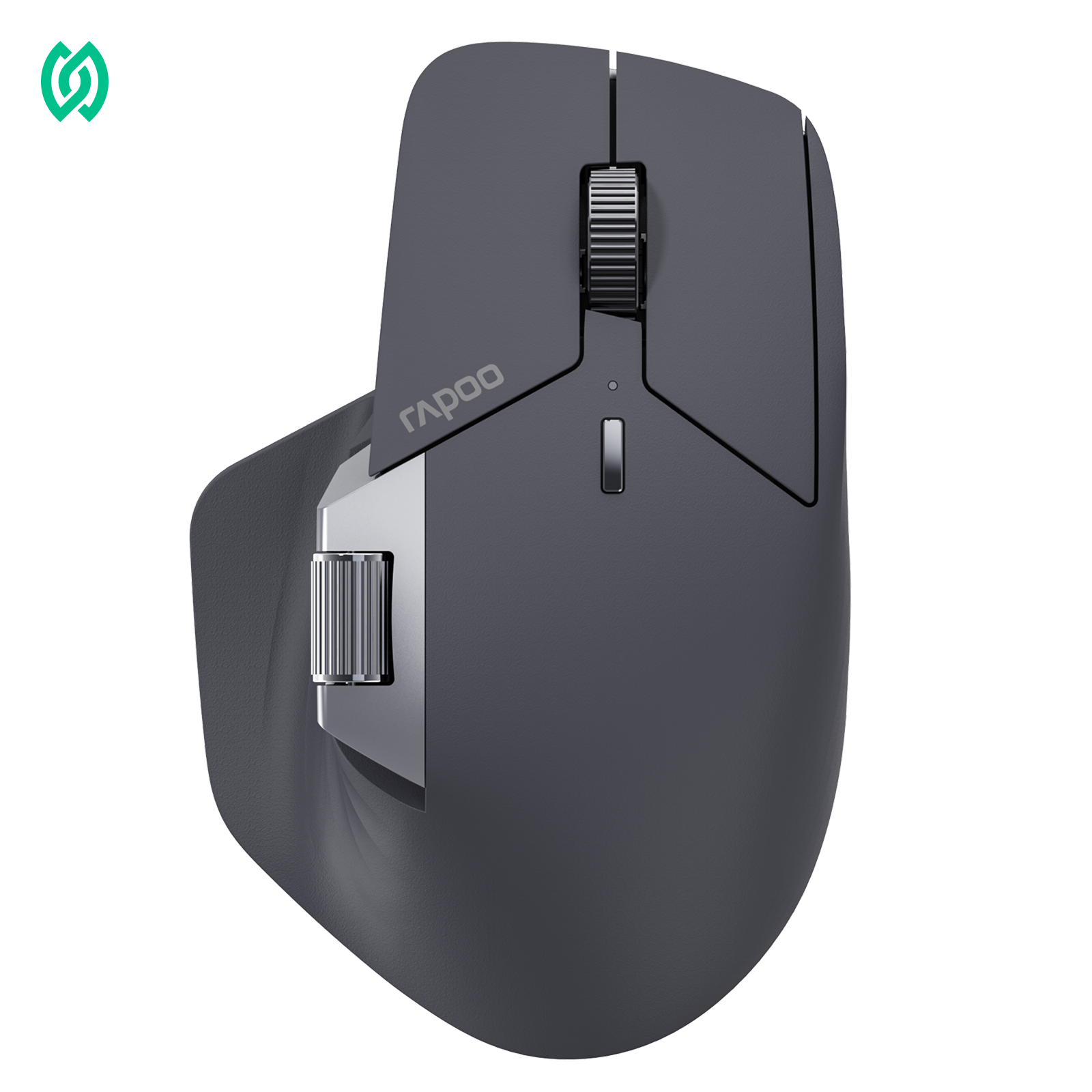
If your main goal is reliable performance under pressure, optical switches are usually the safer choice. They stay consistent over long sessions and reduce the risk of double-click issues, which is why many competitive players gradually move toward optical designs. A lightweight mouse like the RAPOO VT2 Gen-2 MAX, built around optical switches, reflects this focus on long-term stability rather than short-term feel.

Rapoo VT2 Max Gen-2 Wireless Gaming Mouse
53g ultra-light • 30K optical sensor • Up to 8000Hz polling
- Switch120-million optical switch
- ConnectionWired / 2.4GHz wireless
- Sensor30K optical
- DPI10–30,000
- Polling RateUp to 8000Hz
- Battery800mAh, up to 750 hours
Mechanical switches still make sense if click feel is central to how you play. Some players aim better with a sharper, more tactile click and don’t mind that switch behavior can change over time. In that case, a mechanical-switch option such as the RAPOO VT2 Gen-2 represents the classic feel-first approach while still delivering competitive-level performance.

Rapoo VT2 Gen-2 Wireless Gaming Mouse
53g ultra-light • 26K optical sensor • Up to 8000Hz polling
- Switch100-million mechanical switch
- ConnectionWired / 2.4GHz wireless
- Sensor26K optical
- DPI50–26,000
- Polling RateUp to 8000Hz
- Weight53g (1.87oz)
FAQ
1. Should I replace the switches or buy a new mouse?
Replacing mouse switches has become easier than it used to be—especially on newer mouse designs. Many modern mice use modular or connector-based switch assemblies, which means replacement may not require soldering. That said, the process still demands care. The ribbon cables or connectors that link the switches to the main board are often delicate, and improper handling can easily cause damage.

For users who are comfortable opening hardware and working carefully with small components, switch replacement can be a practical option. For everyone else, buying a new mouse is usually faster, safer, and more reliable—especially if multiple parts are already showing wear.

2. Are optical mouse switches faster than mechanical switches?
In most real-world designs, optical mouse switches are effectively faster because they don’t rely on heavy debounce filtering. Mechanical switches need debounce to prevent false clicks caused by contact bounce, which adds a small but intentional delay. While the raw difference is usually measured in milliseconds, optical switches tend to feel more consistent over time—especially as mechanical switches age.
3. What is debounce time on a mouse, and should I change it?
Debounce time is a short delay added after a click to prevent accidental extra inputs, mainly needed for mechanical mouse switches. Lowering debounce can reduce click latency, but if it’s set too low, it can introduce instability or double-click issues on worn switches. For most users, the default setting is optimal and only needs adjustment when troubleshooting or fine-tuning performance.
4. Do optical switches prevent double-clicking completely?
Optical switches prevent the most common form of double-clicking by eliminating physical contact and contact bounce at the hardware level. Because there’s no metal contact to wear down, the classic mechanical double-click failure mode is largely avoided. However, rare issues can still occur due to firmware bugs or button design, which is why “prevent” doesn’t mean “absolutely impossible.”
5. Why do mechanical mouse switches start double-clicking over time?
Mechanical mouse switches rely on metal contacts that flex and wear with every click. Over time, this wear makes contact bounce less predictable, and debounce firmware can no longer filter it perfectly. The result is accidental double inputs from what feels like a single press.
6. Do optical switches feel mushy compared to mechanical?
Optical switches don’t inherently feel mushy—the perception depends far more on spring tension, plunger design, and button tuning than on the sensing method itself. Some early optical implementations felt softer, which shaped that reputation, but modern designs have improved significantly and can feel just as responsive, though often smoother and quieter.
7. Which switch type is better for FPS games?
For FPS games, consistency and reliability matter more than raw click sound or feel. Optical switches are often favored because they maintain stable click timing and reduce long-term double-click risk, which is critical during competitive play. Mechanical switches can still perform well if the player strongly prefers their tactile feedback, but they may require more maintenance over time.
8. Are optical switches better for VALORANT or CS2?
Games like VALORANT and CS2 involve frequent tapping and precise timing, where consistency across long sessions is crucial. Optical switches typically require less debounce and maintain predictable behavior over time, which is why many competitive players prefer them. That said, personal comfort and familiarity still play a role.
9. Do mouse switches affect drag clicking?
Yes, switch type can affect drag clicking, which relies on friction and extremely high click-per-second techniques. Mechanical switches are generally better suited for this niche use case, while optical switches may limit it depending on design. For most FPS players, however, drag clicking is irrelevant to real gameplay performance.





