If you’ve ever wondered whether a wireless keyboard feels slower than a wired one—or questioned if going wireless is a mistake for gaming—you’re not alone.
The debate around wired vs wireless keyboards usually comes down to a few key concerns: input lag, reliability, and convenience. Some users swear by wired keyboards for their consistency, while others value the freedom and flexibility wireless setups offer.
Instead of picking sides, this guide looks at how wired and wireless keyboards actually behave in real use—for gaming, office work, and everyday typing—so you can choose based on what truly matters, not outdated assumptions.
Wired vs Wireless Keyboard — What’s the Real Difference?
At a basic level, the difference between a wired vs wireless keyboard comes down to how your keystrokes travel from the keyboard to your computer. That connection method affects everything else—responsiveness, stability, power usage, and even how the keyboard behaves at a system level.
| Comparison Item | Wired Keyboard | Wireless Keyboard (2.4G / Bluetooth) |
|---|---|---|
| Latency & Responsiveness | Ultra-low, stable, zero fluctuation; best for competitive gaming | High-end 2.4G nearly matches wired; Bluetooth has higher latency |
| Power Supply | Plug-and-play, no charging / battery replacement ever | Requires charging or batteries; has battery life concerns |
| Desktop Cleanliness | With cable, messy cable management | Cable-free, clean and tidy desktop |
| Portability & Freedom | Fixed near the computer only | Fully movable, easy multi-device switching |
| Weight | Lighter, less wrist strain | With built-in battery, generally heavier |
| Anti-interference Stability | Virtually interference-free, never disconnects | Minimal 2.4G interference; Bluetooth prone to environmental interference |
| Price | Cheaper with the same configuration | More expensive with the same configuration; triple-mode is the priciest |
| Ideal For | Esports gamers, users who want ultimate stability & zero hassle | Office users, aesthetic lovers, multi-device users, clean-desktop fans |
Connection methods: USB, 2.4GHz, and Bluetooth
A wired keyboard connects directly to your computer through a USB cable. Every key press is sent over a physical connection with a fixed, uninterrupted signal path. There’s no pairing process, no battery to manage, and no radio transmission involved.
A wireless keyboard, on the other hand, relies on radio communication. Most modern models use either a 2.4GHz USB receiver or Bluetooth. While both are wireless, they work differently:
- 2.4GHz wireless keyboards communicate through a dedicated USB dongle, creating a short, direct wireless link.
- Bluetooth keyboards connect through the operating system’s Bluetooth stack, sharing bandwidth with other Bluetooth devices.
These differences matter because they determine how data is transmitted—and how much processing happens along the way.
The data path: direct vs system-mediated
With a wired keyboard, the data path is simple: Key press → USB controller → operating system. The signal is continuous and predictable, which is why wired keyboards are often described as “consistent.”
With a wireless keyboard, the path is longer: Key press → wireless transmitter → receiver or Bluetooth stack → operating system. This extra step doesn’t automatically mean worse performance, but it does introduce more variables—such as signal quality, power management, and system-level handling.
This is the core technical distinction behind most wireless keyboard vs wired keyboard debates. It’s not about typing feel or build quality—it’s about how many layers exist between your fingers and the computer.
Latency and Responsiveness — Is Wired Always Faster?
When people say a keyboard feels “faster,” they’re usually describing latency—the tiny delay between pressing a key and seeing the input register—not how quickly you can type.
A wired keyboard has the most direct path: key press → USB → computer. Because the signal stays on a physical cable, it avoids common wireless variables like interference, signal dropouts, or retransmissions. The result is very low, very consistent latency, which is why wired still sets the baseline for responsiveness.
A wireless keyboard adds a radio link to that path. In theory, that introduces more ways timing can vary—distance, interference, or power-saving behavior. In practice, good modern wireless has closed most of the gap. For everyday typing and office work, many users won’t notice any difference at all.
Where the distinction still matters is in real-time, timing-sensitive use, where consistency is everything. If you’re playing competitive games or doing fast repeated inputs, wired tends to feel more “locked in” simply because there are fewer moving parts.
It also helps to separate wireless types:
- 2.4GHz wireless (USB receiver): more direct and often closer-to-wired in feel
- Bluetooth: convenient, but more dependent on system-level processing and can be slightly less consistent on some setups
Bottom line: wired is technically faster and more reliable, but high-quality wireless—especially 2.4GHz—is close enough that the difference is usually about consistency under pressure, not everyday typing.
Wired vs Wireless Keyboard: Stability and Reliability
For many users, the wired vs wireless keyboard debate isn’t really about speed—it’s about reliability. A keyboard that works every time matters more than one that’s theoretically faster.
A wired keyboard benefits from a constant physical connection. Once it’s plugged in, it stays connected. There’s no sleep state, no signal interference, and no dependency on battery level or system power management.
A wireless keyboard operates in a more variable environment. USB hubs, crowded wireless signals, or even desk layout can affect stability. Sleep and wake behavior also plays a role—wireless keyboards may take a moment to reconnect when a system wakes, which can feel like lag or missed input.
These small interruptions are why some users feel that wireless keyboards are “less reliable,” even if issues happen only occasionally. A brief disconnect or delayed wake-up tends to stand out far more than hundreds of problem-free keystrokes.
Wired vs Wireless Keyboard for Gaming

In competitive games, the goal isn’t “wired or wireless” — it’s consistent, repeatable input. The real question is how many variables your connection introduces between the key press and what the game receives, because even tiny inconsistencies can break timing and muscle memory.
High-end wireless gaming keyboards have closed the gap quickly. Many now run at 1000Hz polling (about 1ms between reports), and a well-implemented 2.4GHz link can feel very close to wired in real play. But if you want the fewest moving parts and the most predictable behavior under pressure, wired still sets the reliability benchmark.
Wired Keyboards for Gaming
Wired is still the “no surprises” option. It’s always connected, doesn’t depend on battery, and avoids wireless interference or reconnect behavior. If you play esports-style titles, rely on tight timing, or simply want the most consistent feel across every session, wired remains the safest pick.
Wireless Keyboards for Gaming
Wireless can absolutely be gaming-ready—if it’s 2.4GHz. High-end 2.4GHz boards with 1000Hz polling can deliver near-wired responsiveness while keeping your desk clean. The main trade-off is power: higher polling typically drains the battery faster, so it’s best to balance performance settings with how long you want to play between charges.

Quick Comparison: Wired vs 2.4GHz vs Bluetooth (for Gaming)
| Connection type | Responsiveness (feel) | Consistency (under pressure) | Setup / Convenience | Best for |
|---|---|---|---|---|
| Wired (USB) | Very responsive | Highest (fewest variables) | Cable management needed | Competitive / esports, “no surprises” gaming |
| 2.4GHz Wireless (USB receiver) | Near-wired on high-end models (commonly up to 1000Hz, with some reaching 8000Hz) | High (depends on environment/settings) | Clean desk, easy positioning | Casual → competitive gaming without cables |
| Bluetooth | Can feel fine for daily use | Lower (more system-dependent) | Best multi-device switching | Office work, light/casual gaming |
If you want the most stable gaming experience, wired is still the benchmark. If you want wireless without giving up performance, pick 2.4GHz—and remember that running a higher polling rate can reduce battery life. Bluetooth is great for convenience, but it’s usually not the first choice for performance-focused gaming.
Wired or Wireless Keyboard for Office Work?
For office work, the choice isn’t about shaving off milliseconds—it’s about what makes your day smoother. Typing emails, writing documents, or coding isn’t the same as real-time gaming, so most people won’t feel a meaningful performance gap when comparing a wired or wireless keyboard at work.
A wired keyboard is still the most “set-and-forget” option. It’s always connected, never needs charging, and avoids the small annoyances that can come with wireless—like occasional reconnect delays or battery checks. If you work at a fixed desk and value zero maintenance, wired is the simplest choice.
A wireless keyboard, however, often fits modern office setups better. It keeps your desk cleaner, makes it easier to reposition your keyboard, and works especially well for hybrid work. If you switch between a laptop and desktop, or move between meeting rooms and a home office, wireless flexibility becomes a real advantage. Many wireless keyboards also support quick device switching, which is useful if you work across multiple machines.
Practical takeaway:
- Fixed workstation + “never think about it” reliability → Wired
- Clean desk + mobility + multi-device workflow → Wireless (often the better office pick)
Battery, Charging, and Long-Term Maintenance
This is where the wired vs wireless keyboard choice becomes less about performance—and more about daily friction.
A wired keyboard is essentially “always online.” There’s no battery to monitor, no charging routine, and no surprise downtime. If you want a keyboard that works every day without thinking about it, wired is the lowest-maintenance option.

A wireless keyboard adds a “freedom cost.” You gain a cleaner setup and flexibility, but you also take on battery anxiety—the small worry that it might die mid-task. In real use, the biggest difference isn’t how often you can charge, but whether charging becomes a routine you actually keep.
One more practical note: if you’re using a 2.4GHz wireless connection and you set the polling rate very high, battery drain can increase. Higher polling can make the keyboard feel more responsive, but it may also shorten battery life—so it’s usually best to balance performance and endurance based on how you actually use it.
Simple rule:
- If you don’t want another device to manage → wired
- If you’re fine charging occasionally for a cleaner, more flexible setup → wireless (and keep polling settings realistic if battery life matters)
Wired vs Wireless Keyboard: Cost and Durability
When comparing a wired vs wireless keyboard, cost isn’t just the price tag—it’s what you’ll maintain over time.
Cost: Wired keyboards are often cheaper at the same build quality level because you’re not paying for wireless hardware (receiver, battery, charging circuitry). Wireless keyboards can cost more upfront, especially if they support low-latency 2.4GHz and multi-device features.
Durability: Purely from a failure-point perspective, wired is simpler: fewer components that can age or fail. Wireless adds parts that affect long-term reliability—most notably the battery and charging system. Over years, battery wear can reduce runtime, and heavy power settings (like higher polling on 2.4GHz) can increase charging frequency.
The practical takeaway:
- If you want the most cost-effective “buy once, worry less” option → wired
- If you’re okay paying extra for flexibility and a cleaner setup → wireless, but expect battery upkeep over time
When a Wired Keyboard Makes More Sense
A wireless setup can be great—but there are still clear situations where a wired keyboard is simply the smarter choice:
- Competitive gaming: If you play esports-style or timing-critical games, wired gives the most consistent input with the fewest variables.
- Fixed workstation: If your keyboard rarely moves, there’s little benefit to wireless—and wired means zero charging or pairing.
- Zero tolerance for input inconsistency: If you can’t accept occasional reconnect delays, interference, or missed inputs, wired keeps things predictable.
- BIOS / system-level use cases: For troubleshooting, BIOS access, or early boot scenarios, a wired keyboard is the most reliable “it will work no matter what” option.

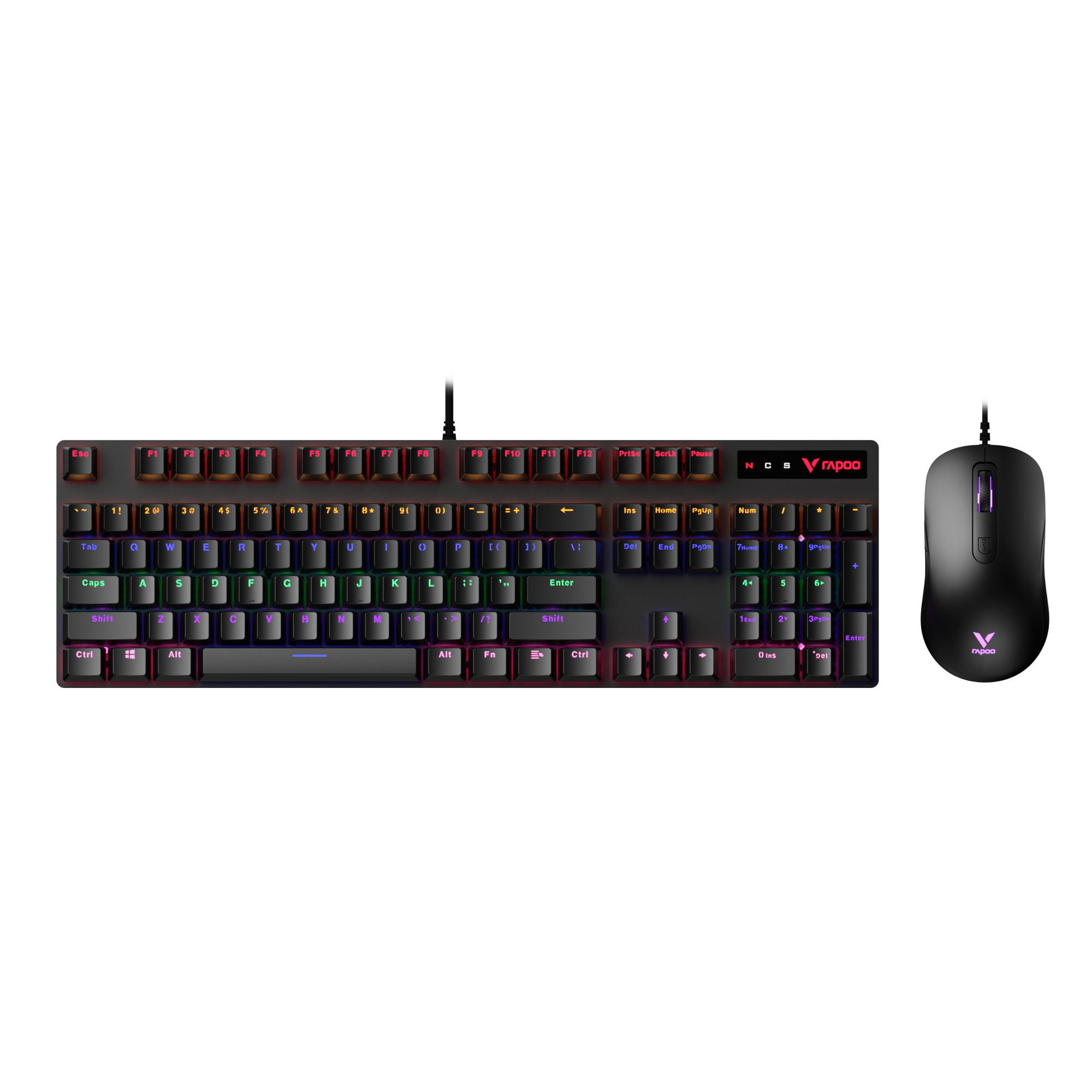
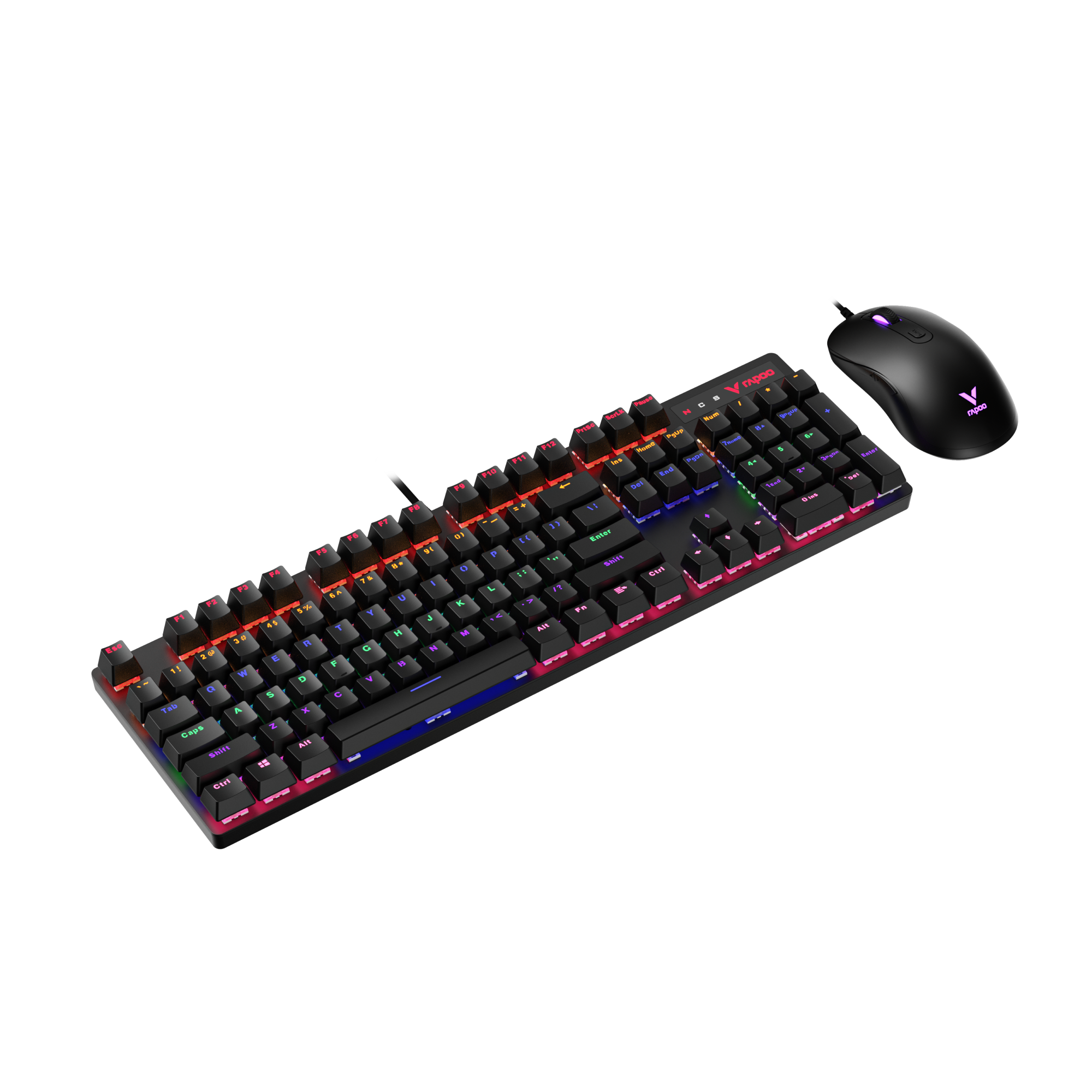
RAPOO V500Pro Wired Mechanical Gaming Keyboard
Built for reliable, consistent input, the V500Pro pairs tactile-yet-quieter Brown switches with 104-key anti-ghosting, customizable RGB (20 modes), a switchable high/low profile feel, and a durable aluminum frame—plus multimedia hotkeys and onboard macro memory.
When a Wireless Keyboard Is the Better Choice
A wireless keyboard isn’t just about removing cables—it’s often the better fit for how people work today. Here’s when wireless makes the most sense:
- Clean desk setups: If you care about a tidy workspace, wireless instantly reduces clutter and makes your setup easier to manage.
- Multi-device workflows: If you switch between a laptop, desktop, or tablet, wireless is more convenient—especially when you want quick device switching without constantly unplugging.
- Portable / hybrid work: For moving between home, office, and meetings, wireless is simply easier to pack, place, and use without thinking about cable length or ports.
- Modern low-latency wireless tech: Today’s wireless options—especially solid 2.4GHz connections—can feel highly responsive for daily use, making wireless a practical choice even for users who still care about performance.
Wired or Wireless Keyboard — Which One Is Right for You?
After comparing wired vs wireless keyboards, the best choice usually comes down to what you value more day to day: consistency or flexibility.
- Choose a wired keyboard if you want the most predictable experience. It’s always connected, requires zero charging, and gives you the highest consistency—especially useful for competitive gaming or “no excuses” reliability.
- Choose a wireless keyboard if you want a cleaner setup and more freedom. It’s easier for hybrid work, portable setups, and multi-device switching—without feeling meaningfully “slower” for most daily tasks.
There’s no universal winner here. The right option is the one that matches your use case: wired minimizes variables, while wireless maximizes convenience.
FAQ Section
Are wireless keyboards better than wired keyboards?
Not universally—better depends on the situation. If you want the most consistent “always works” experience with zero charging, a wired keyboard is usually the safer choice. If you value a clean desk, flexibility, and easier multi-device use, a wireless keyboard can be the better fit for daily work.
Do wireless keyboards have more lag than wired ones?
They can, but most of the time the difference is small. Wired keyboards are more consistent because the signal is direct. Wireless performance depends on the connection type—2.4GHz wireless often feels closer to wired, while Bluetooth may feel slightly less consistent in certain setups.
Is a wired keyboard still better for gaming?
For competitive gaming, wired is still the most predictable choice. Many pro players stick with wired because it delivers a direct connection with fewer variables—no wireless interference, no reconnect quirks, and no battery to think about.
That said, the gap has narrowed a lot. Modern high-end 2.4GHz wireless can be fast and responsive enough for competitive play, and in many setups it can feel very close to wired. The key difference is reliability: if you want the absolute “no surprises” standard, wired still wins—but if you want wireless freedom without giving up performance, 2.4GHz is the best wireless option for gaming
Wired or wireless keyboard for gaming — which should I choose?
If you play competitive or timing-sensitive games, go wired or 2.4GHz wireless. If you play casually and care more about a clean setup, wireless is fine—but prefer 2.4GHz over Bluetooth for a more “locked-in” feel.
Are modern wireless keyboards as stable as wired keyboards?
In most real-world setups, modern wireless keyboards are much closer to wired than they used to be—especially high-quality 2.4GHz models and newer, well-implemented Bluetooth options. For daily typing and even a lot of gaming, they can feel stable, fast, and reliable.
The remaining difference is consistency under all conditions. Wired still has the edge because it avoids wireless interference, sleep/wake behavior, and connection variability. In practice, though, the biggest trade-off most people notice isn’t stability—it’s battery maintenance. If you’re fine charging occasionally, modern wireless can deliver near-wired reliability for most users.
Does a wireless keyboard affect typing speed?
For most people, no—a modern wireless keyboard won’t noticeably change typing speed because latency is usually close to wired in normal use. The bigger factors for speed are key feel, layout, and ergonomics, not the connection type.
Where wireless can feel slower is with cheap models, Bluetooth setups that introduce small delays, or poor signal conditions, which may cause occasional micro-lags. If you notice inconsistent input, switching to a higher-quality board or using a stable 2.4GHz receiver typically fixes it.