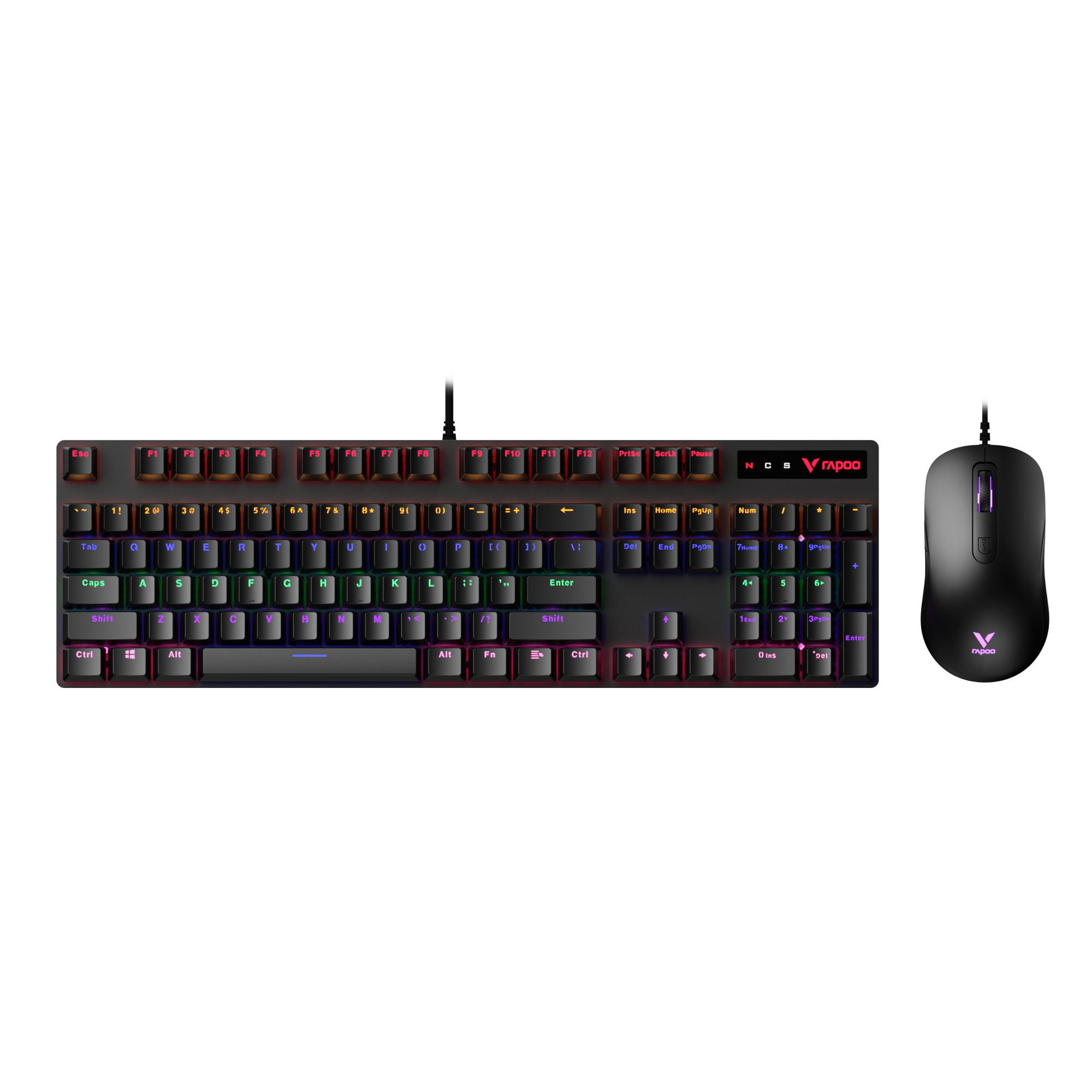
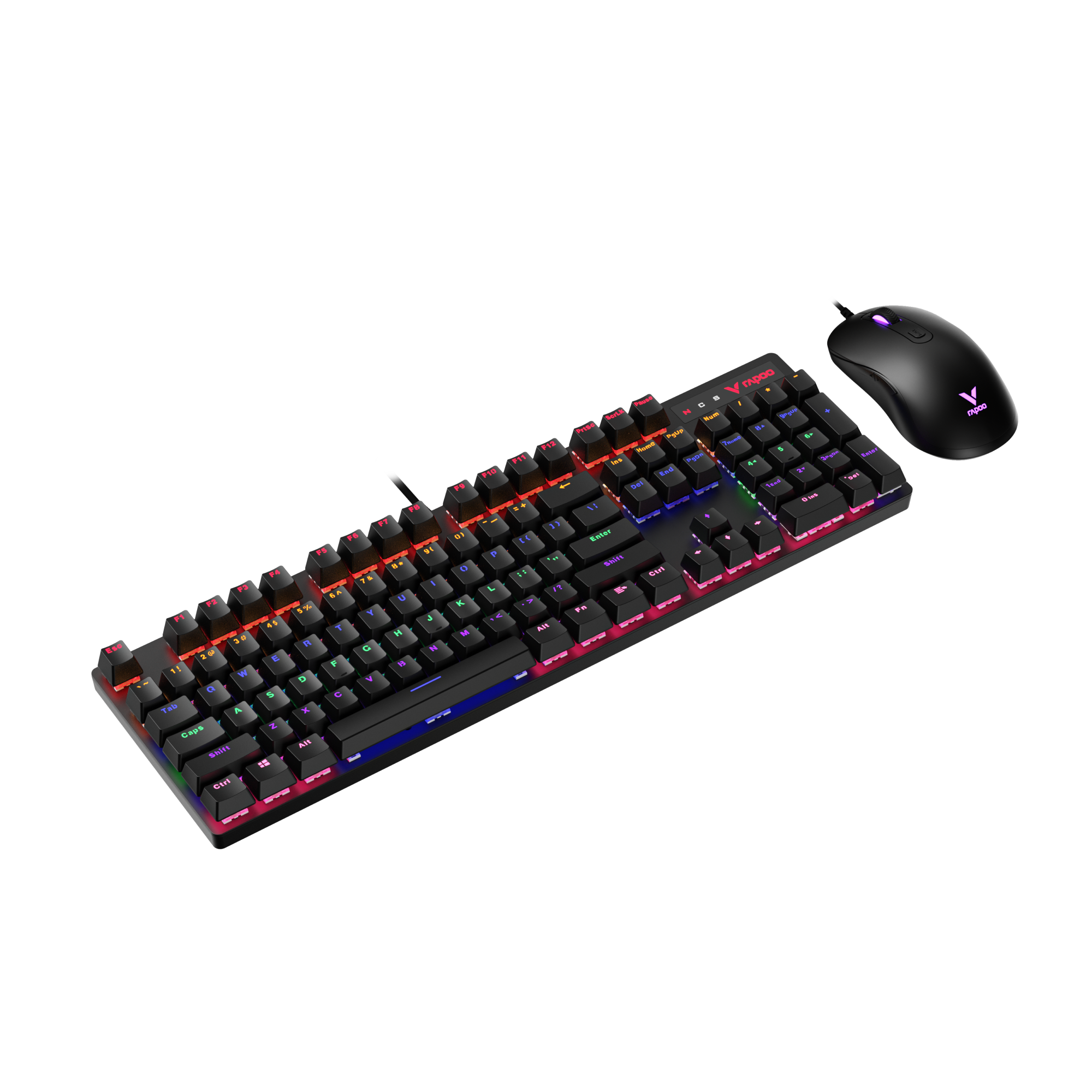
Bluetooth vs wireless keyboard is a common question for anyone choosing a modern keyboard—but the real comparison usually comes down to Bluetooth vs 2.4GHz wireless.
Both are wireless, but they behave very differently. Bluetooth focuses on convenience and multi-device support, while 2.4GHz wireless prioritizes speed, stability, and low latency.
In this guide, we’ll break down how Bluetooth and 2.4GHz keyboards work, compare their latency, stability, and real-world performance, and help you decide which connection type makes sense for office work, gaming, or everyday use.
Bluetooth vs Wireless Keyboard: What’s the Difference?

When people compare a Bluetooth keyboard vs a wireless keyboard, they’re usually not talking about wired versus wireless at all. In practice, the comparison almost always comes down to Bluetooth vs 2.4GHz wireless. Both eliminate cables, but they rely on very different connection technologies, which directly affects latency, stability, battery life, and real-world use cases—as shown in the comparison below.
| Feature | Bluetooth Keyboard | 2.4GHz Wireless Keyboard |
|---|---|---|
| Connection type | Bluetooth (built-in, no receiver) | USB receiver (dongle) |
| Typical latency | ~20–40ms+ | ~1–5ms |
| Polling rate | Lower, system-managed | Common 1000Hz (1ms) |
| Responsiveness | Good for typing | Near-wired performance |
| Stability | Can vary by system & environment | Highly consistent |
| Interference risk | Possible with many BT devices | Possible near Wi-Fi, usually well-managed |
| Multi-device switching | Excellent (often 3+ devices) | Limited (unless multi-mode) |
| Plug-and-play | Yes | Requires USB receiver |
| Battery efficiency | Very power-efficient (BLE) | Higher power consumption |
| Best for | Office work, travel, multi-device setups | Gaming, fast typing, low-lag tasks |
A Bluetooth keyboard connects through your device’s built-in Bluetooth system (typically Bluetooth 5.0, 5.1, or newer). No USB receiver is required, which makes Bluetooth extremely convenient for laptops, tablets, and phones. Bluetooth keyboards are often optimized for low power consumption, portability, and multi-device pairing, with many models supporting 3 or more devices and even tri-mode connectivity (Bluetooth / 2.4GHz / USB-C).
A 2.4GHz wireless keyboard, on the other hand, uses a dedicated USB receiver (dongle) to communicate directly with your device. This creates a shorter and more controlled input path, resulting in significantly lower latency and more consistent performance. That’s why most wireless gaming keyboards rely on 2.4GHz rather than Bluetooth.
In short:
- Bluetooth keyboards prioritize convenience, battery life, and device switching
- 2.4GHz wireless keyboards prioritize speed, responsiveness, and stability
Bluetooth vs 2.4GHz Keyboard: How Each Connection Works
The difference between a Bluetooth keyboard and a 2.4GHz wireless keyboard starts with how each one communicates with your device.
A Bluetooth keyboard connects using your device’s built-in Bluetooth system. Once paired, the keyboard communicates through the operating system’s Bluetooth stack, which manages device discovery, power saving, and data transmission. This system-level approach makes Bluetooth keyboards highly compatible across laptops, tablets, and phones—but it also means input data has to pass through multiple software layers before reaching the system.
A 2.4GHz wireless keyboard, on the other hand, uses a dedicated USB receiver. When you plug in the receiver, it acts as a direct bridge between the keyboard and your device. Instead of relying on the operating system’s Bluetooth protocol, the keyboard sends input data straight to the receiver using a proprietary 2.4GHz radio connection.
This creates a key difference in the data path:
- Bluetooth keyboard: Keyboard → Bluetooth protocol → Operating system → Application
- 2.4GHz keyboard: Keyboard → USB receiver → Application
Because a 2.4GHz connection bypasses much of the system-level processing, it’s often more direct and predictable. That doesn’t automatically make Bluetooth “slow,” but it does explain why latency and responsiveness can feel different—a topic we’ll break down more clearly in the next sections.
Understanding this connection flow is essential when comparing bluetooth vs 2.4ghz keyboard performance, especially for use cases like gaming, fast typing, or multi-device setups.
Is a Bluetooth Keyboard Slower Than a Wireless Keyboard?
The short answer is: a Bluetooth keyboard isn’t necessarily “slow”—but it can behave differently from a 2.4GHz wireless keyboard.
One common misunderstanding is equating latency with typing speed. Latency refers to the tiny delay between pressing a key and the input being registered, not how fast you personally type. For everyday typing—emails, documents, or web browsing—this delay is usually so small that most users won’t notice it on a Bluetooth keyboard.
The difference becomes more noticeable with real-time input. Tasks like fast-paced gaming, rapid key repeats, or precise timing-sensitive actions make even small delays easier to perceive. In these scenarios, a 2.4GHz wireless keyboard often feels more immediate because its input path is shorter and more direct.
So why do some people feel that a Bluetooth keyboard is slower than a wireless one? In most cases, it comes down to consistency rather than raw speed. Bluetooth relies on system-level processing and power management, which can introduce slight variability in response time. A 2.4GHz wireless connection, using a dedicated USB receiver, tends to deliver more predictable input—especially under load.
In short, Bluetooth keyboards are perfectly responsive for typing and general use, but when timing and consistency matter, many users perceive 2.4GHz wireless keyboards as faster—even if the difference is measured in milliseconds.
Bluetooth vs 2.4GHz Keyboard Latency Explained

To understand the difference between Bluetooth keyboard latency and 2.4GHz keyboard delay, it helps to first clarify what input latency actually means.
Input latency is the time between pressing a key and that input being registered by your device. It’s usually measured in milliseconds, and while the numbers are small, the consistency of that delay can strongly affect how responsive a keyboard feels.
With a Bluetooth keyboard, input data is processed through the system’s Bluetooth stack. This involves power management, signal scheduling, and operating system-level handling before the keystroke reaches an application. While this design prioritizes efficiency and compatibility, it can introduce slight variations in timing—especially when the system is busy or managing multiple wireless devices.
A 2.4GHz wireless keyboard follows a more direct path. The keyboard sends input to a dedicated USB receiver, which communicates with the system as a standard input device. Because this process bypasses much of the operating system’s wireless processing, 2.4GHz keyboard delay is typically lower and more consistent.
Which Is More Stable: Bluetooth or 2.4GHz?
Yes—Bluetooth keyboards are slower than 2.4GHz wireless keyboards, but the impact depends on your use case.

Modern Bluetooth keyboards (Bluetooth 5.0/5.1+) typically operate at ~20–40ms+ latency, while 2.4GHz wireless keyboards deliver much lower latency—around ~1–5ms, with many gaming models running at 1000Hz polling rates (1ms) or higher. The difference isn’t about typing speed, but how quickly and consistently input is registered.
In practical terms, the difference shows up most clearly in gaming and fast input scenarios. Rapid key presses, precise timing, and repeated actions make even small delays easier to notice. That’s why competitive gamers often prefer 2.4GHz wireless keyboards—they offer a more immediate and predictable response.
For general typing and everyday use, however, both Bluetooth and 2.4GHz keyboards are responsive enough that latency rarely becomes a problem. The real distinction isn’t about whether one “works” and the other doesn’t, but how critical low and consistent latency is for what you do.
Bluetooth vs 2.4GHz Keyboard for Office Work
For office work, the choice between Bluetooth vs 2.4GHz keyboard often comes down to workflow rather than performance limits.

One of Bluetooth’s biggest advantages in an office setting is multi-device support. Bluetooth keyboards can easily switch between a laptop, tablet, or phone without unplugging anything, making them ideal for users who move between devices throughout the day. This flexibility is especially useful in modern offices where hot-desking and hybrid work are common.
When it comes to long typing sessions, both connection types are more than capable. Bluetooth keyboards are typically optimized for low power consumption and portability, which makes them well suited for all-day typing, meetings, and mobile work. A 2.4GHz keyboard, meanwhile, offers a more consistent input experience, which some users prefer for focused tasks like writing or data entry.
So which is better for office use?
If your work involves multiple devices, frequent switching, and portability, a Bluetooth keyboard usually makes more sense. If you value plug-and-play simplicity, consistent responsiveness, and a fixed workstation, a 2.4GHz wireless keyboard with a USB receiver can feel more reliable.
Bluetooth vs 2.4GHz Keyboard for Gaming
Gaming places far stricter demands on keyboards than everyday typing. In fast-paced or competitive games, latency consistency matters as much as raw speed—and this is where the difference between Bluetooth vs 2.4GHz keyboard for gaming becomes clear.
Before looking at real-world gameplay, it helps to compare how different keyboard connection types perform in terms of latency and responsiveness.
Keyboard Connection Latency Comparison
| Connection Type | Typical Latency | Consistency | Gaming Suitability |
|---|---|---|---|
| Wired (USB) | ~1ms | Very stable | ✅ Best (baseline) |
| 2.4GHz Wireless (USB Receiver) | ~1–5ms | Highly consistent | ✅ Excellent |
| Bluetooth (5.0/5.1+) | ~20–40ms+ | Less consistent | ⚠️ Limited |
Wired keyboards set the performance baseline. 2.4GHz wireless aims to match wired responsiveness without cables. Bluetooth prioritizes efficiency and compatibility over low latency.
Why 2.4GHz Is Preferred for Gaming
Most modern games rely on real-time input, where key presses must register instantly and predictably. While Bluetooth keyboards are responsive enough for casual play, they route input through the system’s Bluetooth stack and power-management layers. This can introduce higher latency and slight timing variability, which becomes noticeable during rapid or repeated inputs.
2.4GHz wireless keyboards use a dedicated USB receiver, creating a shorter and more direct input path. Many gaming models—such as customizable keyboards in the RAPOO V700DIY series—support 1000Hz polling rates (1ms), while some gaming keyboards go even further, reaching up to 8000Hz (0.125ms). This near-wired level of responsiveness is why 2.4GHz wireless connections are the preferred choice for gaming, particularly when precision and fast reactions matter.
Recommended reading: Keyboard Polling Rate Explained: Meaning, Input Lag, and Best Settings
Which Games Are Most Affected?
The difference between Bluetooth and 2.4GHz is most noticeable in games that demand fast, consistent input, such as:
- Competitive FPS games – reaction time and rapid key presses
- MOBA and action games – frequent inputs and timing windows
- Rhythm and fast-paced titles – precise input timing is critical
For slower-paced or turn-based games, Bluetooth keyboards generally work fine. However, in performance-focused gaming, 2.4GHz wireless keyboards are the safer and more consistent choice, offering near-wired responsiveness without sacrificing the convenience of a wireless setup.
Battery Life Differences Between Bluetooth and 2.4GHz Keyboards

When comparing Bluetooth keyboard battery life and wireless keyboard power consumption, the difference comes down to how each connection type is designed to communicate.
Bluetooth keyboards generally offer significantly longer battery life, largely thanks to Bluetooth Low Energy (LE) technology. BLE is built for efficiency—it transmits data in short, intermittent bursts and uses aggressive sleep modes when the keyboard is idle. This allows a Bluetooth keyboard to stay paired and responsive while consuming very little power, making it well suited for all-day office work, travel, and multi-device use.
A 2.4GHz wireless keyboard, by contrast, communicates continuously with a USB receiver, which helps deliver more consistent performance. This constant, high-speed communication can increase wireless keyboard power consumption, especially during active use.
Power usage also scales with polling rate—higher polling rates mean the keyboard wakes and transmits data more frequently, which accelerates battery drain. While modern 2.4GHz keyboards use sleep states to reduce idle consumption, performance-focused models with higher polling rates will naturally consume more power when in use. That doesn’t mean poor battery life—many still last weeks or even months—but under similar conditions, 2.4GHz keyboards typically draw more power than Bluetooth keyboards.
This trade-off explains why 2.4GHz is often preferred for gaming. The near-wired responsiveness comes at the cost of efficiency, while Bluetooth sacrifices some performance to extend battery life. Neither approach is inherently better—it depends on what you value more.
Multi-Device Support: Where Bluetooth Keyboards Shine
One area where Bluetooth keyboards clearly stand out is multi-device support. A multi-device Bluetooth keyboard can pair with several devices at the same time—such as a laptop, tablet, and smartphone—and switch between them with a single key press. This is a native strength of the Bluetooth protocol and doesn’t require additional hardware.
This makes Bluetooth especially appealing for users who work across devices throughout the day. If you frequently move between a work laptop, a personal tablet, or even a phone, Bluetooth offers a seamless experience without unplugging receivers or re-pairing connections. For remote work, travel, and flexible desk setups, this convenience is hard to beat.
By comparison, 2.4GHz wireless keyboards are typically designed for a single active connection through a USB receiver. While some advanced models support multiple receivers or modes, the experience is usually less fluid than Bluetooth’s built-in device switching. The trade-off is intentional: 2.4GHz prioritizes consistency and low latency over flexibility.
Which One Should You Choose?
Bluetooth keyboards are designed for flexibility. They connect directly to laptops, tablets, and phones without occupying a USB port, making them ideal for mobile work, clean desk setups, and users who switch devices frequently.
2.4GHz wireless keyboards are designed for performance. By using a dedicated USB receiver, they achieve much lower latency and higher polling rates, delivering responsiveness that feels very close to a wired keyboard. This is why 2.4GHz is the preferred wireless connection for gaming and other timing-sensitive tasks.
FAQ
Is a Bluetooth keyboard slower than a 2.4GHz wireless keyboard?
Yes—Bluetooth keyboards are slower than 2.4GHz wireless keyboards. Bluetooth connections have higher latency because input must pass through the system’s Bluetooth stack and power-management layers, which adds delay and variability. In contrast, 2.4GHz wireless keyboards use a dedicated USB receiver, providing a shorter, more direct input path with near-instant response and higher polling rates. While the difference may be negligible for casual typing, 2.4GHz is noticeably faster and more consistent, making it the better choice for gaming and other performance-sensitive tasks.
Does a 2.4GHz keyboard have less input lag?
Yes—2.4GHz wireless keyboards clearly have less input lag than Bluetooth keyboards.
Most 2.4GHz keyboards deliver ultra-low latency in the 1–5ms range, with many gaming models running at a 1000Hz polling rate (1ms) through a dedicated USB receiver. In comparison, Bluetooth keyboards—typically using Bluetooth 5.0, 5.1, or newer—still operate at significantly higher latency, often 20–40ms or more due to protocol overhead and power management. This makes 2.4GHz much closer to wired performance, especially during rapid or repeated key presses.
Is Bluetooth good enough for typing and office work?
Yes. Despite higher latency, Bluetooth is more than sufficient for typing and office productivity.
For emails, documents, spreadsheets, and general office tasks, a 20–40ms Bluetooth delay is not perceptible to most users. Modern Bluetooth keyboards also benefit from Bluetooth Low Energy (LE), offering longer battery life and easy multi-device pairing—often supporting 3 or more devices. This makes Bluetooth ideal for office work, remote setups, and users who value flexibility over raw performance.
Which keyboard connection is better for gaming?
For gaming, 2.4GHz wireless is clearly the better connection.
Competitive and fast-paced games benefit from 1–5ms latency and high polling rates, which 2.4GHz keyboards provide via USB dongles. Bluetooth’s higher latency and less consistent timing make it less suitable for FPS games, MOBAs, rhythm games, or any scenario where precise, real-time input matters. Bluetooth can work for casual gaming, but 2.4GHz is the preferred and safer choice for performance-focused play.
Can Bluetooth keyboards suffer from interference?
Yes, Bluetooth keyboards can experience interference—especially in crowded wireless environments.
Because Bluetooth shares system resources and operates alongside other Bluetooth devices, stability can be affected by multiple connected devices, background wireless activity, or aggressive power management. While modern Bluetooth versions are generally reliable, interference or brief input inconsistency is more likely compared to a dedicated 2.4GHz connection.
Why do some wireless keyboards need a USB receiver?
Wireless keyboards that use 2.4GHz connections require a USB receiver to create a fast, direct communication channel with the device. The receiver bypasses the system’s Bluetooth stack, enabling higher polling rates and lower latency, which is why USB dongles are commonly used in gaming and performance-focused keyboards.
Is 2.4GHz more stable than Bluetooth?
Yes—2.4GHz wireless keyboards are generally more stable and consistent than Bluetooth, especially in performance-heavy scenarios. The dedicated USB receiver provides predictable timing and reliable input, while Bluetooth prioritizes power efficiency and compatibility, making 2.4GHz feel more dependable in demanding environments.