






The best gaming mouse is the one that fits your hand size, grip style, game type, budget, and performance needs. There is no single mouse that works perfectly for every player. A great FPS mouse may feel too small or too light for someone who plays MMO games. A mouse with many side buttons may be useful for skill-heavy games, but distracting for fast aiming.


Rapoo VT2 Gen-2 Wireless Gaming Mouse
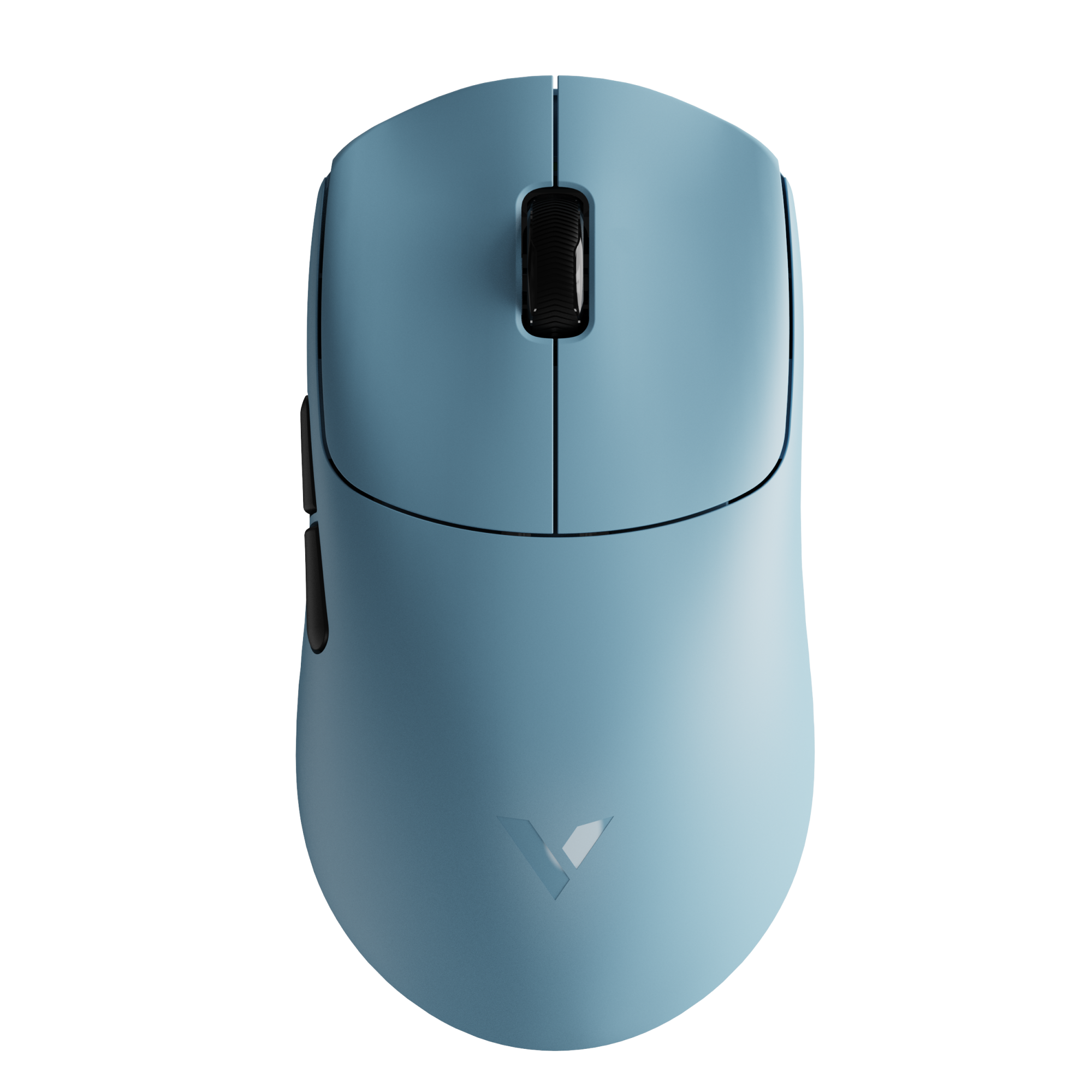
The RAPOO VT2 Gen-2 gives medium-to-large hand users a longer symmetrical shape without losing the quick, lightweight feel. Its 63 x 126 x 40 mm body weighs about 53g, and the PAW3398 sensor, NORDIC 54L15 MCU, 26,000 DPI, 650 IPS tracking, and true 8K polling make it a balanced choice for competitive play and everyday use.
RAPOOBg10 Apply at checkout for extra savings
For most gamers, a good gaming mouse should have a comfortable shape, a reliable sensor, responsive clicks, adjustable DPI, and a stable connection. If you play competitive FPS games, a lightweight gaming mouse can make fast flicks and repeated movements easier. If you play MMO or MOBA games, extra programmable buttons may be more useful than having the lightest possible mouse.
Wireless gaming mice are also much stronger than they used to be. A modern 2.4GHz wireless gaming mouse can offer fast response and a cleaner setup without cable drag. Wired gaming mice are still a good choice if you want simple plug-and-play use, no charging, and often a lower price.
So instead of asking only “What is the best gaming mouse?”, a better question is:
What is the best gaming mouse for the way I play?
Here is a simple way to think about it:
| Player Type | Best Gaming Mouse Style | Why It Works |
|---|---|---|
| FPS player | Lightweight gaming mouse | Easier to flick, lift, and control during fast aim movements |
| MMO player | Mouse with more programmable buttons | Helps manage skills, macros, and commands |
| MOBA player | Balanced gaming mouse | Comfortable shape, fast clicks, and enough side buttons |
| Large-hand user | Ergonomic gaming mouse | Better palm support and long-session comfort |
| Small/medium-hand user | Compact lightweight mouse | Easier grip control and less hand strain |
| Budget buyer | Affordable wireless or wired gaming mouse | Good performance without paying for unnecessary extras |
| Mixed-use gamer | Comfortable wireless gaming mouse | Works well for gaming, browsing, and everyday use |
In short, the best gaming mouse is not always the most expensive one or the one with the highest DPI. It is the mouse that feels natural in your hand, matches the games you play, and gives you consistent control every time you move, click, and aim.
What Makes a Good Gaming Mouse?
A good gaming mouse is not defined by one extreme spec. The highest DPI, the lowest weight, or the most buttons do not automatically make a mouse better. What matters most is how well the mouse fits your hand, supports your play style, and performs consistently during real gameplay.
For most players, the right gaming mouse should feel natural in the hand, track accurately, click responsively, and stay comfortable during long sessions. Specs still matter, but they should support the overall experience instead of becoming the only reason to buy.
A good gaming mouse usually comes down to six core factors:
| Factor | Why It Matters |
|---|---|
| Shape and comfort | A mouse that fits your hand helps reduce strain and improves control. |
| Sensor quality | Stable tracking helps your cursor follow your movement accurately. |
| DPI adjustment | Lets you fine-tune sensitivity for different games and preferences. |
| Polling rate and latency | Affects how quickly movement and clicks are reported to your PC. |
| Weight and balance | Changes how fast, stable, or controlled the mouse feels. |
| Build quality | Coating, switches, feet, and battery life affect daily use. |
Shape and Comfort
Shape is one of the most important parts of choosing a gaming mouse. Even a mouse with high-end specs can feel wrong if the shape does not fit your hand.
Start with your hand size. Players with smaller or medium hands may prefer a compact mouse that is easier to grip, lift, and reposition. Players with larger hands may need a longer or taller shell that gives better palm support.
Your grip style also matters:
| Grip Style | What It Usually Needs |
|---|---|
| Palm grip | A fuller shape with more hand support |
| Claw grip | A stable hump and enough room for finger control |
| Fingertip grip | A lighter, smaller mouse that is easy to move quickly |
You should also consider whether you prefer a symmetrical or ergonomic gaming mouse. A symmetrical mouse usually works well for players who want more freedom in grip style. An ergonomic mouse is shaped more naturally for the right hand and can feel more supportive during longer sessions.

Small details like hump height, side curve, grip width, and button position can make a big difference. If the mouse feels too flat, too narrow, or too wide, your aim may feel less stable even if the sensor is excellent.
Sensor, DPI, and Tracking
DPI stands for dots per inch. In simple terms, it controls how sensitive the mouse feels. A higher DPI means the cursor moves farther with less physical movement. A lower DPI means you need to move the mouse more to cover the same distance.
You may also see the term CPI, or counts per inch. For most buyers, DPI and CPI are often used in similar ways when comparing mouse sensitivity. The important point is not the label itself, but whether the mouse lets you adjust sensitivity comfortably.
Very high DPI does not automatically mean better performance. Most gamers do not play at the maximum DPI setting. What matters more is stable tracking, smooth movement, and enough DPI adjustment range to match your game settings.
For example:
| User Need | DPI Advice |
|---|---|
| FPS aiming | Lower to moderate DPI often gives better control |
| Fast desktop movement | Higher DPI can feel more convenient |
| Multiple games | Adjustable DPI profiles are useful |
| Competitive gaming | Consistency matters more than extreme DPI |
A good gaming mouse should let you fine-tune your sensitivity instead of forcing you into one setting.
Polling Rate and Latency
Polling rate is how often your mouse reports movement and input data to your computer. It is measured in Hz.
A 1000Hz polling rate means the mouse can report data up to 1000 times per second. A 4000Hz or 8000Hz mouse can report even more frequently, which may feel smoother on high-refresh-rate monitors and competitive setups.
Here is the simple version:
| Polling Rate | What It Means | Best For |
|---|---|---|
| 1000Hz | Reports about every 1 ms | Most gamers |
| 4000Hz | More frequent reporting | Competitive players with high-refresh monitors |
| 8000Hz | Very high reporting rate | Advanced competitive setups |
Low latency is especially useful in fast games where every click, flick, and correction matters. However, higher polling rate is not always necessary for every player. If you use a standard monitor or mostly play casual games, 1000Hz is already enough for many situations.
For wireless gaming mice, there is also a battery trade-off. Higher polling rates usually consume more power, so a mouse set to 4000Hz or 8000Hz will often have shorter battery life than the same mouse running at 1000Hz.
Learn more: What Is Mouse Polling Rate and How Does It Affect Gaming?
Weight and Control
Mouse weight changes how a gaming mouse feels during movement. A lighter mouse is easier to flick, lift, and reposition, which is why many FPS players prefer lightweight gaming mice.
For FPS games, lower weight can help with fast aim adjustments and repeated movements. It can also reduce fatigue during long sessions, especially if you use a low sensitivity and move your mouse across a large mousepad.
However, lighter is not always better for everyone. Some players prefer a medium-weight mouse because it feels more stable and controlled. This can be helpful for mixed gaming, productivity, or users who do not like an ultra-light shell.
Heavier or more button-rich mice can still make sense for MMO, MOBA, and productivity-focused users. In those cases, extra buttons, comfort, and long-session support may matter more than having the lightest possible mouse.
| Mouse Style | Best Fit |
|---|---|
| Lightweight gaming mouse | FPS, fast aim, low-sensitivity players |
| Medium-weight gaming mouse | Mixed gaming, daily use, balanced control |
| Heavier multi-button mouse | MMO, productivity, users who need more commands |
In the end, a good gaming mouse should feel controlled, not forced. The best choice is the one that lets you aim naturally, click confidently, and play longer without discomfort.
Best Gaming Mouse by Player Type

The best gaming mouse depends heavily on the type of player using it. A mouse that feels perfect for fast FPS aiming may not be the best choice for MMO hotkeys, large hands, or long work sessions. Before choosing by brand, price, or DPI, it is better to start with your actual use case.
Here is a practical way to match the right gaming mouse style to different player types:
| Player Type | Best Mouse Style | What to Look For |
|---|---|---|
| FPS player | Lightweight gaming mouse | Low weight, stable sensor, low latency |
| MMO player | Multi-button gaming mouse | Programmable buttons, comfort |
| MOBA player | Balanced gaming mouse | Responsive clicks, enough side buttons |
| Large-hand user | Ergonomic gaming mouse | Larger shell, palm support |
| Small/medium-hand user | Compact lightweight mouse | Easier grip and lift |
| Budget buyer | Affordable wireless gaming mouse | Good sensor, stable 2.4GHz, warranty |
| Work + gaming user | Versatile ergonomic mouse | Comfort, extra buttons, battery life |
FPS Players: Choose Lightweight and Fast
For FPS games, control and speed matter more than extra features. Games like Valorant, Counter-Strike, Apex Legends, Call of Duty, and Fortnite require quick flicks, small aim corrections, and repeated mouse movements. A lightweight gaming mouse can make these movements feel easier and less tiring.
FPS players should look for:
- Lightweight body for faster movement
- Stable sensor for accurate tracking
- Low click latency
- Comfortable side grip
- Smooth mouse feet
- Reliable wired or 2.4GHz wireless connection
A good FPS mouse does not need a large number of buttons. In fact, too many buttons can make the mouse heavier or harder to grip. For FPS players, the best gaming mouse is usually the one that feels fast, predictable, and easy to control.
MMO Players: Choose More Buttons and Long-Session Comfort
MMO players often need more commands at their fingertips. In games where you manage abilities, macros, inventory actions, or character skills, extra programmable buttons can be more useful than an ultra-light shell.
MMO players should look for:
- Multiple programmable buttons
- Comfortable shape for long sessions
- Stable grip
- Onboard profiles or software customization
- Durable switches
- A shape that does not cause hand fatigue
For MMO gaming, the best mouse is not always the fastest or lightest one. It is the mouse that helps you access more commands without forcing awkward keyboard movements.
MOBA Players: Choose a Balanced Gaming Mouse
MOBA players need a mix of speed, comfort, and click responsiveness. Games like League of Legends and Dota 2 involve repeated clicking, fast cursor movement, and quick ability use. A mouse that is too heavy may feel slow, while a mouse that is too small or unstable may feel less precise.
MOBA players should look for:
- Responsive main clicks
- Comfortable medium-weight or lightweight design
- Enough side buttons for key actions
- Stable tracking
- Shape that supports repeated clicking
For this type of player, a balanced gaming mouse usually works best. You do not need the most extreme FPS mouse or the largest multi-button MMO mouse. You need something comfortable, consistent, and easy to control during long matches.
Large-Hand Users: Choose a Larger Ergonomic Shape
If your hand is large, a small gaming mouse may force your fingers into an uncomfortable position. This can make the mouse harder to control and may cause fatigue during longer sessions.
Large-hand users should look for:
- Longer mouse body
- Wider grip area
- Higher hump or fuller palm support
- Right-hand ergonomic shape if using palm grip
- Buttons that are easy to reach without curling the fingers too much
An ergonomic gaming mouse can be especially helpful for players who use a palm grip or want more hand support. Instead of choosing only by weight or sensor specs, large-hand users should check the mouse dimensions and overall shape first.
Small and Medium-Hand Users: Choose Compact and Easy to Lift
For small and medium hands, a large mouse can feel difficult to control. If the shell is too long, wide, or tall, the user may struggle to lift and reposition it quickly. This is especially important for claw grip and fingertip grip players.
Small and medium-hand users should look for:
- Compact body size
- Lightweight design
- Easy side grip
- Buttons that are not too far forward
- Shape that supports claw or fingertip grip
A compact lightweight gaming mouse can feel more natural because it requires less effort to control. For players who make frequent small corrections, this can make aim feel more consistent.
Budget Buyers: Focus on Value, Not Just the Lowest Price
A budget gaming mouse should still perform well. The cheapest option is not always the best deal if the sensor is inconsistent, the wireless connection is unstable, or the switches feel poor after a short time.
Budget buyers should look for:
- Reliable sensor
- Stable 2.4GHz wireless or wired connection
- Comfortable shape
- Solid switches
- Good coating and mouse feet
- Clear warranty or support
This is where an affordable wireless gaming mouse can make sense. If the mouse has a good sensor, stable connection, and comfortable design, it can offer strong value without requiring a premium flagship price.
For RAPOO, this section is a natural place to introduce VT Gen-2 gaming mice as value-focused options for users who want modern gaming performance, wireless freedom, and strong specs at a more accessible price point.

It also includes a PAW3398 sensor, up to 26,000 DPI, and 8K polling support, making it a practical choice for players who want modern gaming performance, wireless freedom, and a more spacious shape at an accessible price point.
RAPOOBg10 Apply at checkout for extra savings
Work + Gaming Users: Choose Comfort and Versatility
Some users need one mouse for both gaming and daily productivity. In this case, comfort, battery life, and button layout may matter just as much as gaming specs.
Work + gaming users should look for:
- Comfortable shape for long hours
- Wireless convenience
- Good battery life
- Extra buttons for productivity
- Stable performance for casual or competitive gaming
- Clean design that fits both desk work and gaming setups
A versatile ergonomic mouse can be a better fit than an extreme FPS mouse if you spend many hours browsing, editing, working, and gaming on the same device. The best choice is one that feels comfortable throughout the day, not only during a short match.
Overall, the best gaming mouse is not the same for every player. Start with the way you actually use your mouse, then choose the shape, weight, connection, and features that match that need. This approach leads to a better long-term choice than simply buying the most popular or most expensive model.
Best Wireless Gaming Mouse vs Best Wired Gaming Mouse
One of the biggest questions when choosing a gaming mouse is whether to go wireless or wired. In the past, many gamers avoided wireless mice because of delay, unstable connections, or battery concerns. Today, that is no longer always the case.
Modern wireless gaming mice can be excellent for gaming, especially when they use a dedicated 2.4GHz wireless receiver instead of standard Bluetooth. A good 2.4GHz wireless gaming mouse can offer fast response, stable tracking, and a cleaner desk setup without cable drag.
That does not mean wired gaming mice are outdated. A wired gaming mouse is still simple, reliable, and easy to recommend for players who do not want to think about charging, battery life, or wireless receivers.
The better choice depends on how you play and what you value most.
| Type | Best For | Main Advantage | Possible Trade-Off |
|---|---|---|---|
| Wireless gaming mouse | Competitive gaming, clean setups, laptop users | No cable drag, more freedom of movement | Needs charging or battery management |
| Wired gaming mouse | Budget setups, plug-and-play users | Simple, stable, no charging | Cable can create drag or desk clutter |
| Bluetooth mouse | Office work, travel, casual use | Easy device pairing | Usually not ideal for competitive gaming |
For gaming, the most important distinction is this: 2.4GHz wireless is usually the better wireless option for gaming, while Bluetooth is better for convenience and productivity.
When to Choose a Wireless Gaming Mouse
Choose a wireless gaming mouse if you want more movement freedom and a cleaner setup. Without a cable pulling against the desk or mousepad, the mouse can feel smoother during fast flicks, wide swipes, and repeated repositioning.
A wireless gaming mouse is especially useful for FPS players who use low sensitivity and move the mouse across a larger area. With no cable drag, movement can feel more natural and less restricted.
A wireless gaming mouse is also a strong choice if you use a laptop or travel setup. You can keep your desk cleaner, reduce cable clutter, and switch between gaming and everyday use more easily.
You should choose a wireless gaming mouse if you care about:
- A cleaner desk setup
- Less cable drag during fast movement
- Easier use with laptops
- More flexible positioning
- Competitive gaming with a stable 2.4GHz receiver
- A mouse that works well for both gaming and daily use
For competitive gaming, avoid relying on Bluetooth as your main connection. Bluetooth is convenient for pairing with laptops, tablets, and office devices, but it is usually not the best option for fast-paced gaming. A dedicated 2.4GHz receiver is the better choice when responsiveness matters.
Battery life is the main thing to consider. Higher polling rates, RGB lighting, and heavy daily use can reduce battery life. If you choose a wireless gaming mouse, look for a model with strong battery performance and easy charging.
When to Choose a Wired Gaming Mouse
Choose a wired gaming mouse if you want the simplest possible setup. A wired mouse does not need charging, pairing, or battery management. You plug it in and use it.
This makes wired gaming mice a good choice for budget buyers, younger gamers, shared gaming setups, or anyone who does not want to worry about battery life during a long session.
A wired gaming mouse can also be a smart option if you are building a low-cost gaming setup and want to spend more of your budget on core performance instead of wireless features.
You should choose a wired gaming mouse if you care about:
- No charging
- Lower cost
- Simple plug-and-play use
- Stable connection
- No battery degradation over time
- A straightforward gaming setup
The main downside is the cable. Even with a flexible cable, some players can still feel cable drag during fast movements. This matters more in FPS games, especially if you use low sensitivity and make large mouse movements. A mouse bungee can help, but it still does not feel as free as a wireless mouse.
Which One Is Better for Gaming?
For most modern gamers, a good 2.4GHz wireless gaming mouse is now the better all-around choice. It gives you gaming-grade responsiveness, more freedom, and a cleaner setup. This is especially useful for FPS players, laptop gamers, and users who want one mouse for both gaming and daily work.
A wired gaming mouse is still a great choice if you want lower cost, no charging, and simple reliability. It is not a bad option at all. It just gives up some freedom of movement compared with modern wireless gaming mice.
Here is the simple recommendation:
| Your Need | Better Choice |
|---|---|
| Competitive FPS gaming | 2.4GHz wireless gaming mouse |
| Lowest possible setup cost | Wired gaming mouse |
| No charging at all | Wired gaming mouse |
| Clean desk setup | Wireless gaming mouse |
| Laptop gaming | Wireless gaming mouse |
| Casual gaming and productivity | Wireless or Bluetooth-capable mouse |
| Long gaming sessions | Wireless with strong battery life or wired |
In short, wireless is no longer only about convenience. A good wireless gaming mouse can be a serious gaming choice. Just make sure it uses a stable 2.4GHz connection for gaming, not only Bluetooth.
Best Gaming Mouse for FPS Games
For FPS games, the best gaming mouse should feel light, fast, and easy to control. Games like Valorant, Counter-Strike, Apex Legends, and Call of Duty require quick flicks, small aim corrections, and consistent tracking, so extra weight or unnecessary buttons can get in the way.
FPS players should usually look for a mouse with:
- A lightweight body
- A reliable sensor
- Low click latency
- Smooth mouse feet
- A stable grip shape
- A simple button layout
- Wired or stable 2.4GHz wireless connection
A high DPI number is not the most important factor. Most FPS players benefit more from stable tracking, comfortable shape, and consistent movement. Adjustable DPI is useful, but the mouse should feel predictable at the sensitivity you actually use.
Wireless gaming mice are also a strong option for FPS players today. A good 2.4GHz wireless gaming mouse can reduce cable drag and make wide swipes feel cleaner, especially for low-sensitivity players.

RAPOOBg10 Apply at checkout for extra savings
Best Gaming Mouse for MMO and MOBA Games
For MMO and MOBA games, the best gaming mouse is usually not the lightest one. These games often require more commands, repeated clicks, and long play sessions, so comfort and button layout become more important.
MMO players may benefit from a mouse with more programmable buttons. Extra side buttons can help with skills, macros, inventory actions, or quick commands. This can reduce keyboard pressure and make complex actions easier to manage during gameplay.
MOBA players usually need a more balanced mouse. Games like League of Legends and Dota 2 rely on fast clicking, quick cursor movement, and precise ability use. A comfortable shape, responsive clicks, and a few easy-to-reach side buttons are often more useful than a large button grid.
| Game Type | Best Mouse Features |
|---|---|
| MMO | More programmable buttons, comfortable shape, onboard profiles |
| MOBA | Responsive clicks, balanced weight, stable grip |
| FPS | Lightweight body, simple button layout, low latency |
Too many buttons can be helpful for MMO players, but they may feel distracting for FPS users. That is why the best gaming mouse should match the game you play most, not just the highest number of features.
Onboard profiles are also useful for MMO and MOBA players. They let you save button mappings, DPI settings, and game-specific profiles directly on the mouse. This is helpful if you switch between different games, use multiple computers, or do not want to keep software running in the background.
Best Gaming Mouse for Large Hands
If you have larger hands, a small gaming mouse can feel cramped and harder to control. Your fingers may hang too far over the buttons, your palm may lose support, or your grip may feel forced during long gaming sessions.
For large-hand users, shape is usually more important than chasing the lowest weight or highest DPI. A larger mouse with better palm support can feel more stable, especially if you use a palm grip or relaxed claw grip.
When choosing a gaming mouse for large hands, check:
- Mouse length, width, and height
- Hump position and palm support
- Side curve and grip comfort
- Button placement
- Whether the shape is symmetrical or ergonomic
- Weight balance, not just total weight
A right-hand ergonomic gaming mouse can be a strong choice because it follows the natural curve of the hand more closely. This can make the mouse feel fuller, more supportive, and easier to hold during longer sessions.
For RAPOO, the VT3 and VT7 series can be introduced here as right-hand ergonomic options for players who prefer more palm support and a fuller hand feel. Instead of choosing only by specs, large-hand users should compare the shape, grip width, hump height, and overall comfort to find the best fit.

RAPOOBg10 Apply at checkout for extra savings
Best Lightweight Gaming Mouse for Small and Medium Hands
For small and medium hands, a compact lightweight gaming mouse can feel easier to control than a larger shell. This is especially true for claw grip and fingertip grip players, who need quick finger movement, easy lifting, and precise repositioning.
A lightweight mouse can help with:
- Faster flicks
- Easier mouse lifting
- Less hand fatigue
- Better control during repeated aim corrections
- More natural movement for smaller hands
However, smaller is not always better. If a mouse is too small, your fingers may feel cramped, and your hand may become tense during longer sessions. The best lightweight gaming mouse should still give you enough grip support and button reach.
When choosing a lightweight mouse for small or medium hands, check the length, width, height, side curve, and hump position. The mouse should feel easy to move, but not so small that you lose comfort or stability.
For RAPOO, the VT0 and VT1-style lightweight options can fit naturally in this section. They are suitable for users who want compact control, fast movement, and a lighter feel for FPS or everyday gaming. For the best fit, compare the mouse size and shape with your grip style before choosing.

RAPOOBg10 Apply at checkout for extra savings
RAPOOBg10 Apply at checkout for extra savings
Best Budget Gaming Mouse: What Should You Actually Pay For?
A budget gaming mouse should not simply be the cheapest mouse you can find. The better goal is to choose a mouse that gives you solid gaming performance without paying extra for features that do not improve comfort or control.
When comparing budget gaming mice, prioritize the basics first:
- Reliable sensor tracking
- Comfortable shape
- Stable wired or 2.4GHz wireless connection
- Durable switches
- Smooth mouse feet
- Good coating and grip feel
- Clear warranty and support
RGB lighting, extreme DPI numbers, or aggressive styling should not be the main reason to buy. If the mouse feels uncomfortable, has unstable wireless performance, or uses poor switches, it will not feel like a good value in daily use.
Budget wireless gaming mice can be a strong choice if the core features are right. A stable 2.4GHz wireless connection, adjustable DPI, good battery life, and a comfortable shell can make an affordable wireless mouse feel much more practical for both gaming and everyday use.
| What to Pay For | Why It Matters |
|---|---|
| Sensor quality | Keeps movement accurate and consistent |
| Shape and comfort | Affects control during long sessions |
| 2.4GHz wireless stability | Reduces cable drag without sacrificing responsiveness |
| Switch durability | Improves long-term click feel |
| Battery life | Matters for wireless gaming mice |
| Warranty | Adds confidence when buying a lower-cost option |
For users who want affordable performance, RAPOO VT Gen-2 models can be positioned as value-focused gaming mice for players who care about sensor performance, wireless stability, polling rate options, and long-term usability. They are especially relevant for buyers who want modern gaming features without moving into premium flagship pricing.
The best budget gaming mouse is not the one with the flashiest spec sheet. It is the one that gives you reliable tracking, comfortable control, and dependable build quality at a price that makes sense.
Gaming Mouse Specs Explained: DPI, Polling Rate, IPS, and Acceleration
Gaming mouse specs can look confusing, but you do not need to chase the highest number in every category. A good gaming mouse should feel accurate, responsive, and consistent in real use.
Here are the main specs that actually matter:
| Spec | What It Means | What to Know |
|---|---|---|
| DPI | Mouse sensitivity | Higher DPI is not always better. Adjustable DPI matters more. |
| Polling rate | How often the mouse reports data to your PC | Higher rates can feel smoother on high-refresh setups. |
| IPS | Tracking speed | Higher IPS helps the sensor keep up with fast movement. |
| Acceleration | Sensor tracking tolerance | This is not the same as Windows pointer acceleration. |
| Battery life | Wireless usage time | Higher polling rates usually reduce battery life. |
| Onboard memory | Saved mouse profiles | Useful for keeping settings across games or computers. |
What Is a Good DPI for a Gaming Mouse?
DPI controls how sensitive your mouse feels. A higher DPI makes the cursor move farther with less hand movement, while a lower DPI gives you more physical control.
For gaming, the “best” DPI is not simply the highest number. Many players use moderate DPI settings because they feel more stable and easier to control, especially in FPS games.
A good gaming mouse should offer adjustable DPI, so you can fine-tune your sensitivity for different games, screens, and play styles. Maximum DPI is less important than whether the mouse tracks consistently at the settings you actually use.
What Is the Best Polling Rate for a Gaming Mouse?
Polling rate is how often your mouse sends movement and click data to your computer. A 1000Hz polling rate reports up to 1000 times per second, which is already enough for many gamers.
Higher polling rates like 4000Hz or 8000Hz can feel smoother and more responsive, especially on high-refresh-rate monitors. Competitive FPS players may benefit from this, but casual players may not notice a major difference.
The trade-off is battery life. On wireless gaming mice, higher polling rates usually use more power. If you want longer battery life, 1000Hz is often the better everyday setting. If you want maximum responsiveness for competitive play, 4000Hz or 8000Hz can be useful.
You can link this section to your dedicated guide: What Is Mouse Polling Rate?
Should You Change Gaming Mouse Settings?
Yes. The default settings are not always the best settings for your hand, monitor, or game type. A few small adjustments can make your mouse feel much more natural.
The most useful settings to adjust are:
- DPI: Set a sensitivity that feels controlled, not too fast.
- Polling rate: Use 1000Hz for balance, or higher rates for competitive play.
- Lift-off distance: Lower LOD can help if you often lift and reposition your mouse.
- Button mapping: Assign side buttons to common in-game actions.
- Profiles: Save different settings for FPS, MMO, work, or travel use.
Onboard memory is especially helpful because it lets the mouse remember your settings without needing software to run all the time. This is useful if you switch between computers, play different games, or want consistent settings every time you plug in or connect your mouse.
How to Choose the Best Gaming Mouse: Simple Checklist
Choosing the best gaming mouse becomes much easier when you focus on your real needs instead of only comparing specs. Before buying, use this checklist to narrow down the right option.
- What games do you play most? FPS players usually need a lightweight mouse with fast tracking. MMO players may need more programmable buttons. Casual players may prefer comfort and battery life.
- How big is your hand? Small and medium hands often fit better with compact mice. Larger hands may need a fuller ergonomic shape with more palm support.
- What grip style do you use? Palm grip usually works better with larger supportive shapes. Claw and fingertip grip often feel better with lighter, smaller mice.
- Do you prefer wired or wireless? A wired mouse is simple and charging-free. A 2.4GHz wireless gaming mouse gives more freedom and less cable drag.
- Do you need extra buttons? FPS players usually need fewer buttons. MMO, MOBA, and productivity users may benefit from more programmable buttons.
- Do you want lightweight speed or more controlled weight? Lightweight mice are great for fast flicks. A medium-weight mouse can feel more stable for mixed gaming and daily use.
- Do you need onboard memory? Onboard memory is useful if you want to save DPI, button mapping, polling rate, and game profiles directly on the mouse.
- What is your budget? Do not only choose the cheapest mouse. Pay for the features that affect real use: sensor, shape, connection stability, switches, coating, and warranty.
- Do you care about battery life? For wireless gaming mice, battery life matters. Higher polling rates can improve responsiveness, but they usually use more power.
- Do you want one mouse for both work and gaming? Choose a comfortable shape, stable wireless connection, good battery life, and enough buttons for daily productivity.
A simple rule is this: choose by fit first, then performance, then extra features. The best gaming mouse should feel comfortable in your hand, match the games you play, and give you consistent control every day.
FAQ
What is the best gaming mouse overall?
There is no single best gaming mouse for every player. The best choice depends on your hand size, grip style, game type, budget, and performance needs.
For FPS games, a lightweight mouse with low latency and stable tracking is usually better. For MMO or MOBA games, comfort and programmable buttons may matter more. The best gaming mouse is the one that feels natural in your hand and gives you consistent control in the games you play most.
Is a wireless mouse good for gaming?
Yes. A wireless mouse can be very good for gaming if it uses a stable 2.4GHz wireless connection and has low latency.
For competitive gaming, 2.4GHz wireless is usually a better choice than Bluetooth because it is designed for faster and more stable performance. Bluetooth is useful for travel, office work, or casual use, but it is usually not ideal for fast-paced competitive games.
Is wired or wireless better for gaming?
Wireless is better if you want more freedom of movement, less cable drag, and a cleaner desk setup. A good 2.4GHz wireless gaming mouse can feel smooth and responsive for most players.
Wired is better if you want simple plug-and-play use, no charging, and often a lower price. Both can work well for gaming. The better choice depends on whether you value movement freedom or simple reliability more.
What is the best gaming mouse for FPS games?
The best gaming mouse for FPS games is usually lightweight, responsive, and easy to control. Look for a mouse with a reliable sensor, low click latency, smooth mouse feet, and a shape that supports your grip style.
FPS players usually do not need many extra buttons. A simple lightweight mouse often works better because it is easier to flick, lift, and reposition during fast aim movements.
What is the best gaming mouse for large hands?
The best gaming mouse for large hands is usually a larger ergonomic mouse with enough palm support. A fuller shape can help your hand rest more naturally and reduce discomfort during long sessions.
Before choosing, check the mouse length, width, height, hump position, and side curve. Large-hand users should not choose only by DPI, sensor, or weight. Shape and fit matter more.
What DPI is best for gaming?
There is no universal best DPI for gaming. Many players use moderate DPI settings because they offer better control, especially in FPS games.
Instead of chasing the highest DPI number, choose a mouse with adjustable DPI and set a sensitivity that feels stable for your hand movement, screen size, and in-game settings.
What polling rate is best for a gaming mouse?
For many gamers, 1000Hz is enough. It offers responsive performance and is a good balance for everyday gaming.
Higher polling rates like 4000Hz or 8000Hz can help competitive players who use high-refresh-rate monitors and want smoother input reporting. However, higher polling rates can also use more battery on wireless gaming mice, so they are not always necessary for every player.
Are cheap gaming mice worth it?
Yes, cheap gaming mice can be worth it if the core features are still solid. A good budget gaming mouse should have a comfortable shape, reliable sensor, stable wired or 2.4GHz wireless connection, durable switches, and clear warranty support.


