










In esports, every movement matters. A small delay, an uncomfortable grip, unstable tracking, or inconsistent wireless performance can affect how confidently you aim, click, and react during a match. That is why choosing the best mouse for esports tournaments is not only about high DPI or lightweight design. It is about finding a mouse that feels fast, controlled, stable, and comfortable from the first round to the last.
RAPOO brings this competitive focus into its gaming lineup through continued involvement in professional esports. Its products have been connected with teams across CS2, PUBG, VALORANT, and League of Legends, including TYLOO, 17Gaming, TEC, and OMG. In 2025, TYLOO, 17Gaming, and TEC became peripheral partners for RAPOO’s wireless esports V series. RAPOO was also the official peripheral partner of TYLOO CS in 2024 and the official exclusive peripheral partner of OMG’s League of Legends team in 2024. These partnerships reflect RAPOO’s focus on real competitive environments, where stability, response, comfort, wireless reliability, and long-session consistency are essential. In this guide, we will break down how to choose a tournament-ready mouse based on weight, sensor performance, polling rate, wireless stability, grip style, and practical gameplay needs.


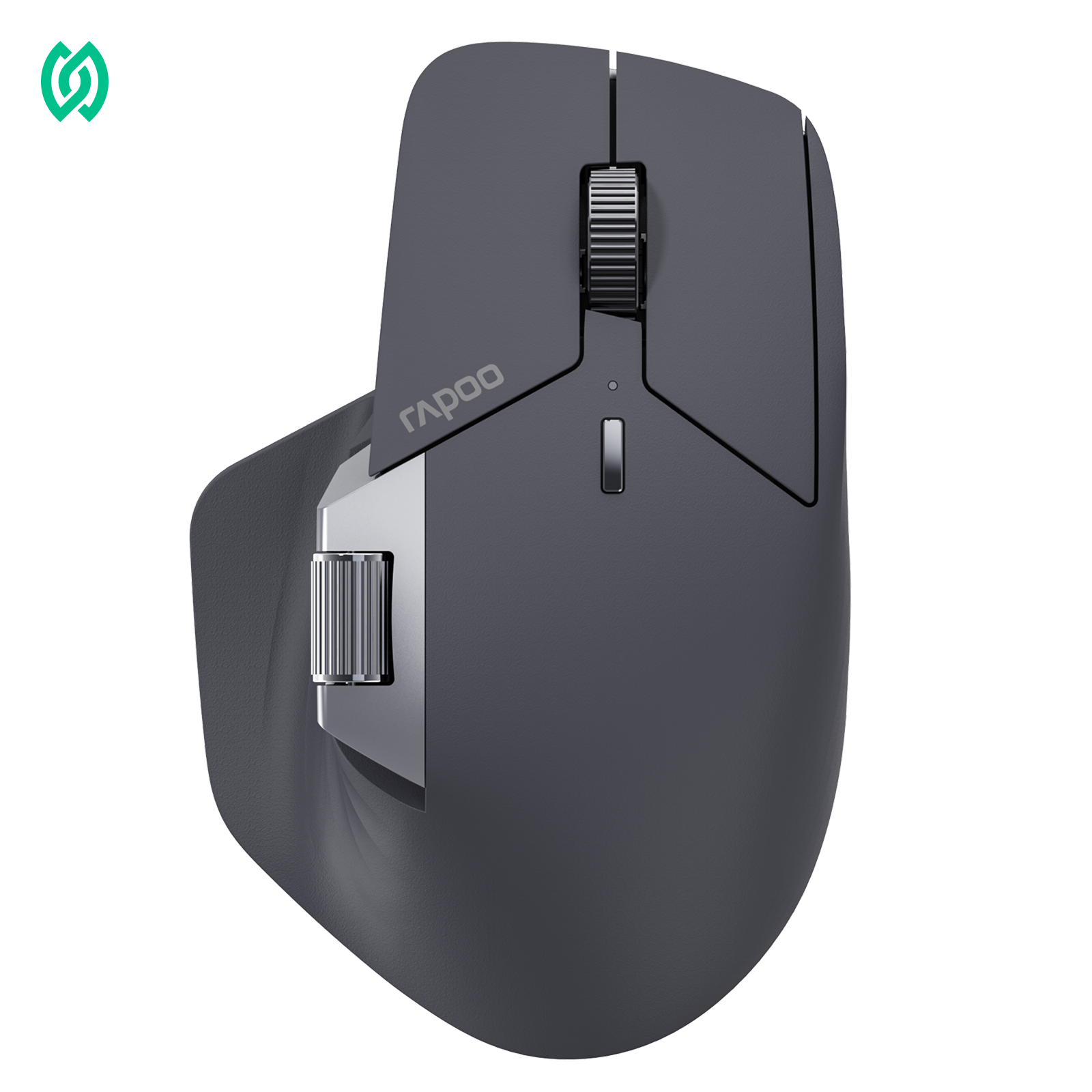
Rapoo VT7 Gen-2 Wireless Gaming Mouse
Built for players who want long battery life without a heavy shell, the RAPOO VT7 Gen-2 pairs a large 64 x 127 x 40 mm symmetrical shape with an ultra-light 53g body. Its PAW3398 sensor, NORDIC 54L15 MCU, 26,000 DPI, 650 IPS tracking, and up to 8K polling keep it ready for competitive play, while the battery can last up to 750 hours at 1000 Hz.
RAPOOBg10 Apply at checkout for extra savings
What Makes the Best Mouse for Esports Tournaments?
The best mouse for esports tournaments is not defined by one single spec. A mouse with a high DPI number, an 8K polling rate, or an ultra-light shell may still feel wrong if the shape, weight balance, sensor behavior, or wireless connection does not match how you actually play.
For competitive use, a tournament-ready mouse should do three things well: respond quickly, track consistently, and feel natural in your hand. When you flick, track, spray, lift, reset, or make small aim corrections, the mouse should feel predictable. If you have to think about the mouse during a match, it is probably not supporting your performance well enough.
A strong esports mouse usually combines several performance factors:
| Factor | What to Look For | Why It Matters in Tournaments |
|---|---|---|
| Weight | Lightweight but controlled | Helps with faster movement and lower fatigue |
| Shape | Fits your grip style and hand size | Improves comfort and aim stability |
| Sensor | Stable tracking without unwanted acceleration | Keeps flicks, tracking, and micro-adjustments consistent |
| Polling Rate | 1000Hz or higher, depending on setup | Can improve input smoothness and responsiveness |
| Click Feel | Fast, consistent, and easy to repeat | Helps with reaction-based actions and timing |
| Wireless Stability | Low-latency connection with reliable battery life | Reduces cable drag without sacrificing consistency |
| Build Quality | Solid shell, stable buttons, durable feet | Keeps the mouse reliable during long practice and tournament use |
The right choice also depends on the game you play. FPS players often care most about weight, sensor accuracy, shape, and low-latency response because aiming precision is constant. MOBA players may value click consistency, comfort, and button reliability more. Battle royale players usually need a balance of fast tracking, repeated flicks, and long-session comfort.
This is why the best esports mouse is not always the most expensive or the lightest option. It is the mouse that fits your grip, sensitivity, game type, and setup while staying consistent under pressure. A good competitive gaming mouse should disappear in your hand, letting you focus on timing, aim, positioning, and decision-making instead of the gear.
A tournament-ready esports mouse should be lightweight, responsive, stable, and comfortable for your grip style. Instead of choosing a mouse only by brand, DPI, or polling rate, competitive players should compare sensor consistency, weight balance, shape, click feel, wireless reliability, and long-session comfort.
Lightweight Design Matters More Than Most Players Think

Mouse weight has a direct impact on how fast, controlled, and comfortable your aim feels during competitive play. In FPS games, every flick, spray transfer, tracking movement, and mouse reset depends on how easily you can start and stop the mouse. A lightweight gaming mouse can reduce wrist fatigue and make repeated movements feel smoother, especially during long practice sessions or tournament matches.
However, the lightest mouse is not always the best mouse for FPS. If a mouse is too light for your sensitivity, grip style, or aiming habits, it may feel unstable when you need precise stopping power. Some players perform better with an ultra-light mouse for fast flicks, while others prefer a slightly heavier mouse because it gives them more control during tracking and recoil adjustment.
The best mouse weight for FPS is usually the weight that feels fast without feeling loose. For many competitive players, the 50g–70g range offers a strong balance of speed, control, and comfort. But weight should not be judged alone. Shape, side grip, sensor position, mouse feet, and weight balance all affect how the mouse feels in real gameplay.
Low-sensitivity FPS players often benefit more from lighter mice because they make large arm movements and frequent resets across the mousepad. High-sensitivity players may care more about shape stability and fingertip control because their movements are smaller and more precise. This is why a mouse should match your playstyle instead of simply chasing the lowest possible weight.
| Mouse Weight | Best For | Notes |
|---|---|---|
| Under 50g | Ultra-light FPS setups, fingertip grip, fast flicks | Very fast, but may feel less stable for some players |
| 50g–70g | Most competitive FPS and esports players | Strong balance of speed, control, and comfort |
| 70g–90g | Players who prefer more stopping power | Can feel stable, but may cause more fatigue in long sessions |
| Over 90g | MMO, casual gaming, or productivity users | Usually less ideal for fast FPS tournament play |
A good lightweight esports mouse should feel easy to move, easy to stop, and easy to lift without losing control. Instead of asking only “How light is this mouse?”, competitive players should ask: “Can I aim consistently with this weight for an entire match?”
A lightweight gaming mouse can help reduce fatigue and improve fast FPS movements, but lighter is not always better. The best mouse weight for FPS should match your grip style, sensitivity, hand control, and game type. For many esports players, 50g–70g offers the best balance between speed and stability.
Sensor Accuracy Is More Important Than Maximum DPI
A high DPI number may look impressive, but it does not automatically make a mouse more accurate. In competitive FPS games, players rarely use the maximum DPI setting. What matters more is whether the sensor can track movement consistently when you make small aim corrections, fast flicks, recoil adjustments, and long tracking movements.
The best mouse sensor for FPS should feel predictable at different movement speeds. When you move the mouse slowly, the cursor should respond smoothly. When you flick quickly, the sensor should keep tracking without spinouts, unwanted acceleration, or delay that you can feel in-game. This consistency is what helps players build muscle memory.
DPI should be treated as a sensitivity setting, not a quality score. A mouse with extremely high DPI can still feel poor if the sensor has inconsistent tracking, high latency, bad lift-off behavior, or unstable surface performance. For esports tournaments, a stable sensor at a controllable DPI is more useful than a huge DPI number you will never actually use.
Lift-off distance is also important for FPS players. If the lift-off distance is too high, your crosshair may move when you pick up and reset the mouse. If it is too low, tracking may cut off too early depending on your mousepad and movement style. A good competitive gaming mouse should keep lift-off behavior stable and predictable, especially for low-sensitivity players who reset their mouse often.
Another key factor is unwanted acceleration. In competitive aiming, the same hand movement should produce the same on-screen movement every time. If a sensor adds acceleration or smoothing that changes how your input feels, it can make flicks and micro-adjustments harder to trust.
When comparing sensors, look beyond the maximum DPI number and check the factors that affect real gameplay:
| Sensor Factor | What to Look For | Why It Matters in FPS |
|---|---|---|
| Tracking consistency | Stable movement at slow and fast speeds | Keeps flicks, tracking, and micro-adjustments predictable |
| Sensor latency | Low delay between hand movement and cursor response | Helps aim feel more immediate |
| Lift-off distance | Stable or adjustable LOD | Reduces unwanted cursor movement when resetting the mouse |
| Acceleration control | No unwanted acceleration or angle snapping | Supports muscle memory and consistent aim |
| Surface compatibility | Reliable tracking on common gaming mousepads | Reduces tracking issues during tournaments |
| DPI adjustment | Flexible DPI steps | Lets players find a controllable sensitivity |
RAPOO VT gaming mice use performance-focused sensors such as PAW3398 and PAW3950 across different models. These sensor options can give competitive players a stronger foundation for stable tracking, but the sensor should still be evaluated together with mouse shape, weight balance, wireless stability, polling rate, and grip comfort.
For most FPS players, the better question is not “What is the highest DPI?” but “Can this mouse track consistently at the DPI I actually use?” A tournament-ready mouse should make your aim feel repeatable, controlled, and easy to trust under pressure.
High DPI does not always mean better accuracy. The best mouse sensor for FPS should offer stable tracking, low sensor latency, predictable lift-off distance, and consistent movement without unwanted acceleration. Competitive players should choose a DPI setting they can control, not simply the highest number available.
Polling Rate and Latency Matter in Competitive Play
Polling rate refers to how often your mouse reports its position to your computer. A 1000Hz polling rate reports up to 1000 times per second, which means the mouse can send input data about every 1ms. Higher polling rates such as 4000Hz and 8000Hz report more frequently, reducing the interval between mouse updates.

For competitive players, this can make mouse movement feel smoother and more immediate, especially when paired with a high-refresh-rate monitor. In fast FPS games, smaller input intervals may help with flicks, tracking, and quick micro-adjustments. However, polling rate should not be treated as the only measure of mouse performance.
The best polling rate for mouse performance is the one that feels smooth without creating instability. Higher polling rates can improve responsiveness, but they may also increase battery drain and system resource usage. This is especially important for wireless gaming mice, where players may need to balance maximum responsiveness with battery life during long practice sessions or tournaments.
Latency also depends on more than polling rate. Click latency, sensor latency, wireless stability, firmware tuning, receiver placement, and PC performance all affect how responsive a mouse feels in real gameplay. A mouse with 8000Hz polling but unstable wireless performance will not feel better than a well-tuned 1000Hz or 4000Hz mouse with consistent input.
| Polling Rate | Approx. Report Interval | Best For | Notes |
|---|---|---|---|
| 125Hz | 8ms | Basic office use | Not ideal for competitive gaming |
| 500Hz | 2ms | Casual gaming | Usable, but less common for esports |
| 1000Hz | 1ms | Most gaming and esports players | Strong default for stable performance |
| 4000Hz | 0.25ms | High-refresh-rate competitive setups | Better for players who want smoother input |
| 8000Hz | 0.125ms | Advanced esports setups | Best suited for high-end systems and players who can notice the difference |
For tournament use, players should test different polling rates in real gameplay instead of choosing the highest number automatically. Start with 1000Hz as a stable baseline, then try 4000Hz or 8000Hz if your system, monitor, and mouse support it. The best setting should feel smooth, consistent, and reliable across an entire match.
RAPOO’s VT Gen-2 gaming mouse lineup supports high polling-rate options across selected models, giving players more flexibility to choose between daily gaming, high-refresh-rate competitive play, and longer wireless battery life. For esports players, the key is not simply using the highest polling rate available, but finding the setting that delivers stable low-latency performance for their setup.
For most gamers, 1000Hz is already responsive enough. Competitive players using high-refresh-rate monitors may benefit from 4000Hz or 8000Hz polling, but the best setting should also consider battery life, system stability, wireless reliability, and real-game consistency.
Wired vs Wireless Mouse for Esports Tournaments
For a long time, wired mice were seen as the safest choice for esports tournaments because they removed concerns about battery life, wireless interference, and connection stability. Today, the gap is much smaller. A well-designed wireless mouse for competitive gaming can feel fast, stable, and reliable enough for serious play, as long as the wireless system, receiver setup, battery management, and polling-rate performance are properly tuned.

The real question is not simply “wired or wireless?” It is whether the mouse can deliver consistent input during fast movement, repeated flicks, long tracking sequences, and high-pressure match situations. A tournament-ready mouse should never make you think about connection quality, cable drag, or battery level while you are playing.
Wired mice still have practical advantages. They do not need charging, they are simple to set up, and they remove most battery-related concerns. For players who want the most straightforward setup possible, wired can still be a dependable option. The downside is cable drag. Even with a flexible cable, low-sensitivity FPS players may notice resistance during wide swipes, fast resets, or repeated arm movements.
Wireless mice remove that cable friction and can make movement feel cleaner, especially for FPS players who use large mousepad space. Without a cable pulling against the mouse, flicks, tracking, and resets can feel more natural. However, wireless performance depends on execution. A competitive wireless mouse should have low-latency input, stable receiver performance, strong battery life, and reliable polling-rate behavior.
| Option | Strengths | Potential Issues | Best For |
|---|---|---|---|
| Wired Mouse | No charging, simple setup, consistent power | Cable drag, less movement freedom | Players who prefer a simple and reliable setup |
| Wireless Mouse | More freedom, no cable drag, cleaner movement | Requires battery management and stable receiver placement | Competitive players who want low-friction movement |
| Dual-Mode Mouse | Can switch between wired and wireless use | Performance depends on both modes being well implemented | Players who want flexibility for practice and tournaments |
For esports tournaments, wireless reliability matters more than convenience. Before using a wireless mouse in a match, players should check battery level, receiver placement, polling-rate stability, onboard settings, and whether the mouse feels consistent across a full practice session. The receiver should be placed close enough to maintain a stable connection, and the mouse should have enough battery life to avoid mid-session interruptions.
A good wireless mouse for competitive gaming should feel invisible during play. It should not stutter, disconnect, lose polling-rate stability, or force you to adjust your movement. If a wireless mouse can deliver stable input while removing cable drag, it can be a strong choice for FPS, MOBA, and battle royale players.
RAPOO’s VT gaming mouse lineup is designed for players who want lightweight control, high polling-rate options, and wireless freedom without giving up competitive consistency. For tournament use, the best choice is the mouse that gives you stable input, comfortable movement, and confidence across the full match.
A wireless mouse can be good for competitive gaming if it offers stable connectivity, low latency, strong battery life, and reliable polling-rate performance. Wired mice are still dependable, but a well-tuned wireless mouse can reduce cable drag and give competitive players more freedom of movement.
Choose the Right Shape for Your Grip Style

Mouse shape is one of the most important factors in choosing the best mouse for esports tournaments. Two mice can have similar sensors, weight, DPI, and polling rate, but feel completely different in real gameplay. If the shape does not match your hand size or grip style, your aim may feel unstable even when the mouse has strong specs.
For competitive players, shape affects comfort, control, lift stability, and how easily you can make micro-adjustments. A good esports mouse should support your natural grip without forcing your fingers, wrist, or palm into an uncomfortable position. If your hand feels tense during long matches, the shape may be working against you.
Most FPS and esports players use one of three main grip styles: palm grip, claw grip, or fingertip grip. None of them is always better. The best grip style depends on your hand size, sensitivity, game type, and aiming habits.
| Grip Style | What It Feels Like | Best Mouse Shape | Best For |
|---|---|---|---|
| Palm Grip | Most of the hand rests on the mouse | Larger body, fuller rear support, ergonomic curve | Comfort, stability, long sessions |
| Claw Grip | Palm touches the rear, fingers arch forward | Medium size, stable hump, defined side grip | Balance of speed and control |
| Fingertip Grip | Only fingertips control the mouse | Smaller, lighter shell with easy lift control | Fast micro-adjustments and quick resets |
Palm grip usually works better with a larger or more ergonomic mouse because the hand needs more surface support. This can help reduce fatigue during long sessions, but it may feel slower for players who rely on fast wrist movement.
Claw grip is common among FPS players because it offers a strong balance between stability and quick control. A medium-sized mouse with a controlled rear hump can help claw grip users lock into the shape while still making fast flicks and micro-adjustments.
Fingertip grip gives the most freedom for small movements because the palm has little or no contact with the mouse. Players who use fingertip grip often prefer a lighter and more compact mouse that is easy to lift, reset, and reposition.
Hand size also matters. A mouse that feels stable for a large-handed palm grip user may feel too bulky for a small-handed fingertip player. Likewise, an ultra-light compact mouse may feel fast but unstable for players who need more palm support.
When comparing esports mice, do not choose by sensor or polling rate alone. Match the shape to how you actually hold and move the mouse. The right shape should make your aim feel more natural, reduce hand tension, and stay comfortable through an entire match.
RAPOO’s VT gaming mouse lineup includes different shape and size options, which helps players choose based on grip style instead of relying on one universal design. For tournament use, the best shape is the one that gives you stable control without making you think about the mouse during play.
The best mouse grip for FPS depends on your hand size, sensitivity, and playstyle. Palm grip favors comfort and stability, claw grip balances control and speed, and fingertip grip supports fast micro-adjustments. For esports tournaments, choose a mouse shape that feels natural, stable, and comfortable across long matches.
What Mouse Do Esports Players Use?
Many players search for what mouse esports players use because they want a faster way to choose competitive gear. Looking at professional setups can be useful, but copying one pro player’s mouse is not always the best decision. Professional players choose mice based on their hand size, grip style, sensitivity, game role, desk space, and years of muscle memory.
A mouse that works well for one player may feel too large, too light, too heavy, or too unstable for another. This is why pro-player gear lists should be used as reference points, not as final buying decisions.
Instead of asking only “What mouse do pros use?”, competitive players should look at the patterns behind pro-level choices. Most esports players prioritize consistency, comfort, low latency, stable tracking, reliable clicks, and a shape that supports repeatable aim.
| Pro-Level Factor | Why It Matters | What to Check Before Buying |
|---|---|---|
| Shape | Affects grip comfort and aim stability | Match the mouse to palm, claw, or fingertip grip |
| Weight | Impacts flick speed, stopping power, and fatigue | Choose a weight that feels fast but controllable |
| Sensor | Supports consistent tracking and micro-adjustments | Look for stable tracking, low latency, and reliable lift-off behavior |
| Polling Rate | Affects input smoothness and responsiveness | Use 1000Hz as a baseline; test 4000Hz or 8000Hz if your setup supports it |
| Click Feel | Important for timing, bursts, and repeated actions | Check whether clicks feel fast, consistent, and easy to repeat |
| Wireless Stability | Reduces cable drag without sacrificing control | Check battery life, receiver setup, and connection consistency |
Professional esports partnerships can also provide useful context, but they should not be treated as proof that one mouse is best for every player. A team partnership may show that a brand is connected to competitive environments and player feedback, but the mouse still needs to fit your own hand, grip style, sensitivity, and game type.
RAPOO’s partnerships with esports teams such as TYLOO, 17Gaming, TEC, and OMG give its gaming lineup a stronger connection to competitive play. This type of esports involvement is useful when evaluating a brand’s product direction, but players should still compare each mouse by weight, sensor, shape, polling rate, wireless stability, and comfort.
If you want to choose like a competitive player, do not start with popularity alone. Start with your main game, your grip style, your sensitivity, and how you move the mouse during real matches. The most used esports mouse is not automatically the best mouse for you. The best choice is the one that helps you aim consistently and stay comfortable under pressure.
Esports players usually choose mice based on consistency, comfort, weight, sensor performance, latency, shape, and click reliability. Instead of copying one pro player’s setup, use professional gear choices as references and choose a mouse that fits your own hand size, grip style, sensitivity, and game type.
Common Mistakes When Choosing an Esports Mouse
Choosing the best mouse for esports tournaments is not just about finding the highest specs. Many players make the mistake of focusing on one impressive number, such as DPI, weight, or polling rate, while ignoring whether the mouse actually fits their hand, game type, and aiming style.
The first common mistake is choosing a mouse only because it has a very high DPI number. DPI affects sensitivity, but it does not prove that a mouse is more accurate. For FPS and esports use, sensor consistency, lift-off behavior, latency, and controllable sensitivity matter much more than maximum DPI.
Another mistake is assuming the lightest mouse is always the best. A lightweight gaming mouse can help with speed and fatigue, but it still needs enough stability for your grip. If a mouse feels too light, too narrow, or difficult to stop during flicks, it may reduce control instead of improving performance.
Some players also copy a professional player’s mouse without considering their own setup. Pro-player gear choices can be useful references, but they are based on that player’s hand size, grip style, sensitivity, role, and years of muscle memory. A mouse used by a pro may not feel right for your own movement style.
Wireless performance is another area where players often focus on the wrong detail. A wireless mouse should not only be cable-free. It should offer stable connectivity, low latency, reliable battery life, and consistent polling-rate performance. For tournament use, wireless freedom only matters if the connection stays dependable under pressure.
Finally, many players ignore shape until they experience discomfort. Shape affects how naturally your fingers sit, how easily you lift the mouse, how stable your grip feels, and how comfortable your hand remains during long sessions. A strong sensor cannot fix a shape that does not fit your hand.
| Common Mistake | Why It Hurts Performance | Better Approach |
|---|---|---|
| Choosing only by max DPI | High DPI does not guarantee accuracy | Focus on sensor consistency and controllable DPI |
| Buying the lightest mouse possible | Too little weight can reduce stopping control | Choose balanced weight based on grip and sensitivity |
| Copying a pro player blindly | Pro setups may not match your hand or playstyle | Use pro gear as a reference, not a rule |
| Ignoring wireless stability | Cable-free does not always mean tournament-ready | Check latency, battery life, receiver setup, and polling stability |
| Choosing by brand alone | Brand popularity does not guarantee fit | Compare shape, sensor, weight, and real use case |
| Ignoring mouse shape | Poor fit can cause tension and unstable aim | Match shape to palm, claw, or fingertip grip |
| Chasing 8000Hz without checking setup | Higher polling may drain battery or stress weaker systems | Test 1000Hz, 4000Hz, and 8000Hz in real gameplay |
| Ignoring onboard settings | Tournament or shared-PC setups may change software access | Choose a mouse with DPI, polling, and profile memory options |
A better way to choose an esports mouse is to start with your actual gameplay needs. Ask whether the mouse feels stable during flicks, smooth during tracking, comfortable during long sessions, and reliable across your preferred DPI and polling-rate settings.
For competitive players, the best mouse is not the one with the most extreme specs. It is the one that gives you repeatable control, stable input, and comfort you can trust through an entire match.
The biggest mistakes when choosing an esports mouse are chasing maximum DPI, choosing the lightest mouse without testing control, copying pro players blindly, ignoring shape, and overlooking wireless stability. A better choice should match your grip style, sensitivity, game type, and setup.
How to Choose the Right Competitive Gaming Mouse
The best way to choose a competitive gaming mouse is to start with how you actually play. A mouse that works well for a low-sensitivity CS2 player may not feel right for a high-sensitivity MOBA player. Before comparing DPI, polling rate, or sensor names, identify your main game, grip style, sensitivity, and movement habits.


Rapoo VT3 MAX Gen-2 Wireless Gaming Mouse
Built for gamers who want marathon battery life and flagship tracking, the RAPOO VT3 MAX Gen-2 ergonomic gaming mouse combines a 53g shell with an 800mAh battery rated for up to 750 hours. Its 45K optical sensor, NORDIC 54L15 MCU, 45,000 DPI, 750 IPS speed, 50G acceleration, and up to 8K polling make it a strong fit for palm or claw grip players who want speed without constant charging.
RAPOOBg10 Apply at checkout for extra savings
For FPS players, the most important factors are usually lightweight control, stable tracking, low latency, and a shape that supports fast flicks and precise micro-adjustments. For MOBA players, comfort, click feel, button consistency, and long-session reliability may matter more. Battle royale players often need a balance of fast tracking, wireless freedom, battery life, and comfort because matches can be longer and movement styles are more varied.
A practical way to choose is to narrow your options in this order:
| Step | What to Check | Why It Matters |
|---|---|---|
| 1 | Main game type | FPS, MOBA, and battle royale players need different mouse strengths |
| 2 | Grip style | Palm, claw, and fingertip grips require different shapes |
| 3 | Hand size | A mouse that is too large or too small can reduce control |
| 4 | Mouse weight | Affects flick speed, stopping power, lifting, and fatigue |
| 5 | Sensor performance | Helps keep tracking consistent during fast and slow movements |
| 6 | Polling rate | Improves input smoothness when matched with the right setup |
| 7 | Wired or wireless reliability | Affects movement freedom, battery planning, and connection stability |
| 8 | Onboard settings | Keeps DPI, polling rate, and profiles consistent across setups |
After narrowing by playstyle, check whether the mouse shape matches your hand. A large ergonomic mouse may feel stable for palm grip, but too bulky for fingertip grip. A compact lightweight mouse may feel fast for fingertip users, but less supportive for players who need more palm contact. For claw grip, many players prefer a medium-sized shape with stable side support and a controlled rear hump.
Next, evaluate performance features based on real gameplay needs. A strong competitive gaming mouse should offer stable sensor tracking, low input delay, reliable click response, and a polling rate that fits your system. 1000Hz is a strong baseline for most players, while 4000Hz or 8000Hz may be worth testing if you use a high-refresh-rate monitor and play fast competitive titles.
If you choose a wireless mouse, battery life and receiver stability should be part of the decision. A tournament-ready wireless mouse should not make you worry about charging, signal drops, or inconsistent polling during long sessions. Higher polling rates can use more power, so players should test whether they prefer maximum responsiveness or longer battery life.
Customization also matters for competitive setups. DPI adjustment, polling-rate control, lift-off distance settings, and onboard memory can help keep your setup consistent across practice, tournaments, and different PCs. This is especially useful for players who want their mouse settings to stay the same without relying on software every time.
| Player Type | What to Prioritize |
|---|---|
| FPS / VALORANT / CS2 | Lightweight body, stable sensor, low latency, secure grip, high polling-rate option |
| Battle Royale / PUBG | Wireless freedom, long battery life, stable tracking, comfortable shape |
| MOBA / League of Legends | Click consistency, comfort, button feel, long-session reliability |
| Low-Sensitivity Player | Lightweight design, stable side grip, easy lifting, large mousepad control |
| High-Sensitivity Player | Shape stability, precise sensor tracking, controlled DPI |
| Claw Grip Player | Medium shell, stable rear hump, responsive clicks |
| Fingertip Grip Player | Compact lightweight shell, easy lift control, fast micro-adjustments |
| Tournament-Focused Player | Onboard memory, stable wired/wireless performance, reliable battery, consistent polling |
Before buying, ask these five questions:
- Does the shape match my grip style?
- Can I control the weight during both fast flicks and small adjustments?
- Does the sensor feel stable at the DPI I actually use?
- Is the polling rate smooth and reliable on my setup?
- Can the mouse stay consistent through a full match or practice session?
RAPOO’s VT gaming mouse lineup gives competitive players options across weight, shape, sensor, polling rate, and wireless performance. Instead of choosing only by the highest spec, compare each model based on your main game, grip style, sensitivity, and setup needs.
To choose the right competitive gaming mouse, start with your game type, grip style, hand size, sensitivity, and movement habits. Then compare weight, sensor stability, polling rate, wireless reliability, battery life, and onboard settings. The best esports mouse should feel consistent across a full match, not just impressive on a spec sheet.
Conclusion: The Best Esports Mouse Is the One You Can Trust Under Pressure
The best mouse for esports tournaments is not defined by one number, one brand, or one extreme feature. A tournament-ready mouse should help you stay consistent when the match becomes intense. It should feel accurate during micro-adjustments, stable during fast flicks, comfortable through long sessions, and reliable every time you click, track, lift, and reset.
For competitive players, the most important factors are weight balance, sensor consistency, polling-rate stability, click feel, wireless or wired reliability, and a shape that fits your grip style. High DPI, RGB lighting, or aggressive gaming design may look impressive, but they matter less than real control, comfort, and repeatable performance.
Before choosing your next competitive gaming mouse, ask whether it fits your main game, hand size, grip style, sensitivity, and setup. FPS players may prioritize lightweight control and sensor stability. MOBA players may care more about click consistency and comfort. Wireless users should also consider battery life, receiver placement, and stable polling performance.
RAPOO’s VT gaming mouse lineup gives players options across lightweight design, high polling-rate support, wireless freedom, and competitive-focused shapes. The best choice is not always the lightest, most expensive, or highest-DPI mouse. It is the mouse that feels natural in your hand and stays dependable through every round.
Find Your Tournament-Ready Mouse
Compare RAPOO gaming mice built for speed, control, lightweight movement, and stable wireless performance.
Explore RAPOO Gaming Mice





