






A mechanical keyboard is a type of keyboard where each key uses an individual mechanical switch to register input, rather than a shared rubber membrane found in standard keyboards. This switch-based design delivers more consistent keystrokes, clearer feedback, and greater durability with every press.
Unlike membrane keyboards—which rely on a soft rubber layer that can feel mushy or inconsistent over time—mechanical keyboards provide a precise and repeatable typing experience. Each key actuates independently, making inputs feel more accurate and responsive.
This is why mechanical keyboards have become increasingly popular among typists, programmers, and gamers. Typists value the tactile feedback and comfort during long sessions, programmers appreciate the accuracy and reliability, and gamers benefit from faster response and predictable key behavior. Whether for productivity or play, mechanical keyboards are designed to feel deliberate, consistent, and built to last.
What Is a Mechanical Keyboard?
A mechanical keyboard is a keyboard that uses individual mechanical switches under every key to register input. Each switch is a self-contained mechanism—typically made of a spring and housing—that activates a keystroke the moment it reaches its actuation point. This is the core mechanical keyboard meaning: one key, one switch, one precise input.
This design is fundamentally different from a rubber-dome (membrane) keyboard, where all keys share a soft rubber layer. In membrane keyboards, key presses depend on compressing that layer, which can feel mushy and become inconsistent as it wears out. Mechanical keyboards, by contrast, actuate cleanly and independently, regardless of how long they’re used.
Because every keystroke is registered the same way, mechanical keyboards offer greater consistency, clearer feedback, and significantly longer lifespan. Keys feel more predictable, presses are more deliberate, and performance remains stable over time—one of the main reasons mechanical keyboards are trusted for both work and gaming.
How Does a Mechanical Keyboard Work?
A mechanical keyboard works by using a dedicated mechanical switch beneath each key to register input, rather than relying on a shared pressure layer. When you press a key, you’re not just pushing it down—you’re activating a precisely engineered mechanism designed to trigger consistently every time.

Inside each key switch, a spring-loaded stem moves downward when pressed. As the stem reaches a specific point—called the actuation point—the switch sends an electrical signal to the keyboard, registering the keystroke. Importantly, the key does not need to be pressed all the way down to work, which helps reduce finger fatigue and improves speed.
Once you release the key, the spring pushes the stem back to its original position, ready for the next press. Because this process is mechanical and independent for every key, inputs feel predictable, responsive, and uniform, even during fast typing or intense gaming sessions. This precise actuation mechanism is what gives mechanical keyboards their signature accuracy, reliability, and distinctive feel.
Mechanical vs Membrane Keyboards: What’s the Difference?

The main difference between mechanical keyboards and membrane keyboards lies in how keystrokes are registered. While they may look similar on the surface, the typing experience and long-term performance are very different.
Mechanical vs Membrane Keyboard Comparison
| Feature | Mechanical Keyboard | Membrane Keyboard |
|---|---|---|
| Key mechanism | Individual mechanical switch per key | Shared rubber dome (membrane) |
| Typing feel | Precise, consistent, and responsive | Soft, mushy, less defined |
| Feedback | Clear tactile or audible feedback | Minimal or no feedback |
| Durability | Very high (often 50–100 million presses per key) | Lower, degrades over time |
| Consistency | Uniform feel across all keys | Inconsistent as membrane wears |
| Noise level | Varies by switch type | Generally quieter |
| Customization | High (switches, keycaps, layouts) | Very limited |
| Price range | Higher upfront cost | More budget-friendly |
What This Difference Means in Practice
Membrane keyboards rely on pressing a key all the way down to collapse a rubber dome, which can feel less precise and become uneven with extended use. Mechanical keyboards, on the other hand, actuate at a fixed point, providing the same response every time—whether it’s the first press or the millionth.
This is why mechanical keyboards are often preferred by users who value accuracy, consistency, and long-term reliability, especially for typing-intensive work or fast-paced gaming.
Why Are Mechanical Keyboards So Popular?
Mechanical keyboards are popular because they offer a better overall experience, not just a different way to type. For many users, the appeal starts with how they feel and grows with how well they adapt over time.
Typing experience is the biggest factor. Mechanical switches provide consistent feedback with every keystroke, making typing feel more controlled and intentional. This reduces uncertainty when typing quickly and helps users maintain rhythm during long sessions.
Customization is another major draw. Mechanical keyboards support different switch types, keycap materials, layouts, and even firmware customization. Users can fine-tune sound, feel, and layout to match their exact preferences—something membrane keyboards rarely allow.
From a long-term cost perspective, mechanical keyboards often last much longer. While the upfront price is higher, their durability means fewer replacements over time, especially for heavy typists or gamers.
Finally, there’s the community and desk setup culture. Mechanical keyboards have become part of modern workspace aesthetics, with enthusiasts sharing builds, layouts, and setups. This combination of performance, personalization, and visual identity is why mechanical keyboards continue to grow in popularity.
Types of Mechanical Keyboard Switches Explained

Mechanical keyboard switches are the components responsible for registering each key press. Every key on a mechanical keyboard has its own switch, and that switch determines how the key feels, sounds, and responds when pressed. This is why switch type plays such a critical role in the overall typing experience.
Different switches are designed with different actuation characteristics—such as resistance, travel distance, and feedback. Some feel smooth and light, others provide a noticeable bump or an audible click. While the keyboard itself provides the layout and features, the switch is what defines the personality of the keyboard.
Most mechanical keyboard switch types fall into three main categories: linear, tactile, and clicky. Each offers a distinct feel and is suited to different preferences and use cases.
Linear Switches
Typing feel:
Linear switches move straight up and down with no tactile bump. The keystroke is smooth and uninterrupted from top to bottom, making each press feel fast and consistent.
Sound profile:
Generally quiet, with sound coming mainly from the key bottoming out rather than the switch itself.
Best for:
- Gaming, where rapid and repeated key presses matter
- Users who prefer a smooth, frictionless feel
- Shared or office environments that require lower noise
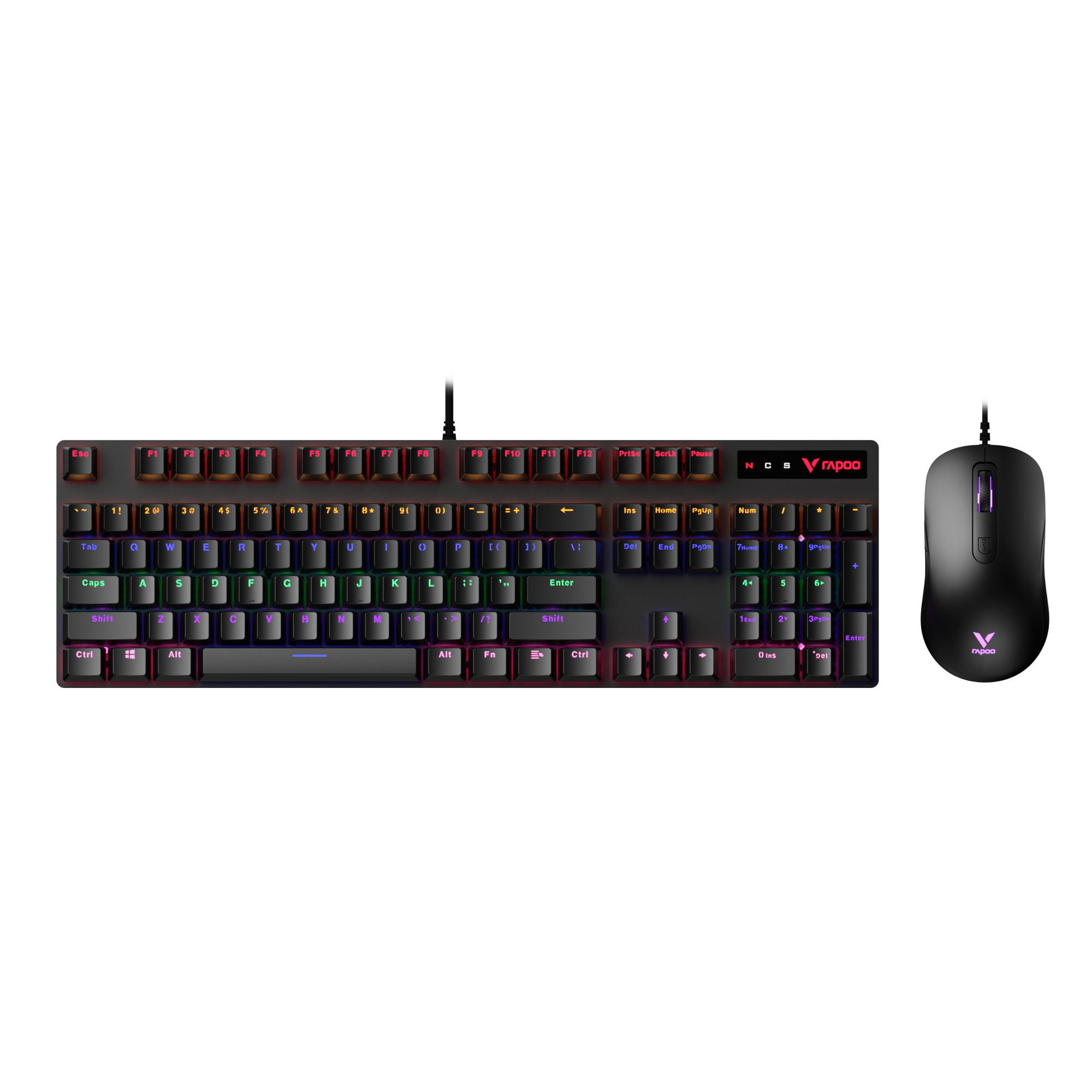
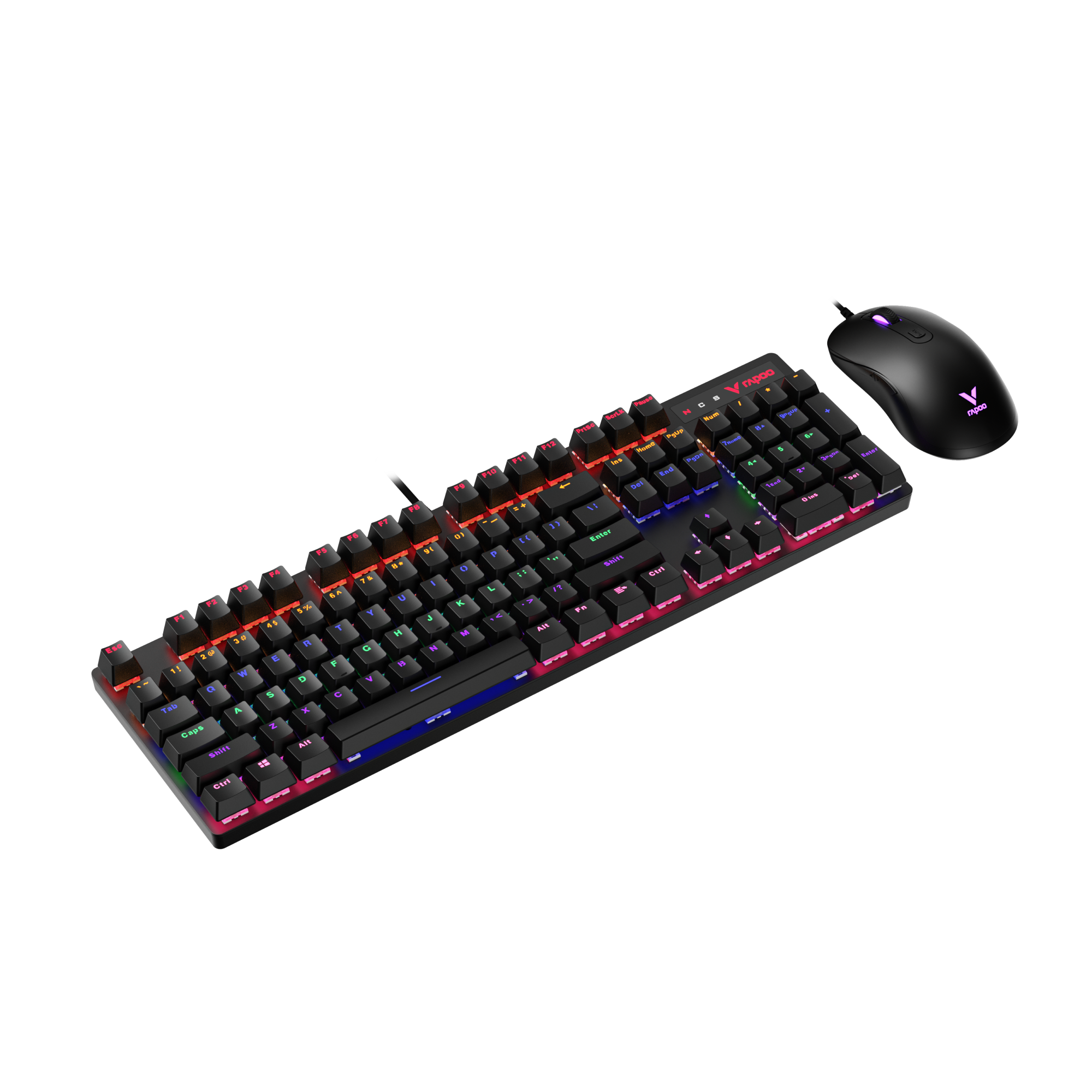
For users who enjoy the smooth, fast feel of linear switches, keyboards like RAPOO’s V700DIY series show how flexible modern mechanical keyboards can be. With hot-swappable Speed Silver switches and compact layout options, they’re designed to adapt as your preferences evolve—whether for gaming or everyday use.

Rapoo V700DIY-98 Wireless Mechanical Gaming Keyboard
1800 compact layout with full functionality.
- • Speed Silver switches for fast, smooth keystrokes
- • Compact 1800 layout saves desk space without sacrificing keys
- • Easy switch replacement as preferences change
$66.99 $83.99
Apply at checkout for extra savings.

Rapoo V700DIY-75 Wireless Mechanical Gaming Keyboard
Minimal 75% layout for clean desk setups.
- • Smooth linear feel for gaming and daily typing
- • 75% layout balances compact size and usability
- • Ideal for smaller desks and portable setups
$62.99 $73.99
Save extra when you check out.
Tactile Switches
Typing feel:
Tactile switches feature a noticeable bump at the actuation point. This bump lets you feel exactly when the key press is registered, without needing to press the key all the way down.
Sound profile:
Moderate. They are quieter than clicky switches but louder than most linear switches.
Best for:
- Typing and productivity
- Users who want feedback without loud noise
- Mixed-use setups for both work and gaming
Clicky Switches
Typing feel:
Clicky switches combine a tactile bump with a distinct click sound, making each keystroke very pronounced and satisfying.
Sound profile:
Loud and sharp. The sound is an intentional part of the experience.
Best for:
- Typists who enjoy strong feedback
- Users who value auditory confirmation of each keystroke
- Personal environments where noise isn’t a concern
Learn More: Keyboard Switch Types: Linear vs Tactile vs Clicky
Benefits of Using a Mechanical Keyboard
The benefits of using a mechanical keyboard are practical, noticeable, and long-lasting—especially for users who type or game regularly.
-
Consistency
Each key uses an independent mechanical switch, so every keystroke feels uniform and predictable. This consistency improves typing accuracy and helps build reliable muscle memory. -
Longevity
Mechanical switches are built to last, often rated for tens of millions of keystrokes per key. Compared to membrane keyboards, they maintain performance far longer with less degradation over time. -
Comfort
Keys actuate before bottoming out, meaning less force is required to register input. This can reduce finger fatigue during long typing sessions or extended gaming. -
Customization
Mechanical keyboards offer flexibility in switch types, layouts, and keycaps, allowing users to tailor the keyboard to their typing style, noise preference, and workspace needs.
Are There Any Downsides to Mechanical Keyboards?
While mechanical keyboards offer many advantages, it’s important to understand the mechanical keyboard disadvantages before deciding if one is right for you. The drawbacks are real—but for many users, they’re manageable.
-
Noise (but controllable)
Some mechanical keyboards can be noticeably louder than membrane keyboards, especially with clicky switches. That said, noise levels vary widely by switch type, and quieter linear or tactile switches—as well as dampening features—can significantly reduce sound. -
Higher upfront cost
Mechanical keyboards generally cost more than standard keyboards. The price reflects better materials and longer lifespan, but for casual or light users, the initial investment may feel unnecessary. -
Weight and size
Mechanical keyboards are often heavier and thicker due to their internal components. This can make them less portable and take up more desk space, particularly compared to slim membrane keyboards.
Overall, these downsides don’t make mechanical keyboards a poor choice—they simply mean they’re better suited for users who value typing feel, durability, and customization over minimal size or lowest cost.
Mechanical Keyboards for Gaming vs Typing

A mechanical keyboard can serve different purposes depending on how it’s used. While gaming and typing place emphasis on different factors, many modern mechanical keyboards are designed to perform well in both scenarios.
For gaming, the focus is on response and consistency. Mechanical keyboards register inputs at a precise actuation point, ensuring fast and reliable key presses during rapid or repeated actions. This consistency is especially important in fast-paced games, where missed or delayed inputs can affect performance.
For typing, priorities shift toward feedback and fatigue reduction. Tactile or well-tuned linear switches provide clear confirmation of each keystroke, helping users maintain rhythm and accuracy during long typing sessions. Because keys don’t need to be pressed all the way down, mechanical keyboards can also feel less tiring over time.
The good news is that these use cases aren’t mutually exclusive. Many mechanical keyboards balance responsiveness with comfort, making them suitable for both gaming and everyday typing—especially when paired with the right switch type and layout.
Whether you’re gaming, typing, or doing both, the right mechanical keyboard setup can make a noticeable difference in comfort and control.
👉 Explore Gaming Mechanical KeyboardsFAQ About Mechanical Keyboards
Are mechanical keyboards noisy?
Mechanical keyboards used to have a reputation for being loud, but modern mechanical keyboards are significantly quieter than before. Noise levels still vary by switch type—clicky switches are intentionally loud, while linear and many tactile switches are much quieter—but overall sound control has improved a lot.
Today, many keyboards use advanced internal structures to reduce noise and vibration. Features like flexible gasket-mounted designs, multi-layer sound-dampening materials, and dual-layer foam padding (such as PO foam) help absorb impact noise and minimize echo inside the keyboard case.
Are mechanical keyboards better than membrane keyboards?
Mechanical keyboards aren’t universally “better,” but they do offer more consistency, clearer feedback, and longer lifespan than membrane keyboards. Because each key uses an individual switch, inputs feel more precise and predictable. Membrane keyboards, on the other hand, are quieter and cheaper, which can suit casual or light use. The better choice depends on how much you type or game and what kind of feel you prefer.
Why do mechanical keyboards last longer?
Mechanical keyboards last longer because their switches are engineered for durability, often rated for tens of millions of keystrokes per key. In contrast, membrane keyboards rely on a rubber dome that gradually wears out and loses responsiveness. With mechanical switches, performance remains consistent even after years of heavy use.
Do mechanical keyboards improve typing speed?
A mechanical keyboard won’t instantly make you type faster, but it can help improve accuracy and consistency over time. Clear feedback and predictable actuation make it easier to develop muscle memory, which can lead to smoother, more efficient typing—especially during long sessions.
Are mechanical keyboards good for gaming?
Yes, mechanical keyboards are widely used for gaming because of their fast response and reliable input registration. Precise actuation points and consistent key behavior are especially helpful in fast-paced games where timing and repeated inputs matter. Many gamers also appreciate the durability and customization options.
Why are mechanical keyboards more expensive?
Mechanical keyboards cost more due to higher-quality components, including individual switches, sturdier construction, and longer-lasting materials. While the upfront price is higher, many users find the long-term value worthwhile because mechanical keyboards typically last much longer than standard keyboards.
What type of switch is best for beginners?
For beginners, tactile or light linear switches are often the safest choice. They provide a balanced feel without being too loud or too stiff. Tactile switches offer feedback that helps with accuracy, while linear switches feel smooth and easy to press—both are beginner-friendly options.







1 Comment
This is a very helpful article about”https://www.techlandbd.com/”>wireless mouse price in BDkeyboard options.I was looking for a suitable keyboard for my computer and this information helped me understand the important features.