






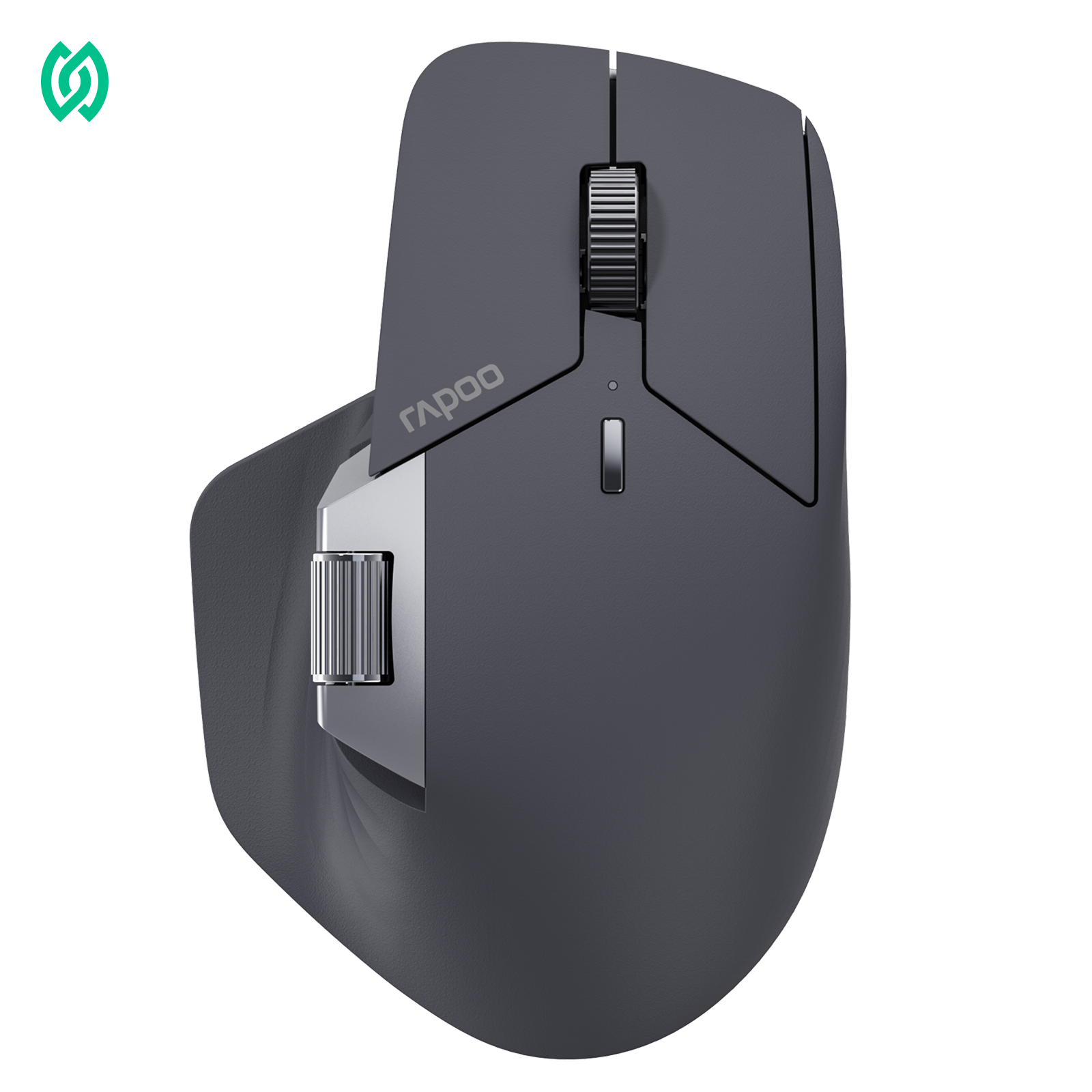



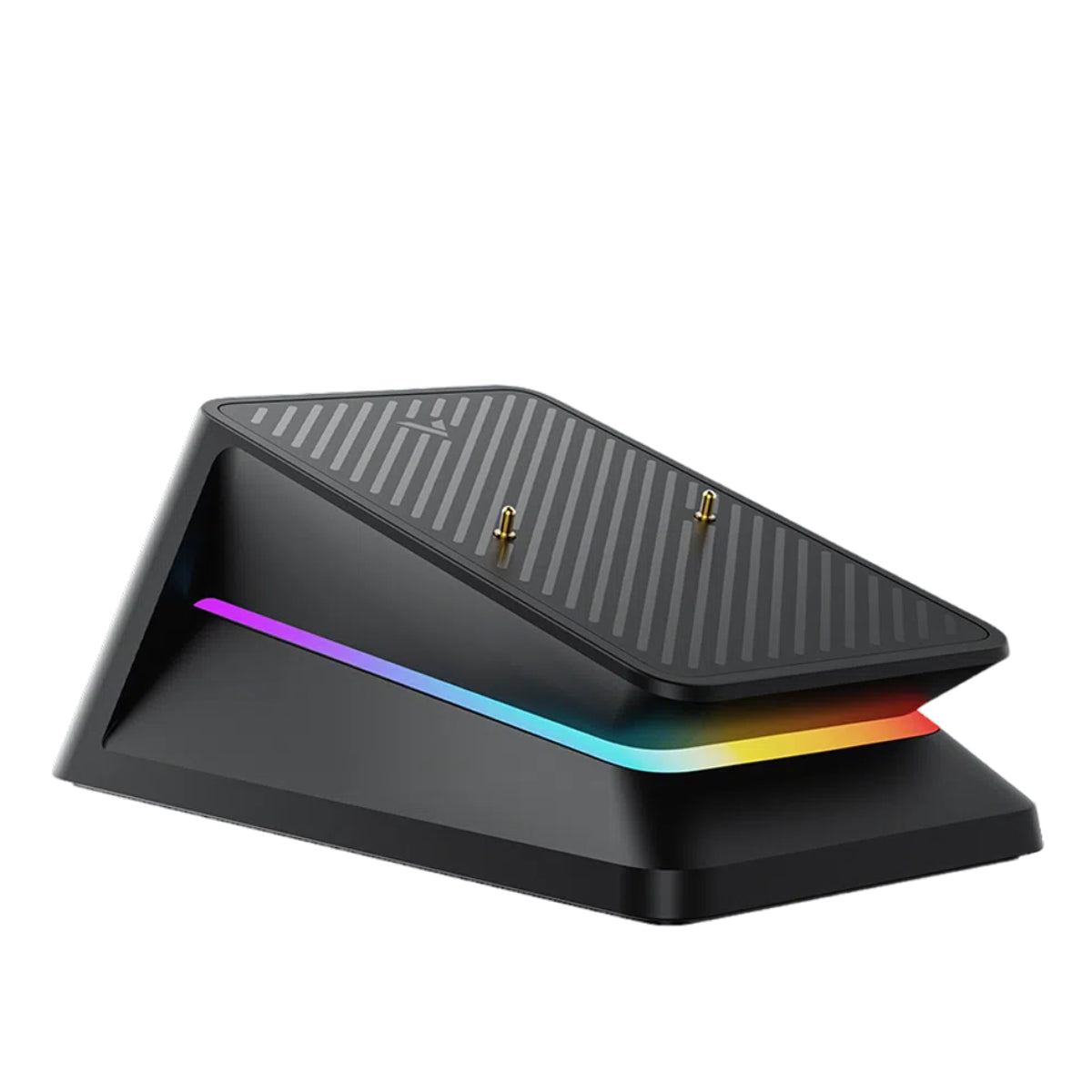

The RAPOO MT760 Series is designed with this in mind, offering three models that focus on different hand sizes and usage needs. While they share core features such as multi-device connectivity and cross-screen control, the real difference comes down to how each mouse feels in your hand and how it fits into your working habits.
The RAPOO MT760 series is designed as a productivity-focused lineup of multi-device wireless mice, built for users who work across multiple screens, devices, and workflows throughout the day.
Rather than being traditional office mice, all MT760 models focus on a combination of ergonomic comfort, multi-device flexibility, and workflow efficiency — making them especially suitable for professionals and multitaskers.

| Feature | MT760 Mini | MT760L | MT760PRO |
|---|---|---|---|
| Size | Small (115×74×42 mm) | Large (125×81×47 mm) | Large (125×81×47 mm) |
| Weight | 88g | 101g | 105g |
| Sensor | PAW3220 | PAW3220 | PAW3311 |
| Max DPI | 4000 | 4000 | 12000 |
| Polling Rate | 1000Hz (2.4G) | 1000Hz (2.4G) | 2000Hz (2.4G) |
| Multi-device | Up to 5 devices | Up to 5 devices | Up to 7 devices |
| Connectivity | USB-C / 2.4G / BT 5.0 | USB-C / 2.4G / BT 5.0 | USB-C / 2.4G / BT 5.0 / NearLink |
| Battery Life | Up to ~160h (BT) | Up to ~160h (BT) | Up to ~220h (BT) |
| Macro Support | ❌ Not supported | ❌ Not supported | ✅ Supported |
| Side Scroll Wheel | Hall-effect | Hall-effect | Hall-effect |
| Best For | Small and medium hands & portability | Everyday comfort |
What All MT760 Models Have in Common

Across the series, you’ll find a consistent set of features designed to improve everyday productivity:
- Ergonomic design for better hand support during long sessions
- Multi-device switching for seamless transitions between devices
- Hall-effect side scroll wheel, providing more precise and consistent horizontal scrolling
- M+ cross-screen workflow, enabling control and file transfer across multiple computers
- Onboard memory, allowing settings to be saved directly on the mouse
These shared features mean that all MT760 models deliver a similar core experience focused on multi-device productivity and long-term comfort.
What Makes Each Model Different
While the overall experience is consistent, the differences between models are relatively focused and practical:
- Size and form factor → compact (Mini) vs full-size (L / PRO)
- Sensor performance → standard vs slightly higher precision and responsiveness
- Connectivity and flexibility → number of devices supported and connection options
- Additional features (PRO only) → macro customization support
- Battery life → MT760PRO offers longer wireless usage (up to ~220h vs ~160h on other models)
How to Choose the Right MT760 Mouse
Choosing the right MT760 model comes down to how you work day-to-day. Instead of focusing only on specs, it’s more useful to look at comfort, performance needs, and workflow habits.
1. Choose Based on Hand Size & Comfort
The most important factor when choosing a mouse is how well it fits your hand. A mouse that matches your hand size will feel more natural, reduce strain, and improve overall control—especially during long sessions.
Choose MT760 Mini if you have small hands or prefer a compact grip:
- easier to control with smaller hand sizes
- better suited for fingertip or claw grip styles
- ideal for laptop and flexible work setups
Choose MT760L or MT760PRO if you have medium to large hands:
- fuller palm support for a more relaxed grip
- more stable hand positioning
- better for long hours of desk work
In practice, a properly sized mouse will feel more comfortable than a higher-spec one that doesn’t fit your hand well.
Choosing the right size for your hand is often more important than choosing higher specs.
If you’re unsure about your hand size or grip style, check out our guide on how to measure your hand size and choose the right mouse fit to make a more informed decision.
2. Choose Based on Performance Needs
The difference between the MT760 models mainly comes down to the sensor — but in most cases, the real question is whether you will actually notice that difference in your daily work.
The MT760 Mini and MT760L use the PAW3220, which is designed for smooth and reliable office use. The MT760PRO uses the PAW3311, a higher-performance sensor with higher DPI (up to 12,000) and faster tracking speed, commonly found in budget gaming mice. In practice, this means the PRO can respond faster and track more precisely, especially during quick movements or across large screens.
In real-world use:
- Office work, browsing, documents → PAW3220 is already more than sufficient
- Multi-monitor or 4K setups → PAW3311 feels smoother and more responsive
- Fast cursor movement or light design work → PRO offers better precision
- Most users → may not notice a major difference in everyday tasks
👉 In general, sensor performance matters less than comfort. A mouse that fits your hand well will have a bigger impact than higher-end specs alone.
3. Choose Based on Connectivity & Workflow
If you regularly switch between devices, connectivity becomes a key factor in your workflow efficiency.
Here’s how the MT760 models compare:
| Feature | MT760 Mini / MT760L | MT760PRO |
|---|---|---|
| Multi-device Support | Up to 5 devices | Up to 7 devices |
| Wireless Modes | 2.4GHz + Bluetooth 5.0 | 2.4GHz + Bluetooth 5.0 + NearLink |
| Switching Experience | Seamless multi-device switching | Faster and more responsive switching |
| Best For | Standard multi-device setups | Advanced multi-device workflows |
The difference becomes more noticeable in real-world usage:
- If you use 2–3 devices occasionally, MT760 Mini or MT760L will cover your needs comfortably
- If you manage multiple systems simultaneously (PC, laptop, tablet, etc.), MT760PRO offers more flexibility
- With NearLink technology, MT760PRO delivers a more stable and responsive wireless experience, especially in complex setups
This is especially useful if you:
- work across multiple computers (PC + laptop + tablet)
- frequently switch between systems
- rely on cross-device workflows using M+
Choosing the right model here depends less on specs alone, and more on how complex your daily workflow is.
4. Choose Based on Advanced Productivity Features
All MT760 models are designed to improve workflow efficiency, but how you use these features can influence your choice.
Key features include:
Side scroll wheel
- ideal for horizontal navigation in spreadsheets, timelines, and large documents
Programmable buttons
- customize shortcuts for faster access to tools and commands
Onboard memory
- save your settings directly on the mouse for consistent performance across devices
These features can significantly improve daily efficiency, especially for users working with Excel, browsers, creative tools, or multitasking environments.
By focusing on these four areas—size, performance, connectivity, and productivity features—you can quickly identify which MT760 model best fits your workflow.
MT760 vs MX Master 3S: Which One Should You Choose?
Many users compare the RAPOO MT760 series with the Logitech MX Master 3S when looking for a productivity mouse, as both are designed for office workflows and multi-device use.
The MX Master 3S is designed primarily as a premium office productivity mouse, while the MT760 series — especially the MT760PRO — is built to offer a more flexible experience with multi-device workflows, higher responsiveness, and broader connectivity options.
MT760L vs MT760PRO vs MX Master 3S
| Feature | MT760L | MT760PRO | MX Master 3S |
|---|---|---|---|
| Positioning | Everyday office mouse | Advanced productivity / multi-device | Premium office productivity |
| Shape | Full-size ergonomic | Full-size ergonomic | Full-size ergonomic |
| Weight | ~103g | ~105g | ~141g |
| Sensor | Optical (~4000 DPI class) | PAW3311 (up to 12000 DPI) | Darkfield sensor (up to 8000 DPI) |
| Polling Rate | Up to 1000Hz (2.4G) | Up to 2000Hz (2.4G) | ~125Hz typical office-level |
| Connectivity | Bluetooth + 2.4GHz | NearLink + 2.4G + Bluetooth + Wired | Bluetooth + Logi Bolt |
| Multi-device | Up to 5 devices | Up to 7 devices | Up to 3 devices |
| Cross-device workflow | M+ cross-screen + file transfer | M+ cross-screen + file transfer | Logitech Flow |
| Scroll features | Standard + side scroll | Standard + side scroll | MagSpeed + side scroll |
| Programmable Buttons | 11 | 11 | ~6 buttons |
| Battery life | Up to 160 hours | Up to 210 hours | ~70 days |
| Click type | Silent mechanical | Silent mechanical | Quiet click (90% quieter) |
| Software / Setup | RAPOO Hub + web support | RAPOO Hub + web support | Logitech Options+ |
Looking at the comparison, the MT760 series — particularly the MT760PRO — stands out for its flexibility and broader connectivity options. It supports more devices (up to 7), offers multiple connection modes including NearLink, and delivers higher polling rates and sensor responsiveness compared to typical office mice. For users working across multiple systems or larger screen setups, this can translate into faster switching and a more adaptable workflow experience.
Another advantage is its lightweight design and configuration flexibility. The MT760 models are noticeably lighter than the MX Master 3S, which can feel less fatiguing during long sessions. In addition to side scrolling and programmable buttons, the MT760 series also supports onboard memory, allowing users to save settings directly on the mouse without relying on software. This can be especially useful for users who switch between multiple devices or prefer a simpler, software-independent setup.
This is particularly useful in restricted environments (such as work computers where software installation is limited), as well as for users who prefer not to run extra software or are using devices with limited memory.
That said, the MX Master 3S still has a clear advantage in refinement — especially with its MagSpeed scroll wheel.
MT760 Mini: Best Ergonomic Mouse for Small Hands
The MT760 Mini is specifically designed for users with smaller hands who still want the comfort of an ergonomic mouse. Unlike standard full-size ergonomic mice, which can feel too large or difficult to control, the Mini offers a more natural fit without sacrificing everyday productivity features. While it shares the same core functionality as the MT760L, the Mini is built in a more compact form, making it easier to control for smaller hand sizes and more practical for mobile setups.

RAPOO MT760 Mini Multi-Device Wireless Mouse
Because of its size and design, the MT760 Mini is especially suitable for:
- Designusers with small hands who find full-size mice too bulky
- WorkflowSame core MT760L productivity experience in a smaller body
- ConnectivityMulti-device support for seamless switching across devices
- Best ForSmall hands, Travel, laptop users, and multi-location work routines
RAPOOBg10 Enter at checkout
If portability and flexibility are your priorities, MT760 Mini is the most straightforward choice in the lineup.
The MT760L is the most balanced option in the MT760 lineup, featuring a full-size ergonomic design that fits medium to large hands comfortably. It provides a more natural resting position and solid palm support, making it well-suited for long hours of desk work.
Compared to the Mini, the MT760L focuses less on portability and more on stability and all-day comfort. It delivers the same core features, but in a size that feels more relaxed and supportive for everyday use.

RAPOO MT760L Multi-Device Wireless Mouse
Best ergonomic mouse for everyday comfort
- Ergonomic FitFull-size ergonomic shape built for medium to large hands
- ComfortNatural resting position with stronger palm support for long desk sessions
- FocusLess about portability, more about stability and all-day comfort
- Best ForBrowsing, documents, multitasking, and everyday desk productivity
RAPOOBg10 Enter at checkout
MT760L is the most balanced option in the MT760 lineup for users who want full-size ergonomic comfort every day.
⚠️ When NOT to choose MT760L
- If you have small hands → MT760 Mini will fit better
- If you need portability → Mini is easier to carry
- If you require more device flexibility → MT760PRO supports more connections
MT760PRO: Best for Multi-Device Setups and Custom Workflow Control
The MT760PRO builds on the same full-size ergonomic design as the MT760L, but adds more flexibility for users who work across multiple devices or want greater control over their workflow. It maintains the same comfortable shape, while introducing additional connectivity options and customization features.
Compared to the MT760L, the PRO focuses less on simplicity and more on flexibility. It supports more device connections and adds macro customization, making it better suited for users who want to streamline repetitive tasks or manage more complex setups.

RAPOO MT760 Pro Multi-Device Wireless Mouse
Best for multi-device workflows and customizable control
- ConnectivitySupports up to 7 devices with NearLink, 2.4GHz, Bluetooth, and wired modes
- ControlCustom macro support for more efficient workflow shortcuts
- PerformancePAW3311 sensor with smoother tracking on larger or multi-monitor setups
- BatteryUp to ~220 hours (BT), vs ~160 hours on MT760 Mini / MT760L
- Best ForMulti-device users, advanced workflows, and productivity customization
RAPOOBg10 Enter at checkout
Designed for users who need more control across multiple devices — without changing the familiar ergonomic feel.
⚠️ When NOT to choose MT760PRO
- If you mainly use a single device → MT760L is usually sufficient
- If you don’t need macro customization → extra features may not be necessary
- If your workflow is simple → the overall experience is similar to MT760L
👉 The MT760PRO is best seen as a more flexible version of the MT760L, offering additional connectivity, customization, and battery life — rather than a completely different tier.
Decision Guide: Which MT760 Model Fits You Best?

Choosing between the MT760 Mini, MT760L, and MT760PRO doesn’t require comparing every specification. In most cases, the decision comes down to two things: your hand size and how you use your mouse in daily work.
The first step is to choose the right size. If you have smaller hands or prefer a compact mouse that’s easy to carry between locations, the MT760 Mini is the most suitable option. For users who mainly work at a desk and prefer a more relaxed, full-hand grip, the MT760L and MT760PRO offer a more comfortable full-size ergonomic design.
Once size is decided, the next factor is how complex your workflow is. The MT760L is designed as a straightforward, reliable option for everyday office use — ideal if you mainly work on a single device and want a comfortable, no-fuss experience. The MT760PRO, on the other hand, is better suited for users who frequently switch between multiple devices or want additional flexibility, such as macro customization, more connection options, and slightly longer battery life.
In practice, most users will find the MT760L sufficient for daily work, while the MT760PRO becomes more useful in multi-device setups or more demanding workflows. If you prioritize portability, choose the Mini; if you want a balanced everyday option, choose the L; and if your workflow involves multiple systems or customization, the PRO is the better fit.
Tips to Get the Most Out of Your MT760 Mouse
Once you have chosen the right MT760 model, a few simple adjustments can help you get more out of your mouse in everyday use. These small changes can improve comfort, workflow efficiency, and overall control, especially during long working sessions.
Adjust DPI to Match Your Workflow
DPI settings affect how fast your cursor moves across the screen. A higher DPI can feel faster and reduce the need for large hand movements, while a lower DPI can offer more precise control.
For most users, it helps to:
- use lower DPI for detailed tasks like design or editing
- use higher DPI for faster navigation across large or multiple screens
- adjust settings until movement feels natural rather than overly sensitive
Finding the right balance can make your daily work feel smoother and less tiring.
Use Multi-Device Switching More Efficiently
One of the key advantages of the MT760 series is multi-device connectivity. Instead of treating it as a secondary feature, it can become a central part of your workflow.
You can improve efficiency by:
- assigning each device (PC, laptop, tablet) to a dedicated channel
- switching quickly when moving between tasks
- using cross-device workflows to reduce interruptions
For users who work across multiple systems, this can save time and make transitions feel seamless.
Customize Buttons for Your Workflow
Customizing buttons is one of the easiest ways to improve productivity. Instead of relying only on default clicks, you can assign functions that match your daily tasks.
Common useful setups include:
- assigning back/forward buttons for faster navigation
- using the side scroll wheel for horizontal scrolling in documents or spreadsheets
- setting shortcuts for frequently used actions
These small adjustments can reduce repetitive movements and make your workflow more efficient over time.
Maintain a Comfortable Ergonomic Setup
Even with an ergonomic mouse, how you use it still matters. A proper setup can help reduce fatigue during long sessions.
A few simple habits can make a difference:
- keep your wrist in a neutral position
- avoid excessive bending or pressure on the wrist
- position the mouse close to your keyboard
- take short breaks during extended use
Comfort is not just about the mouse itself, but also about how it fits into your overall setup.
Keep Your Setup Simple and Consistent
Finally, try to keep your configuration consistent across devices. Whether you use browser-based settings or software, having the same DPI levels, button mappings, and switching habits can help you build muscle memory more quickly.
Over time, this consistency can make your workflow feel more natural and reduce the need for constant adjustments.
Final Thoughts
The MT760 series is built around a shared goal: delivering a more efficient and comfortable productivity experience. Across the lineup, all models offer strong core features such as multi-device connectivity, ergonomic design, and flexible workflow support.
The right choice ultimately comes down to a few key factors:
- Size: whether you prefer a compact or full-size mouse
- Performance level: whether you need basic reliability or more advanced features
- Workflow: whether you work on a single device or across multiple systems
Each model is designed for a different type of user, but all of them aim to make everyday work smoother and more efficient.
Choosing the right MT760 mouse can significantly improve both comfort and efficiency in your daily work.





