





Rapoo MT760L / MT760Mini Multi-Device Wireless Mouse
Rapoo MT760L / MT760Mini Multi-Device Wireless Mouse
Available in stock (628)
-
Estimated delivery: Dec 14 - Dec 18
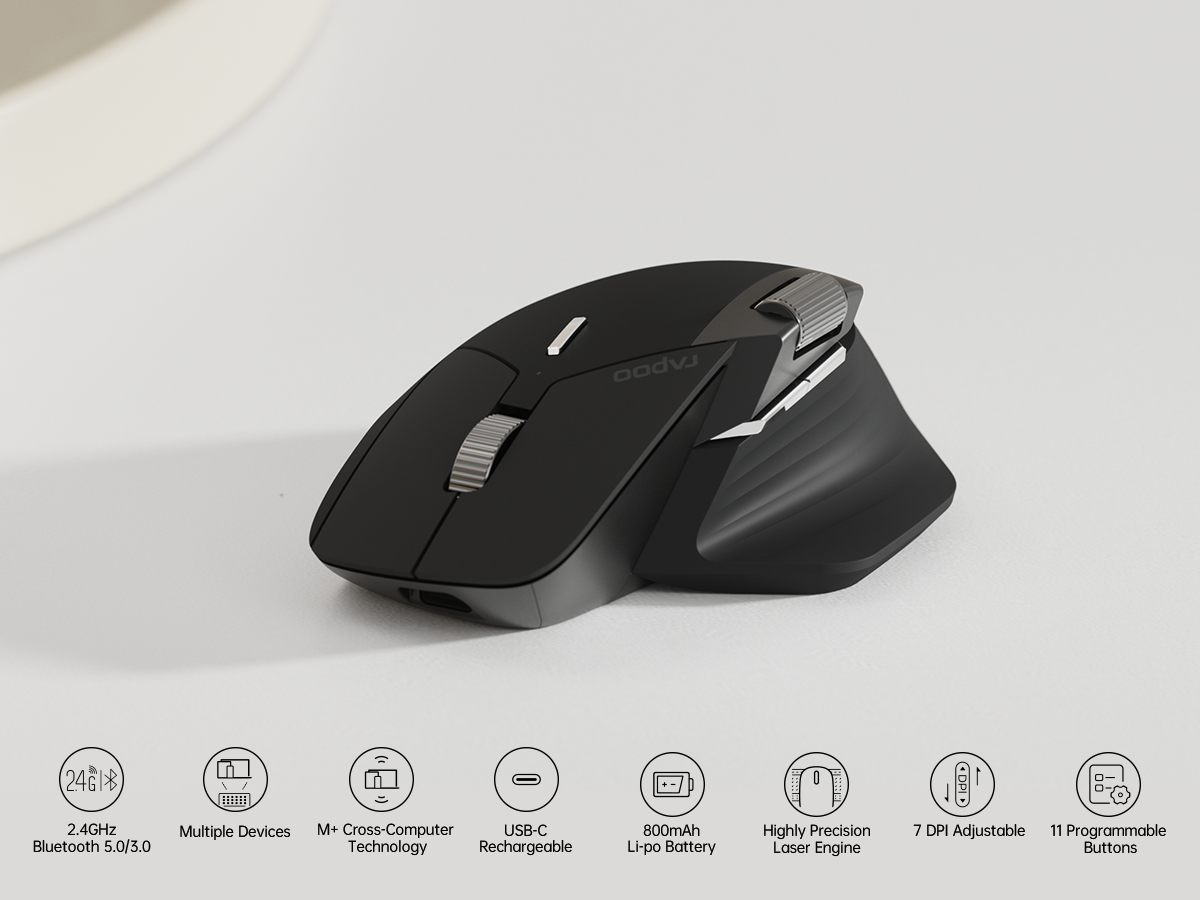
- ⭐Multi-Device Wireless Bluetooth Mouse: Rapoo MT760 supports bluetooth 5.0/3.0 and 2.4GHz tri-mode connection, which can be used to switch back and forth between office computer/laptop/cell phone/ipad via bluetooth or the included USB dongle, and the low-power, low-latency, and high-efficiency bluetooth wireless mouse allows you to face all kinds of complicated matters with ease.
- ⭐7 Adjustable DPI & M+ Cross-Computer Technology: Rapoo wireless mouse preset 800/1000/1200/1600/2400/3200/4000 seven DPI value, through the DPI button a key to adjust to meet different personal use needs. Seamlessly use and control multiple computers by moving the cursor to the edge of your screen, automatically switch between screens to finish multi tasks at the same time. [Need to install mouse driver and connect your computers to the same Wi-Fi or Ethernet].
- ⭐Bluetooth Mouse with Side Scroll & Ergonomic Design: The cordless bluetooth mouse has a Hall magnetic induction side scroll wheel and a 1000,000 times scale feel center button scroll wheel for smooth and convenient office work. Ergonomic bow-back design, thumb support, anti-slip and anti-sweat, full support, comfort and ease of use. Fits all grips and hand sizes, especially for people with bigger hands.
- ⭐11 Programmable Buttons & Wireless Charging Enabled: Assign shortcuts, media keys, or macros to streamline your work and boost efficiency.Works with most Qi wireless charging mouse pads, enjoy an effortless power boost while at use, and embrace the convenience of cord-free charging. [Need to purchase P3 Wireless Charging Module separately]
- ⭐Ultra-Long Battery Life & Buy with confidence: 800mAh li-po battery, USB-C quick charge, lasts up to 90 days. [Battery life may vary on use frequency and device conditions];Please feel free to contact us to solve any problems for you.
Couldn't load pickup availability
Bundle a Mouse with a keyboard and get a FREE Charging Dock or a Mouse Pad. VT Max or MT760 Pro Series only.
Shipping & Rerturns
Shipping & Rerturns
• Shipping: Orders are processed within 1–2 business days. Standard delivery takes 3–7 business days depending on your location.
• Returns: You may return or exchange products within 30 days of receiving your order. Items must be in original condition with proof of purchase.
If your item is defective or damaged due to manufacturing issues, we’ll gladly replace it at no additional cost.
Your payment information is processed securely. We do not store credit card details nor have access to your credit card information.

| MODEL | MT760L/MT760M |
|---|---|
| CONNECTION | Wired/2.4G/BT |
| SENSOR | 4 K Optical Sensor |
| DPI | 800-4000 |
| IPS | 30 |
| ACCELERATE SPEED | 10G |
| PROGRAMMABLE BUTTONS | 11 |
| BATTERY LIFE | 800mAh, Up to 90 days |
| SUPPORTED DEVICES | Windows XP/Vista/7/8/10 or later, Mac OS 10.15 |
| SIZE | 4.85*3.21*1.83in / 123.3* 81.6*46.4mm |
| WEIGHT | 3.74oz / 1060g |
| PACKAGE INCLUDE | 1*Wireless Mouse; 1*USB-C Charging Cable; 2*USB Dongles; 1*User Manual |
1 x Wireless Mouse
1 x USB-C Charging Cable (USB-A to USB-C)
2 x USB Dongles
1 x User Manual

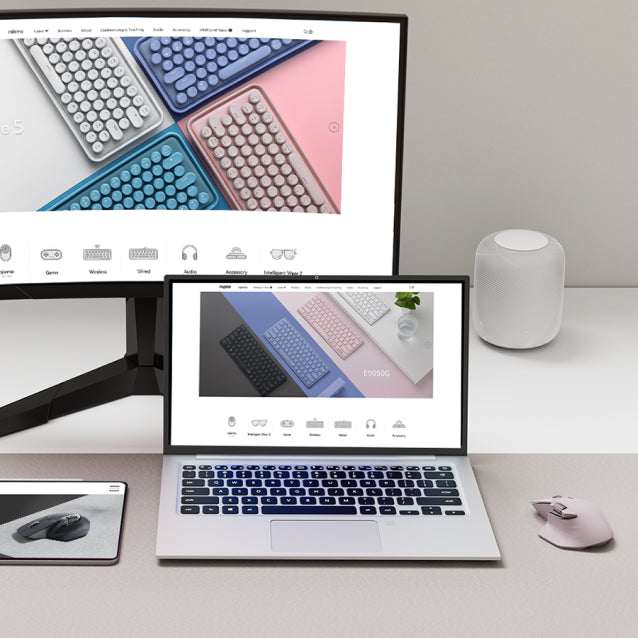
Rapoo M+ Cross-Computer Technology
Flow between computers simply by moving the cursor to the edge of the screen. Easily transfer text, image, and files between computers - just copy from one computer and paste to another.
Multi-Device Wireless Connectivity
24GHz + bluetooth 3.0/5.0 tri-mode connectivity the only one mouse that supports 4 devices on the market.
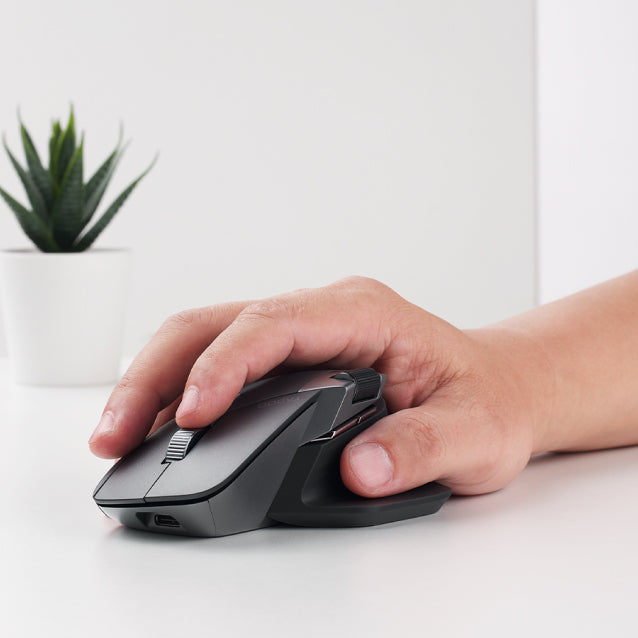
Ergonomic Design, Comfortable to Use
Silhouette crafted palm grip and thumb rest for a more natural wrist posture, reduce hand strain over long periods of work.
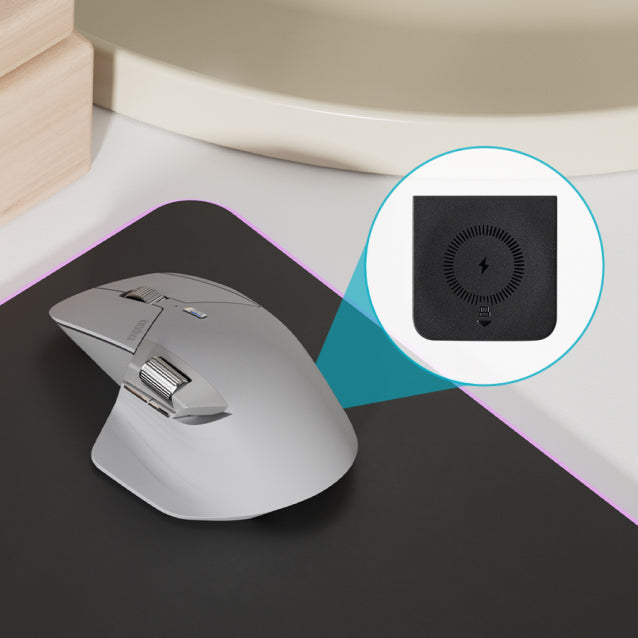
Support Ql Wireless Charging
Dead batteries are now a thing of the past. Add *P3 wireless charging module* wireless charging while at use.

11 Programmable Buttons
Customize shortcuts and function keys to streamline your work and boost productivity.

Select [2.4G Mode], follow the instructions to pair the USB receiver with the mouse.
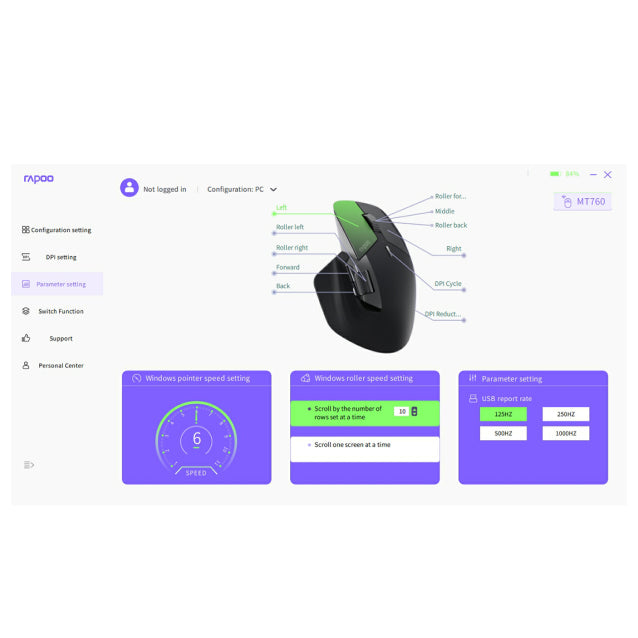
Settings for 10+1 Programmable Buttons
Select [Parameter setting], select a button then assign a shortcut or function key to it.
Repeat the process to programme all the buttons you need.
To cancel a button's setting, select the button and click [Restore default].

Select [Switch Function],pair the mouse to all your computers via 2.4GHz,connect your computer to the same Wi-Fi or Ethernet network, switch to LAN mode,then turn on Cross-screen and Clipboard.

Select [Restore factory settings] to clear all your settings and reset the mouse to default factory settings.

Discover more in our FAQ
Check out our help center for more FAQ & Policy.
How long does it take to process an order?
How long does it take to process an order?
Orders are typically processed within 1–2 business days. You will receive a confirmation email with tracking details once your order has been shipped. Please note that processing times may be slightly longer during high-demand periods or sales events.
Do you ship internationally?
Do you ship internationally?
Yes, we offer international shipping to most countries. Shipping rates and delivery times vary depending on the destination. Any applicable customs duties or taxes will be the responsibility of the recipient.
What is your return policy?
What is your return policy?
We accept returns within 30 days of delivery. To be eligible, items must be unused, in their original packaging, and accompanied by proof of purchase. If the item is faulty or damaged, we will cover the return shipping and provide a replacement or full refund.

About Rapoo
Leading Brand in Wireless Mice and Keyboards Since 2002. Professional-grade Wireless Gaming Mice and Keyboards at Unbeatable Price.


